
TL;DR
If you’re looking for HeyGen alternatives, you may have frustrations like I had while I tested and used HeyGen. Many creators, including me, unsubscribe HeyGen because this AI video generator felt slow during daily production, basic editing wasn’t as smooth and creating videos at scale became expensive and time-consuming.
So, my first choice is Fliki, one of the HeyGen free alternatives, and it is ideal for fast faceless videos and realistic AI voiceover-led content. However, you can go with Revid AI for high-volume social media shorts videos. I would say that instead of choosing the tool with the flashiest demo, pick the one that makes your everyday editing, exporting, and content production faster and more reliable.
Use my COUPON CODE "FLIKIAI10" to get 10% OFF on the monthly plan.Introduction
AI video creation in 2026 is not a hobby anymore, but now it has become a necessity to any video content creators.
However, the market has flooded with lots of AI video generators with some flashy demos that can look great before you subscribe to them.
Literally, I have tested a lot of AI video tools, and almost all of them have polished demos, clean avatars, and promise a simple workflow.
But the problem appears when you start real production.
And one of the tools I experienced the issue with is HeyGen. That is why many creators start searching for HeyGen AI alternatives.
But the best replacement is not always the flashiest tool because if you need a HeyGen alternative for ad creation, speed and volume may matter more than perfect avatar polish.
If you make tutorials, webinars, or repurposed content, you may need easier editing, screen recording, or a better long-form faceless video creation workflow.
If budget is your problem, then comparing HeyGen free alternatives can help you test before paying for any AI video generators.
In this guide, I will compare the best HeyGen alternatives in 2026 based on real production needs: speed, editing comfort, avatar quality, pricing fit, and use case.
So, let’s start
Table of Contents
Quick Comparison: HeyGen Alternatives for Content Creators
| Tool | Best For | Main Strength | Possible Limitation | Best Fit |
|---|---|---|---|---|
| Fliki | Faceless videos, blog to video, realistic voiceovers, content videos | Fast script-to-video workflow with 2000+ voices and stock media | Not ideal for advanced avatar-heavy production | Creators who want branded faceless video production |
| Revid AI | Complete video production | Fast social media video creation | May feel less polished for corporate videos | Creators testing TikToks, Shorts, Reels, and ads |
| Pictory | Blog to video, script, and long-form repurposing video | Turns existing content into videos | Not focused on realistic AI avatars | Creators repurposing content |
| Synthesia | Corporate avatar videos | Professional avatar quality and business-ready output | Can feel less flexible for cinemetic video creation | Teams making training videos, sales, and internal videos |
| Colossyan | Training, onboarding, and learning videos | Strong fit for structured educational content | Not the best for fast social-first content | L&D, HR, and training teams |
In my personal opinion, if you are a content creator and want to get a decent output, then just go with Fliki AI (Free Trial Available) for faceless video creation and try Synthesia (Free Trial Available) for corporate use cases.
I have personally tested Fliki, and the bad output frequency is very low. Btw, I am not telling you that you get a 100% accurate result.
No, don’t expect that from any of the AI video generators, as I have tested many of them.
What to Look for in HeyGen AI Alternatives
In 2026, finding the best HeyGen AI alternative is a tough task for you because of the crowded market.
When I first tested and used HeyGen, it looked pretty good before purchase, but it feels slow and clunky during real use over time.
Even the basic editing becomes harder than expected.
So, as per my experience, I have set up some parameters before selecting any HeyGen alternative.
These are
1. Editing Workflow, Not Just Output Quality
Check how easy it is to edit AI videos and export the final video. If basic editing feels very hard, the tool will slow your video production. Btw, I have tested a variety of AI video editors you can check out from here.
2. Speed for Regular Production
If you create videos every week, you shouldn’t deny speed. A slightly less flashy tool (As I said, Fliki) can still be better if it helps you produce more videos without any delays.
3. Screen Recording and Tutorial Support
This is a must-have feature for any content creator because for product demos, webinar clips, software tutorials, and training videos, you need a screen recording feature.
4. Avatar Quality, Practical Usability and AI Voiceover
I know that most of the creators don’t need a polished presenter. For faceless content, explainers, or social videos, realistic AI voiceover, captions, and scene control may matter more.
In addition to that, as I mentioned earlier, a proper and easy-to-use video editing workflow is very important.
I have shared a Medium article to showcase an AI video editing software for YouTubers that I use regularly to edit my talking head videos.
5. Pricing
I am not going to talk more about pricing here because every AI video generator has some parameters before setting the pricing page.
But I recommend you to always go with the basic plan first. Do not invest your hard-earned money into a premium plan.
Start with a testing price, and then, if you like, you can increase the tier.
Best HeyGen Alternatives for Content Creators: Use Case
I have selected 5 HeyGen alternatives, and these are purely based on my own personal test.
Best HeyGen Alternatives for Content Creators: Use Case
I have selected 5 HeyGen alternatives, and these are purely based on my own personal test.
1. Fliki: Best HeyGen Alternative for Long-Form Faceless Videos and Voiceover-Led Content
Fliki is a strong HeyGen AI alternative if you do not need avatar video creation every time. It is better suited for content creators who want to turn scripts, blog posts, ideas, or simple content into realistic AI voiceover-led faceless videos with stock media and captions.
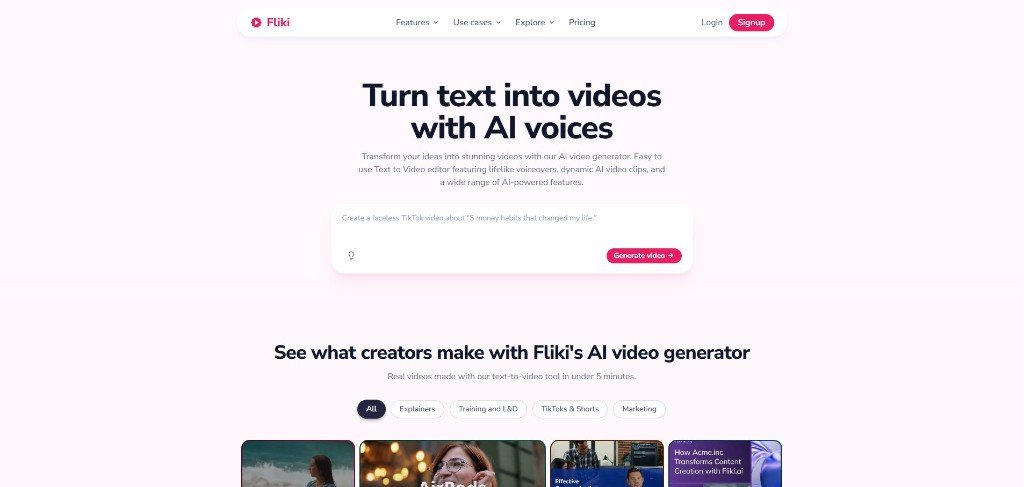
This makes Fliki useful because, to me, HeyGen is not fast enough for regular content production for YouTube. If your workflow is faceless YouTube videos, explainers, listicles, educational clips, or simple marketing videos, Fliki can feel lighter and easier to produce branded video in minutes.
I have used both of these AI video generators, but I feel that Fliki is relatively easier to use than HeyGen.
You can also read my best faceless AI video generator article, where I shared my personal thoughts and opinions after testing this for a certain period of time.
I have also tested its easy to execute blog to video feature. However, I would say not to fully depend on AI to make videos from a blog because that would deliver generic AI videos that just read the blog.
Is Fliki worth it?
From my own experience, Fliki AI is absolutely worth it because if you’re searching for a HeyGen alternative, chances are very high that you’re not just looking for another AI video generator, but you want a tool that feels faster and easier to use every day.
While HeyGen still delivers polished avatar videos for corporate presentations, Fliki is a better fit if your priority is speed, a smoother editing workflow, and creating faceless content at scale.
It is true that it won’t replace HeyGen’s advanced avatar capabilities, but if your goal is to consistently produce Faceless YouTube videos, educational content, or voiceover-led marketing videos without workflow friction, then I would highly recommend using Fliki as one of the strongest alternatives to HeyGen.
The AI Video + Image Models You Can Use in Fliki
This AI video generator uses some of the top AI video + image models available in the market, including
| AI Video Models | AI Image Models |
| Veo 3.1 Fast | Z Image Turbo |
| Seedance 2.0 | FLUX 2 Klein |
| Seedance Pro Fast | Hi-Dream Fast |
| Happyhorse 1.1 | P-Image |
| Kling 2.5 Turbo | FLUX Pro |
| Kling 2.6 Pro | Qwen Image |
| Kling 3.0 Pro | P-Image-Edit |
| Kling 3.0 Standard | Qwen-Image-Edit-Plus |
| LTX-2 Fast | FLUX 2 |
| LTX-2.3 | Seedream 4.5 |
| P-Video | GPT Image 2 |
| PixVerse v5 Fast | Nano Banana 2 |
Best for:
- Faceless content creators
- YouTube video creation
- Blog-to-video workflows
- Voiceover-heavy videos
- Simple educational content
May not be ideal if:
- You need advanced custom avatars
Fliki AI Pricing: How Much Does Fliki AI cost?
Fliki offers a FREE trial to test its features. However, its paid plan starts at around $7 to $8/month, with an export length of 5 minutes on the basic plan.
2. Revid AI: Best HeyGen Alternative for Short-Form YouTube Videos
Revid AI is a strong HeyGen alternative if your priority is speed, short-form content, and high-volume output.
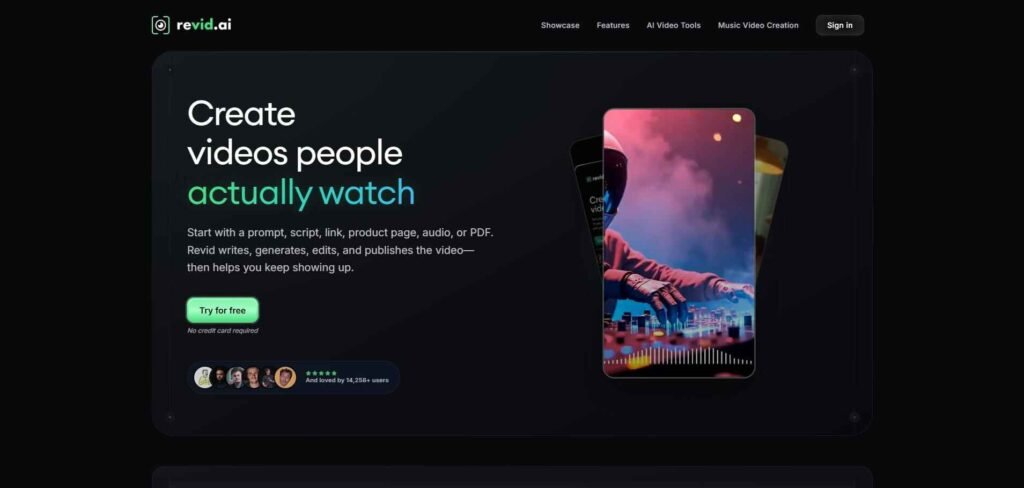
HeyGen can work well for polished avatar videos, but creators making TikToks, Reels, Shorts, music videos, and ad variations often need something faster.
That is where Revid AI fits better. It is useful for social media teams and creators who want to move from idea to short video without spending too much time on manual editing.
Revid AI can also be a practical option if you are comparing free HeyGen alternatives for short-form and slightly long-form YouTube videos before committing to another paid AI video generator.
One of the things I noticed here is that Revid can help you to generate long-form YouTube videos with AI. It has options where you can generate videos up to 300 sec from a single prompt.
I have seen many creators actively search for long form ai video generator for YouTube. For them, besides Fliki, Revid can be an option to try.
Overall, I have seen a lot of useful features in this AI tool that a content creator needs to grow on social platforms.
Although, as I said earlier, do not expect a fully perfect video from any of the AI video generators. Always expect some mismatched output from AI video tools.
However, when you become habituated over time, you’ll find the real way to provide prompts to generate perfect videos.
Best for:
- Short-form creators (TikTok, Reels, and Shorts)
- Social media teams
- Ad testing
May not be ideal if:
- You need polished corporate avatar videos
- You need enterprise training features
Revid AI Pricing: How Much Does Revid AI Cost?
Revid gives you a chance to test this tool without credit card details. However, the paid plan starts from $39/month, which is quite a bit higher than Fliki and Pictory.
3. Pictory: Best HeyGen Alternative for Repurposing Blogs.
Pictory is my third choice after Fliki and Revid when it comes to an alternative to HeyGen.

If you already have blog posts, scripts, webinars, podcasts, or long-form recordings, Pictory helps you repurpose them into shorter, more usable videos without starting from a blank timeline.
That makes it useful for creators who feel HeyGen is too avatar-first and not built enough for content repurposing.
This is especially helpful for HeyGen alternatives for webinar videos because a webinar usually has too much raw content, and from there you need to pull out useful sections, create shorter clips, add captions, and make the final video easier to watch. Pictory fits that workflow better than a pure avatar video tool.
It is also a good option if you want to turn written content into social clips, YouTube videos, or marketing videos with less editing friction.
Best for:
- Content marketers
- SEO teams
- Webinar repurposing
May not be ideal if:
- You need advanced avatar personalisation
- You want avatar-led corporate presenter videos
Pictory AI Pricing: How Much Does Pictory AI Cost?
Pictory offers a 14-day FREE trial. However, its paid plan starts with $25/month.
4. Synthesia: Best HeyGen Alternative for Corporate Avatar Videos
Synthesia is one of the strongest HeyGen alternatives if your main use case is professional avatar-led video for business content.
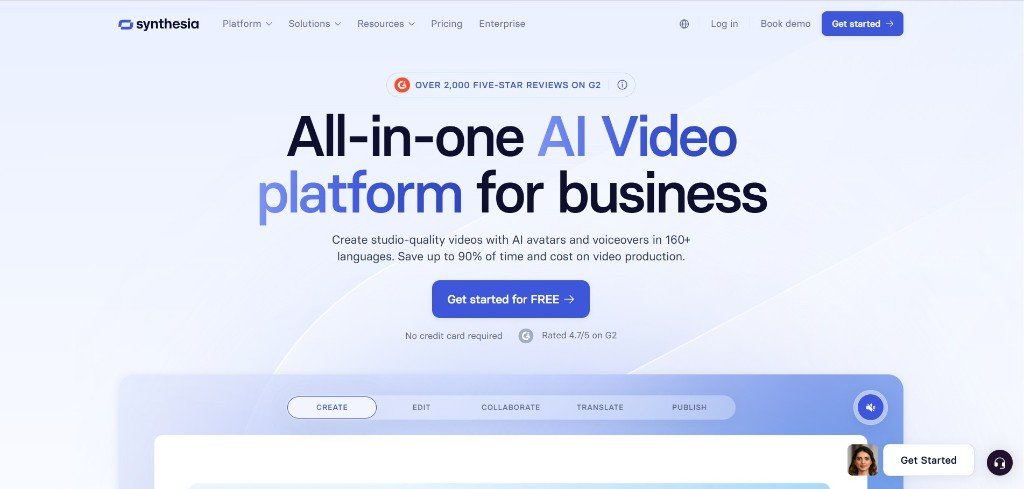
Compared with faster creator-focused tools, Synthesia feels more suited for structured corporate videos like training videos, sales enablement, internal communication, onboarding, product explainers, and brand-safe presenter videos.
This is not a social-first tool like some others I have shared in this blog, because Synthesia is purely a corporate-focused tool.
This makes Synthesia a good choice for you when HeyGen feels polished but not smooth enough for your daily production workflow.
If you need realistic avatar videos that look professional, follow a consistent format, and support business communication, Synthesia is a practical replacement to test.
It may also work well if you are comparing the best HeyGen alternatives in 2026 for workplace video.
Best for:
- Corporate communication
- Training videos
- Sales enablement
- Product explainers
- Professional avatar videos
May not be ideal if:
- You need cinematic video for YouTube
Synthesia AI Pricing: How Much Does Synthesia Cost?
Synthesia offers a FREE plan to test its features. However, the paid plan starts around $16/month.
5. Colossyan: Best HeyGen Alternative for Training, Onboarding, and Learning Videos
Colossyan is a strong HeyGen AI alternative if your videos are built for learning, onboarding, or internal training instead of fast social content.
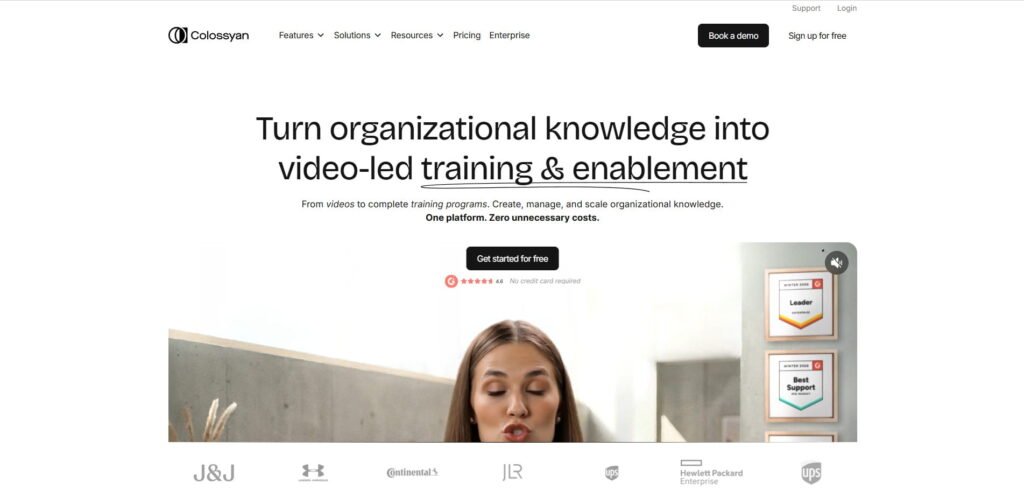
As per my observation, Colossyan and Synthesia both fill the same gap with some slightly different features and motives.
However, if you ask me about which one to choose for corporate and L&D videos, then I would like to go with Colossyan.
Btw, if I talk about HeyGen, it can work for presenter-style videos, but your training teams usually need clear lessons, repeatable formats, scenario-based content, quizzes, translations, and videos that feel structured enough for employees or learners to follow.
That is where Colossyan fits well.
It is made for workplace learning workflows, so it can be useful when you need onboarding videos, compliance explainers, HR training, product education, or internal knowledge content, just like I said for Synthesia.
This makes it different from tools like Revid AI or Fliki. Those are better for speed and creator-style videos. Colossyan is better when your content needs to teach something clearly and professionally in a structured way.
Best for:
- Training teams
- HR onboarding
- Learning and development
- Compliance videos
- Educational content
May not be ideal if:
- You need fast short-form ad creation
- You want creator-style faceless videos
- You need broad social video generation
Colossyan Pricing: How Much Does Colossyan Cost?
Colossyan offers a FREE plan without requiring your credit card details. However, the paid plan starts from around $59/month.
Which HeyGen Alternative Should You Choose?
This is a very subjective question, and there is no single best replacement for everyone because the right choice depends on your current workflow.
As I said, Fliki and Revid are the best HeyGen alternatives for YouTube or social media content creation (TikToks, Reels, Shorts, or high-volume social videos).
Pictory comes in third place as an alternative to HeyGen because it helps you to repurpose your existing content into videos faster.
Choose Synthesia or Colossyan if you need polished corporate videos or learning videos for your brand.
Btw, I have selected these AI video generators for content creators, and each of these tools offers a FREE trial. So, it’s better to try them with your actual use cases to check whether it fits with you or not.
Common Mistake When Choosing a HeyGen Alternative
The biggest mistake every creator makes while choosing a video tool is selecting that tool on the basis of a demo.
Because the demo looks polished and, to be honest, demo quality does not always show how the tool feels when you edit text, change scenes, export videos, or create content every week.
Here, I can tell you a lot of names in the AI video maker niche that have flashy demos, but those are absolutely a waste of time.
I think the smarter move for you is to choose based on speed, editing and output, and the above 5 best HeyGen alternatives absolutely fit that criteria in different use cases.
So, I would recommend you to try Fliki or Revid at first and leave any flashy tool that looks pretty in a demo.
FAQs About 5 Best HeyGen Alternatives for Content Creators
What is the best HeyGen alternative?
The best HeyGen alternative depends on your use case. Fliki and Revid AI appear as the best HeyGen alternatives for social media content creation.
Which HeyGen alternative is best for corporate videos?
Synthesia and Colossyan, both are better for corporate videos.
Which HeyGen alternative is best for fast video creation?
Fliki, Revid and Pictory are best for fast short-form as well as long-form video creation. On top of that, Fliki is a good option for simple voiceover-led faceless videos.
Which HeyGen alternative is best for turning blog posts into videos?
Fliki and Pictory are strong choices for turning blog posts, scripts, and webinars into videos. These two can also work well if you want a simpler script-to-video workflow with AI voices and stock visuals. However, I always prefer Fliki for its efficiency in content creation.