
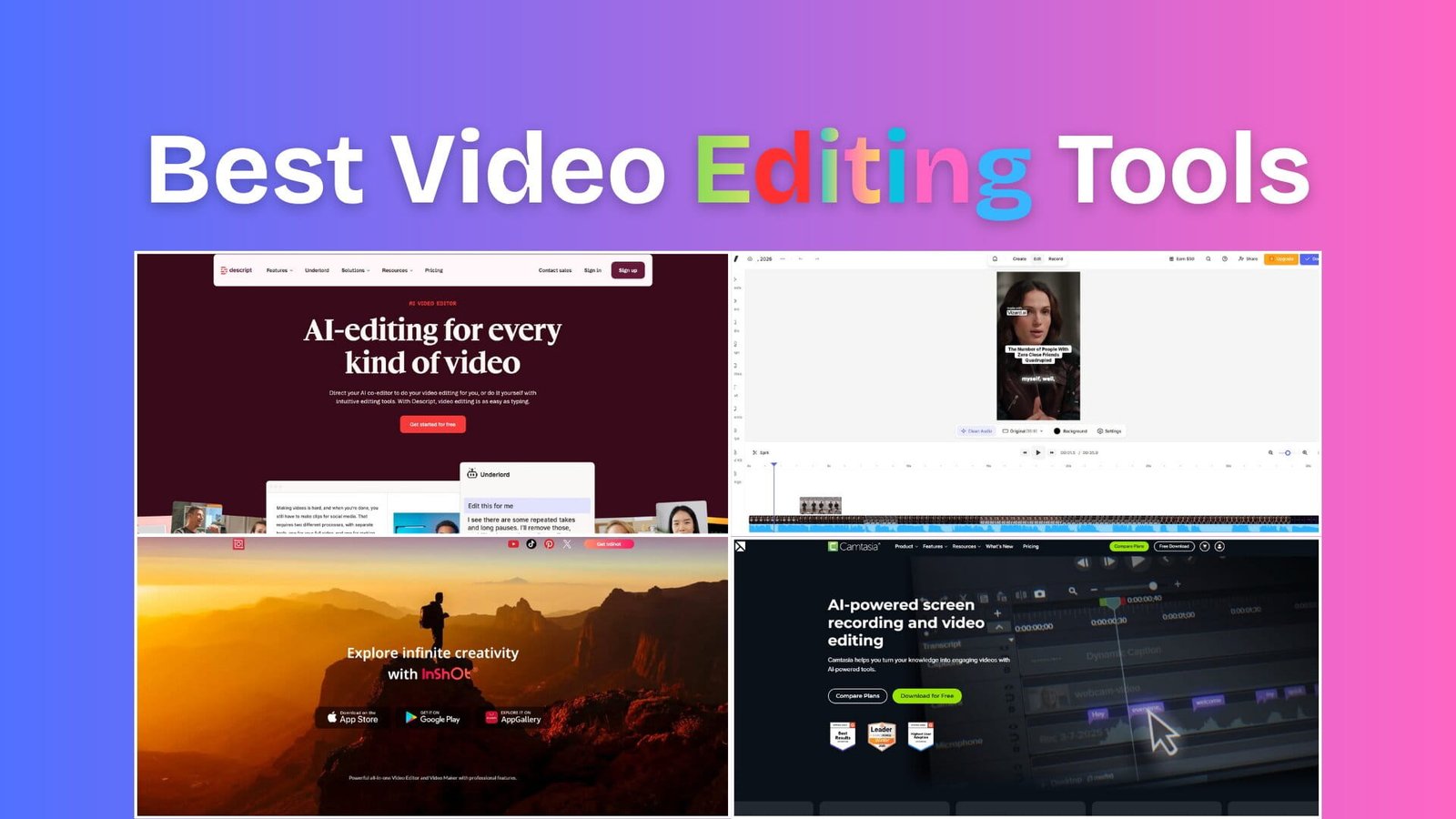
Video is one of the top content marketing formats that brands prefer in 2026.
This is why the best video editing tools for UGC are in high demand.
HubSpot Marketing data also indicates a strong rise in video marketing for brands to build trust and authenticity.
And to do that, you need an AI UGC video generator along with a well-balanced video editing tool that will help you to edit fast, add captions, repurpose, and publish content that feels authentic enough to stop the scroll to your customer.
And that’s exactly why choosing the right video editing tool matters.
In this guide, I’ll help you find the best video apps for UGC based on your actual workflow.
I personally tested 9 video editing tools for this blog post, and I’ll share all my experience here to help you pick the right software.
Plus, I’ll break down which tools are best for AI editing, TikTok-style videos, mobile workflows, fast captions, and professional UGC ad production to avoid wasting your hours testing software that doesn’t fit your content style.
So, let’s get started.
Table of Contents
Comparison Table
Here is a quick comparison table for the 9 best Video Editing Tools for UGC Creators in 2026
| Tool Name | Best For | Ratings | Starting Price |
|---|---|---|---|
| Descript | Talking-head UGC | 4.6/5 on G2 | Freemium |
| Creatify | AI UGC ads | 4.8/5 on G2 | Paid |
| Camtasia | UGC video edit | 4.6/5 on G2 | Freemium |
| InShot | Quick mobile edits | No Data | Freemium |
| Adobe Premiere Pro | Professional editing | 4.5/5 on G2 | Paid |
| Canva Video Editor | Branded social content | 4.7/5 on G2 | Freemium |
| VEED | AI subtitles & edits | 4.6/5 on G2 | Freemium |
| Vizard | Clip repurposing | 4.7/5 on G2 | Freemium |
| DaVinci Resolve | Advanced editing | 4.7/5 on G2 | Free |
9 Best Video Editing Tools for UGC Ads, TikTok, and Reels
Here are the 9 best UGC video editing tools
- Descript
- Creatify
- Camtasia
- InShot
- Adobe Premiere Pro
- Canva Video Editor
- VEED
- Vizard
- DaVinci Resolve
So, let’s get into each of these
1. Descript
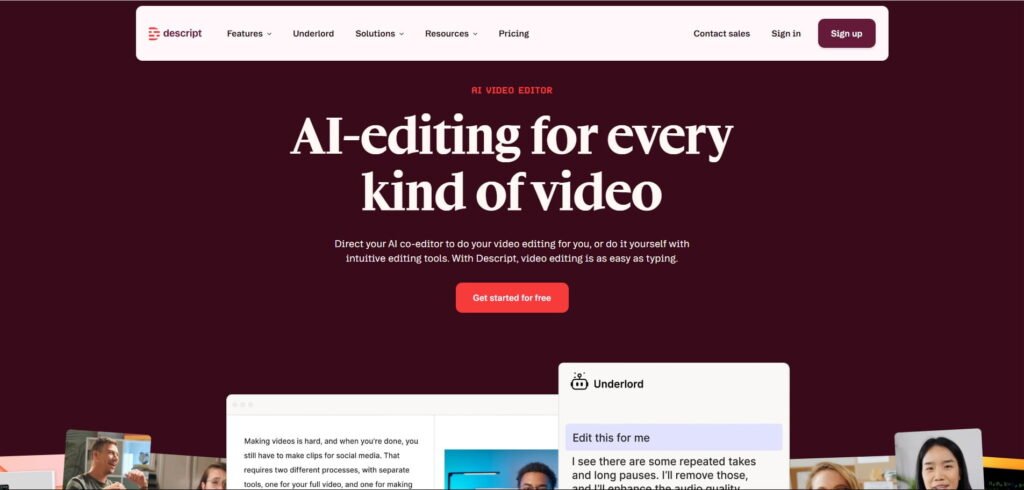
Descript is an AI editing tool that acts as a co-editor for you, and you can edit your videos as easily as editing a text document.
Descript is a beginner-friendly video editing software, and basically, it does so by adding or removing text from the transcript of your video.
You can remove filler words, cut pauses, and edit talking-head videos directly through the transcript instead of using traditional timeline editing.
I think this feature is really cool because it speeds up your editing process, saves time, and reduces the effort required for video editing.
Real Testing Experience: How Does Descript Work?
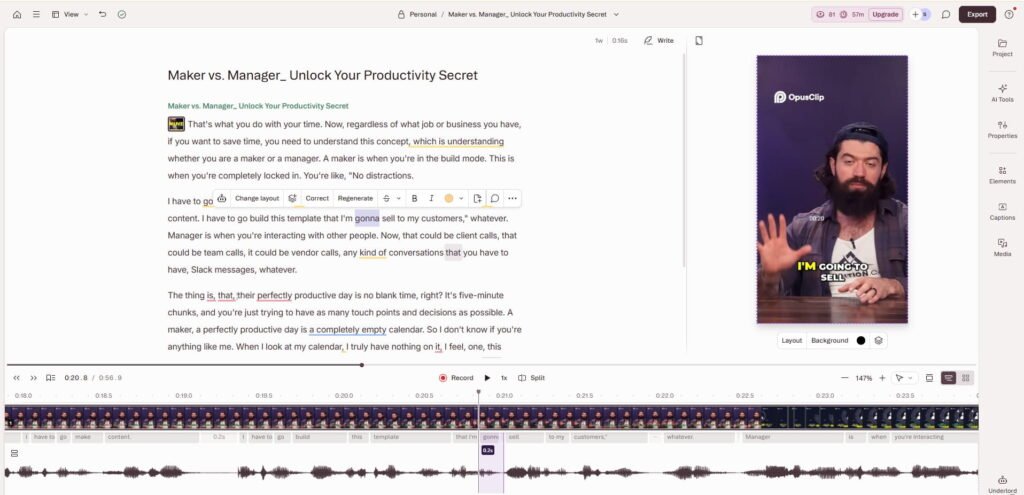
To test this AI video editor, I uploaded a short video, and it took nearly 15 seconds to load the entire editing dashboard.
The editing dashboard itself looks neat, clean, and beginner-friendly.
In the FREE PLAN, you get 100 AI credits and 60 media minutes, which are available for your recordings and upload purposes.
Right below the uploaded video, you’ll find layout and background options.
I have seen a set of 10 layouts, and there is also an option to change the layout pack, which means you can add even more styles.
The most attractive feature I liked here is the text-based editing functionality.
It looks very easy for anyone to edit videos by just removing the text from the script.
I have applied this, and it truly works in a picture-perfect way.
Plus, the ‘Record’ section inside the editing dashboard will give you enough freedom to make your video content more authentic and personalised to your audience.
I recorded my own voice to add to the script, and Descript handled it well. However, it took a little bit of time to add to the main content.
On the right side, you’ll find some important elements that a video editor needs to make editing more professional.
One of them is ‘AI tools’.
Here you’ll find a lot of amazing features, and what I used is ‘remove filler words’.
I mean, this is why I like Descript because removing filler words in a single click is really praiseworthy.
Basically, when you click on it, the AI tool automatically detects filler words in your content, shows you how many were found and asks for permission before removing them.
If you give permission, then it’ll be deleted from your content, and the video will be adjusted automatically at a cost of 10 credits.
Overall, I found the platform promising and useful for UGC video editing.
Best Features I Like
- Text-based AI video editing for UGC
- AI voice cloning
- Automatic filler-word removal
- Screen recording
- Podcast-to-video workflows
Best For
In my experience, Descript works especially well for creators making testimonial ads, podcast editing, SaaS demos, educational UGC, and founder-led content.
Descript Pricing
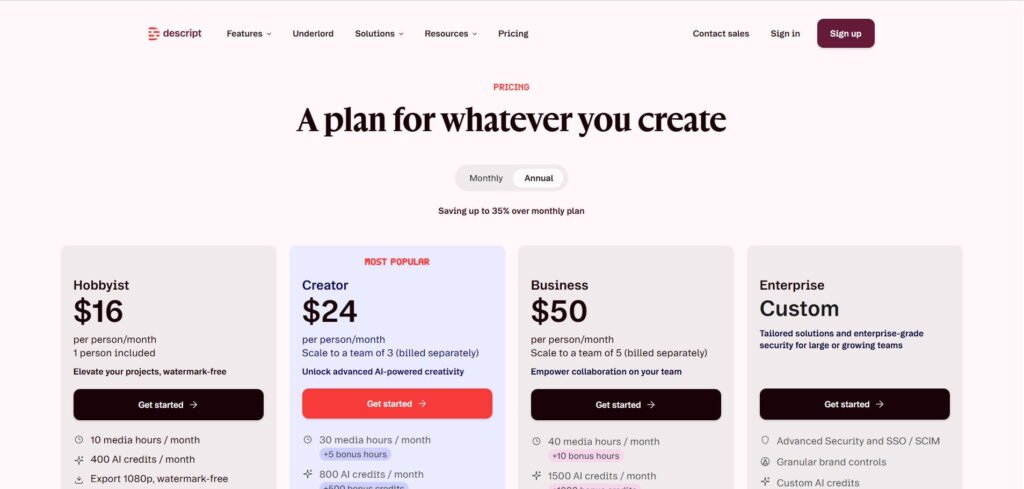
The Descript pricing plan starts with $16/month on the annual plan.
Descript Review
- G2 – 4.6/5 stars out of +850 reviews.
2. Creatify
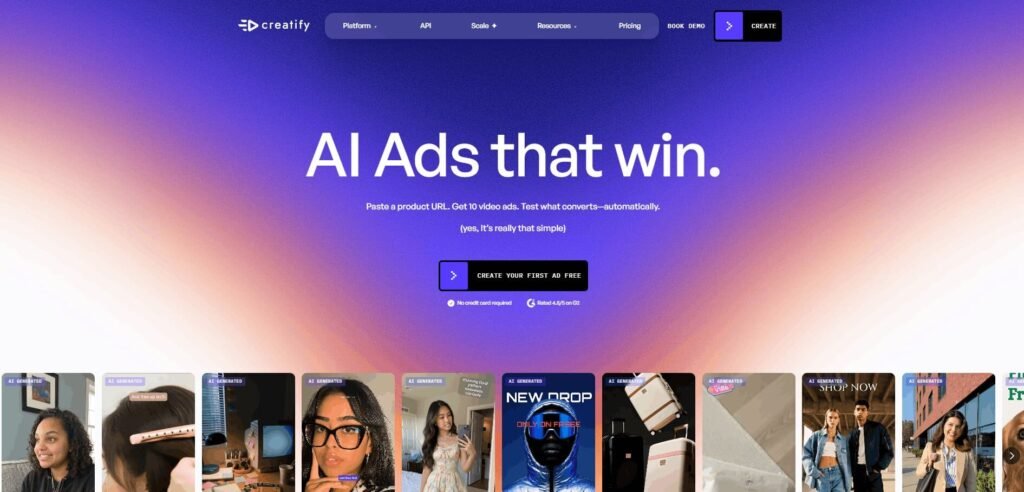
Creatify is more focused on AI-generated UGC ads, along with a video editing dashboard. The platform helps you create ad-style videos using AI avatars, product visuals, and automated scripts.
Creatify is beginner-friendly as its interface is simple, especially for marketers, e-commerce store owners, and creators who want to produce UGC-style ads quickly without advanced editing skills.
From my experience, the platform is not just an AI UGC video generator because it combines UGC creation with built-in video editing tools to simplify your entire ad creation workflow.
Real Testing Experience: How Does Creatify Work?
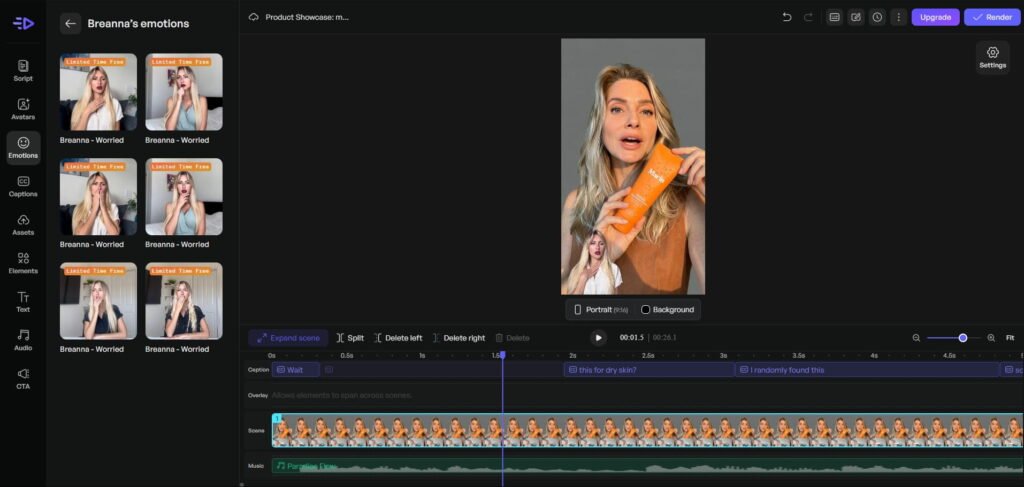
To test the platform, I created a sample AI UGC ad for a skincare brand named ‘Marin’.
Here, I got a different experience from Descript.
Descript is basically a text-based editor, but Creatify is not like that because in Creatify, to remove any portion, you need to split that portion and then delete that particular area.
The feature that attracts my attention is ‘Emotions’, located in the sidebar on the left side.
Initially, I assumed that it would be applicable only with a new video, but I was wrong because you can apply emotional UGC avatars to your current video and edit to make your clip more human and attractive to your customer.
Plus, the new UGC avatar will appear with a transparent background that gives a genuine and professional touch to your entire video.
Overall, Creatify looks promising for brands and marketers focused on UGC advertising.
Best Features I Like
- AI UGC ad generation
- AI Video Editing for UGC
- AI avatars
- Script generation
- Product-based ad workflows
- Fast ad creation
Best For
From what I’ve observed, this tool is becoming popular among e-commerce brands and paid social ad teams.
Creatify Pricing
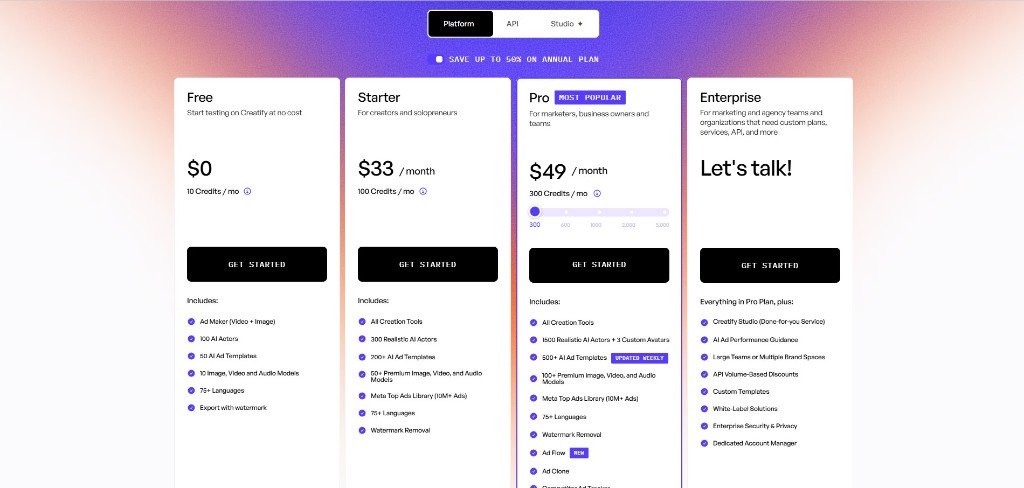
The Creatify pricing plan starts at $33/month on the annual plan.
Creatify Review
- G2 – 4.8/5 stars out of +1,400 reviews.
3. Camtasia
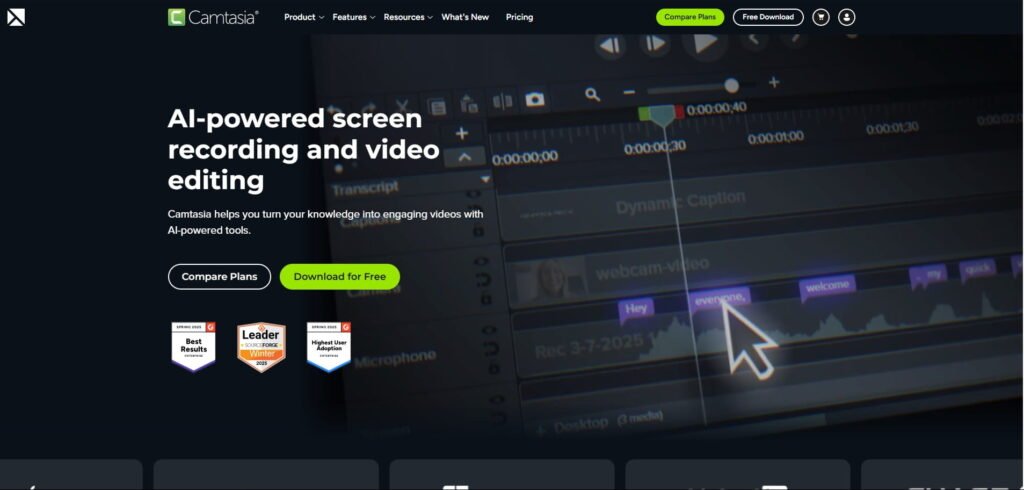
Camtasia by TechSmith is one of the most beginner-friendly AI video editing tools for creators who make tutorial-style UGC videos, screen recordings, product walkthroughs, and educational content.
The platform has screen recording and video editing in one place, so that it becomes easier for creators to record, edit, and publish professional-looking videos without needing advanced editing skills.
The interface is clean and simple, and the drag-and-drop editing system makes the workflow smooth even for first-time users.
Real Testing Experience: How Does Camtasia Work?
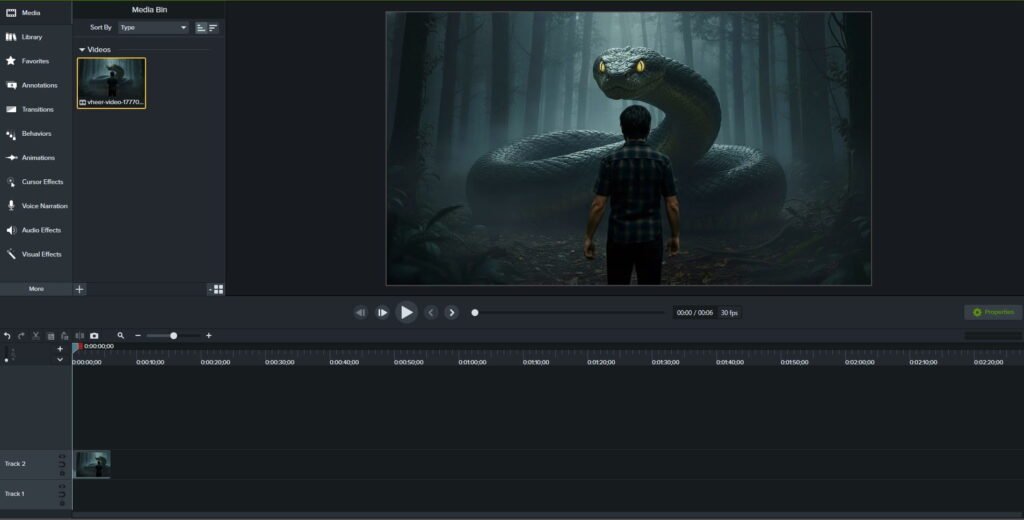
I frequently use Camtasia for screen recording for my YouTube videos.
This superb and outstanding video editing software was recommended by one of my mentors, and I still thank him for that.
Basically, Camtasia is like Descript, where you can edit your video by editing your text.
One of the most useful editing features I like here is the translation feature, so that you can connect with a broader audience to extend your reach.
Plus, the built-in cursor effects, animation, voice narration, transition, and visual effects will help you to create something professional for your cute audience.
Overall, Camtasia by TechSmith is a pure gem in the field of UGC video editing, and you’ll fall in love with it after exploring its simplicity and effective editing.
Best Features I Like
- Online screen recorder
- Text-based AI video editing
- Drag-and-drop video editing
- Cursor effects and annotations
- Transitions and animations
- Easy timeline editing
Best For
I’ve noticed that many creators in the SaaS, coaching, and online education space still prefer Camtasia because it combines screen recording and video editing in one platform.
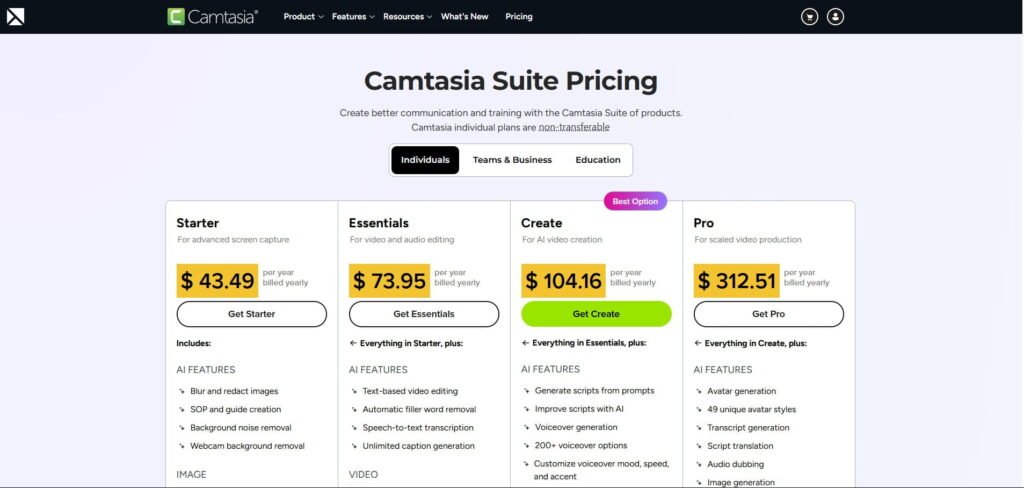
Camtasia Pricing
Camtasia pricing plan starts with $44/month on an annual plan.
Camtasia Review
- G2 – 4.6/5 stars out of +1,700 reviews.
4. InShot
InShot remains one of the simplest mobile video editing apps for creators who want quick UGC video editing without complicated timelines.
If I call it in a single sentence, then I’d say that InShot is an Instagram & TikTok UGC reels editing tool for engaging content creation.
The interface is clean, mobile-friendly, and simple to navigate, which will help you to edit directly from your smartphone.
Real Testing Experience: How Does InShot Work?
I’m not a fan of reel editing, but those who have a strong knack for reel editing love this Instagram video editing app.
And there is a strong reason for this, as InShot has a lot of eye-catching effects, 3d editing tricks, outfit transition, AI smooth slow motion, motion tracking and a lot more that are very important to engage your audience on TikTok, Instagram and YouTube as well.
What amazes me is its 3d effcets, and you can literally edit and create stunning UGC videos with this tool.
Here is an example to look at.
Overall, InShot is an excellent choice for you if you mainly focus on short-form video platforms like Instagram, TikTok, and YouTube Shorts.
Best Features I Like
- Mobile editing
- Filters and transitions
- Quick exports
- Easy trimming tools
- Music integration
Best For
Instagram & TikTok Reel creators use InShot because it’s lightweight, fast, and beginner-friendly. Basically, it’s a reel-based video editor for mobile users.
InShot Pricing
InShot is free to use, but you can eliminate ads and the watermark by paying fees.
InShot Review
There is no data on G2 for this video editing app, but I have travelled a lot on Reddit forums, and I found that people like it.
5. Adobe Premiere Pro
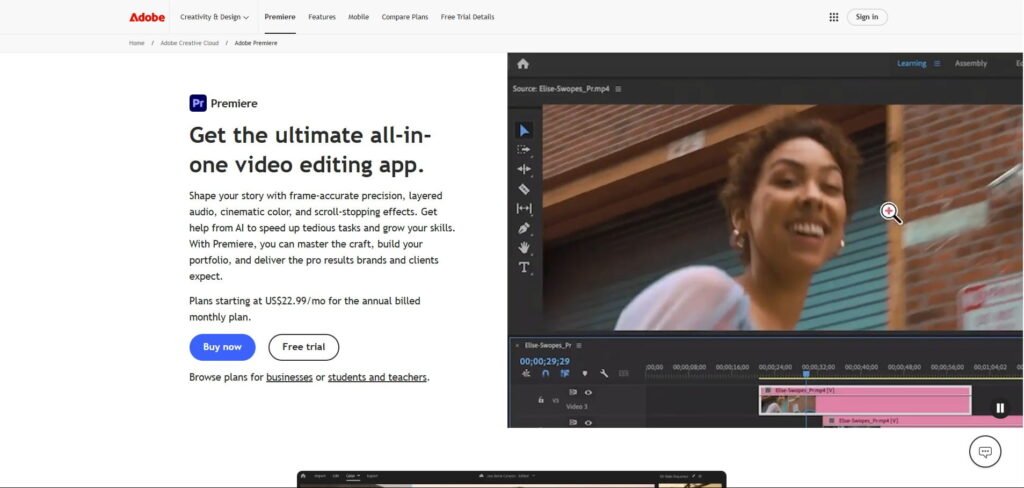
Adobe Premiere Pro is still one of the most powerful professional video editing software options for UGC agencies and advanced creators.
Honestly, Adobe Premiere Pro is not the best choice for complete beginners because it is considered one of the most powerful video editing tools for handling complex editing workflows, cinematic projects, and UGC campaigns.
Real Testing Experience: How Does Adobe Premiere Pro Work?
When I pronounce the name of this video editing software, one thing that appears in my mind is professionalism.
I have also tested this video editor, and this is not for beginners.
You should completely avoid this if you need fast and average production.
Because Adobe Premiere Pro is a high-end solution for complex video editing projects.
It uses a professional timeline-based editing system where you can edit videos, audio, animations, effects, and graphics with advanced precision.
Literally, you can edit anything with this tool by using its advanced features, like a first-of-its-kind colour grading system, eye-catching effects, animated titles, clip extension, text-based editing and a lot more.
The learning curve is very high because you can’t learn all its features in just 1 or 2 months, like other video editing software in this list.
Overall, Adobe Premiere Pro is absolutely worth it for professional creators, agencies, and filmmakers.
Best Features I Like
- Advanced timeline editing
- Motion graphics integration
- Professional audio tools
- AI-assisted workflows
- High-end export control
Best For
In my opinion, Premiere Pro becomes valuable when you manage complex video editing workflows, advanced colour grading, multi-camera editing, or large client projects.
Adobe Premiere Pro Pricing
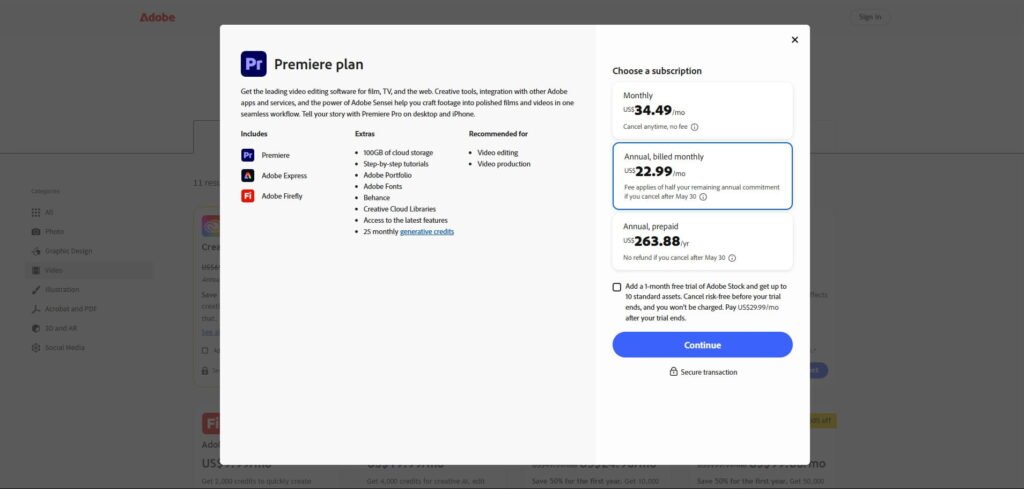
Adobe Premiere Pro Pricing plan starts with $23/month on an annual plan.
Adobe Premiere Pro Review
- G2 – 4.5/5 stars out of +1,600 reviews.
6. Canva Video Editor
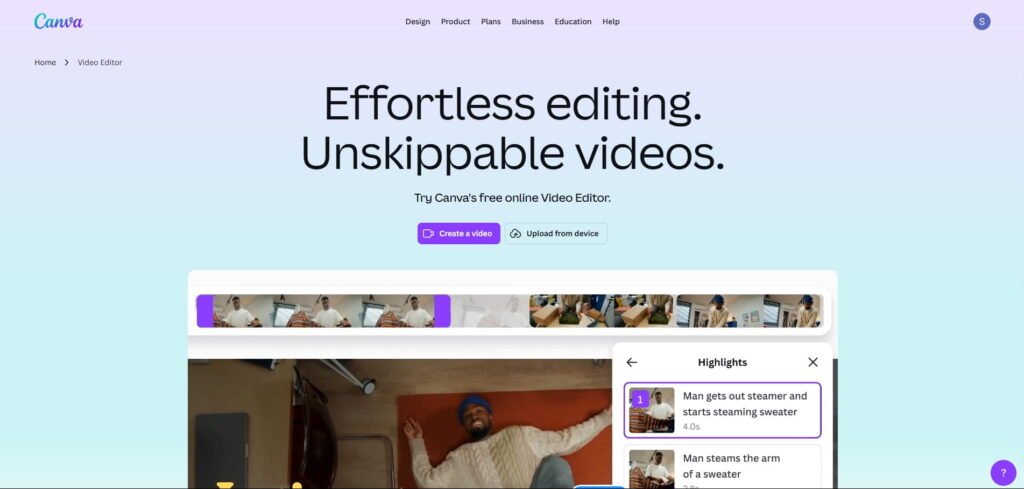
Canva Video Editor is a simple AI-powered video editing platform for creators and brands that prioritise speed over complex editing. It combines drag-and-drop editing with social media templates and branding tools.
The interface is extremely simple, clean, and easy to navigate. Even users with zero editing experience can create social media videos, branded content, presentations, and short-form videos within minutes.
Canva is especially popular among small businesses, content creators, and non-editors who want fast UGC-style content creation without learning complicated software.
Real Testing Experience: How Does Canva Video Editor Work?
Canva is love. It is one of the most beginner-friendly video editing tools available today.
Literally, you can’t ignore this AI video editor for just a single day.
One of its standalone features is the magic video editing workflow, where you just upload your video clip and instruct AI to do a certain type of editing, and it’ll apply all your prompts at a single time and create a video for you.
Plus, there are many useful editing features like AI video effects, video highlights, background remover, voice generator and a lot more.
I have tested Canva, and while I appreciate the simplicity and speed, I am not happy with the magic video feature.
And the reason for this is the high dependency on AI.
Sometimes, fully automated editing may not match your creative vision, and I personally don’t like that.
But still, for quick content creation and beginner-friendly workflows, Canva performs really well.
Best Features I Like
- Drag-and-drop editing
- Social media templates
- Brand kits
- Team collaboration
- AI design tools
Best For
I’ve noticed that many small businesses prefer Canva because non-editors can quickly create branded UGC-style content without learning professional software.
Canva Pricing
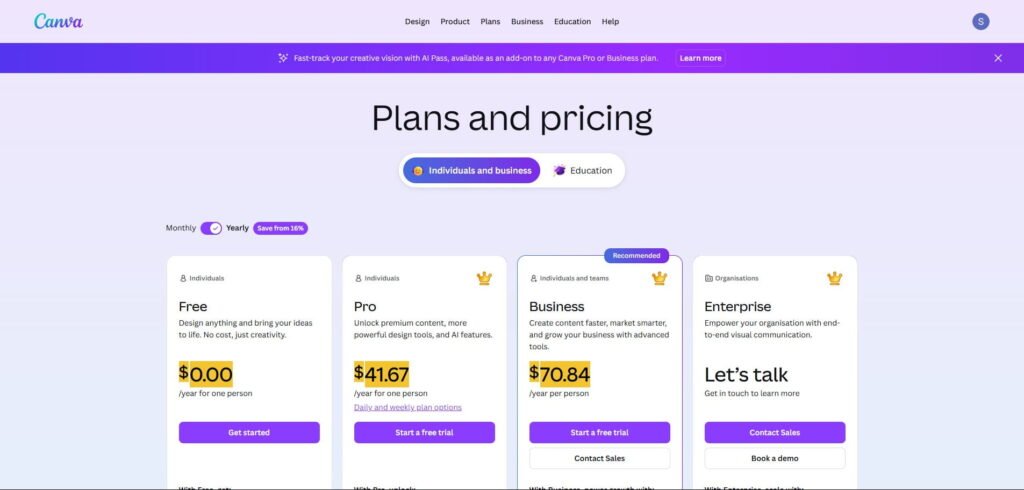
Canva’s paid pricing plan starts at $42/month on an annual plan.
Canva Review
- G2 – 4.7/5 stars out of +7000 reviews.
7. VEED
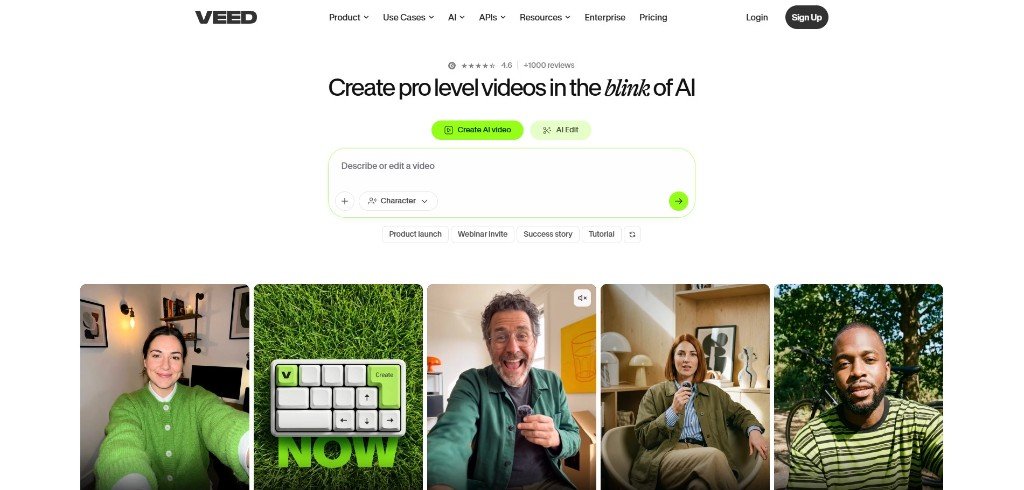
VEED is one of the most popular beginner-friendly browser-based AI video editing tools for UGC creators, social media marketers, and brands creating short-form content for TikTok, Instagram Reels, and YouTube Shorts.
In my opinion, VEED is one of the best AI video editing tools for creators who want to produce short-form content quickly without learning complex editing software.
The interface is clean, simple, and easy to understand, and that’s exactly why many social media creators prefer it for day-to-day content creation.
Real Testing Experience: How Does VEED Work?
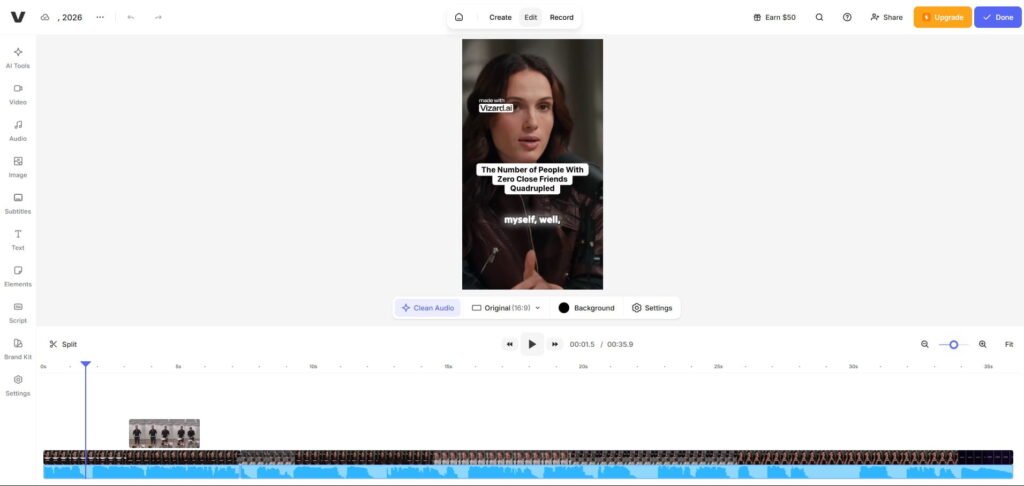
I have tested VEED, and what I first experienced is that VEED offers speed and simplicity over advanced cinematic editing like Premiere Pro or InSort.
During my testing, I have used many of its features, and I found that each of them is essential, and you can use them very easily in VEED.
On the left side, there are a lot of options, including eye contact, remove filler words, AI transition and a lot more, just like Descript.
Basically, I did not even separate this tool from Descript because 95% of the features match exactly the same.
Overall, VEED is definitely worth it for you if you focus on fast and simple process-based social media content creation.
Best Features I Like
- Eye contact
- Text-based video editing for UGC
- Auto subtitles
- AI avatars
- Browser-based editing
- Social media formatting
Best For
From my testing, VEED performs especially well for creators who need quick captioned videos for TikTok, LinkedIn, Instagram Reels, or YouTube Shorts.
VEED Pricing
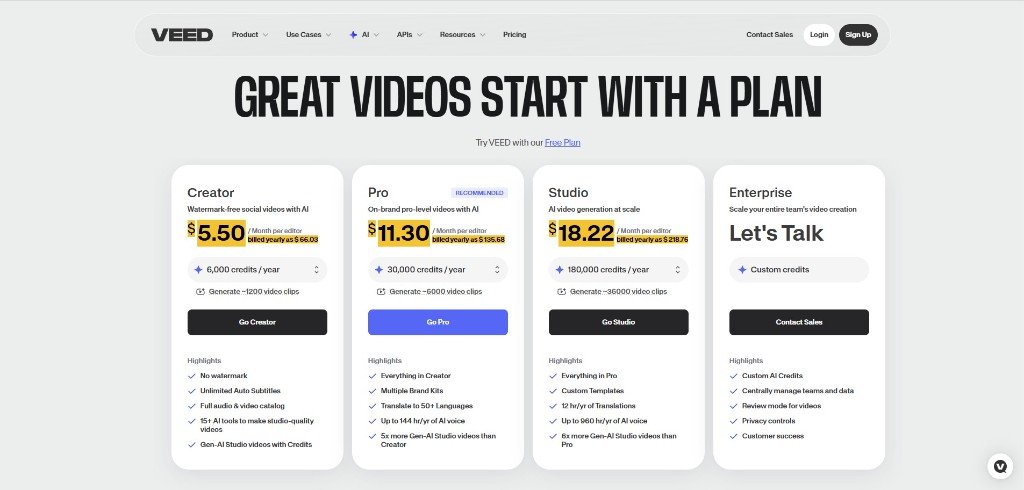
VEED pricing plan starts at $6/month on an annual plan.
VEED Review
- G2 – 4.6/5 stars out of +2,000 reviews.
8. Vizard
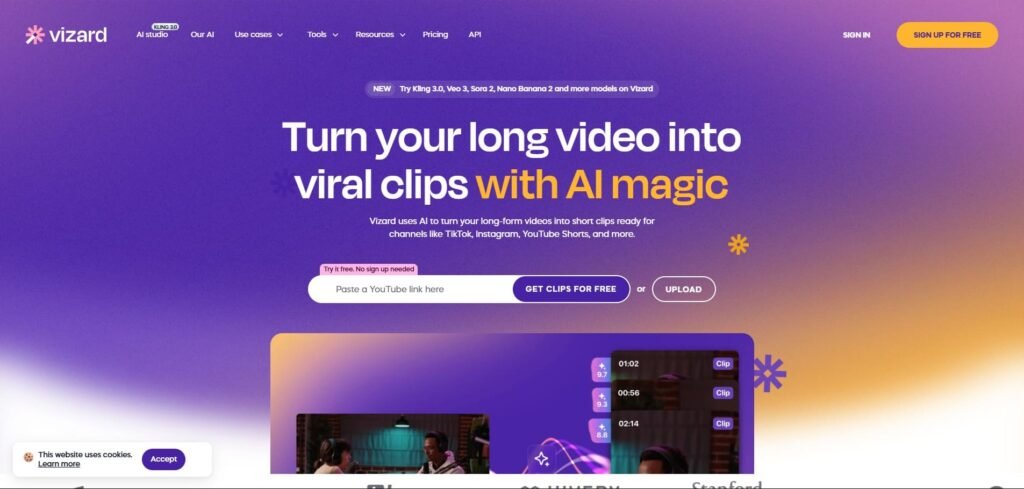
Vizard is a beginner-friendly AI-powered video editing and repurposing tool for creators, marketers, podcasters, and brands that want to turn their long-form videos into short-form content quickly.
The platform focuses mainly on AI clipping, subtitle generation, auto-framing, and turning podcasts, webinars, interviews, and YouTube videos into engaging TikTok clips, Instagram Reels, and YouTube Shorts.
If your goal is quick and easy content repurposing, Vizard is extremely easy to use.
Real Testing Experience: How Does Vizard Work?
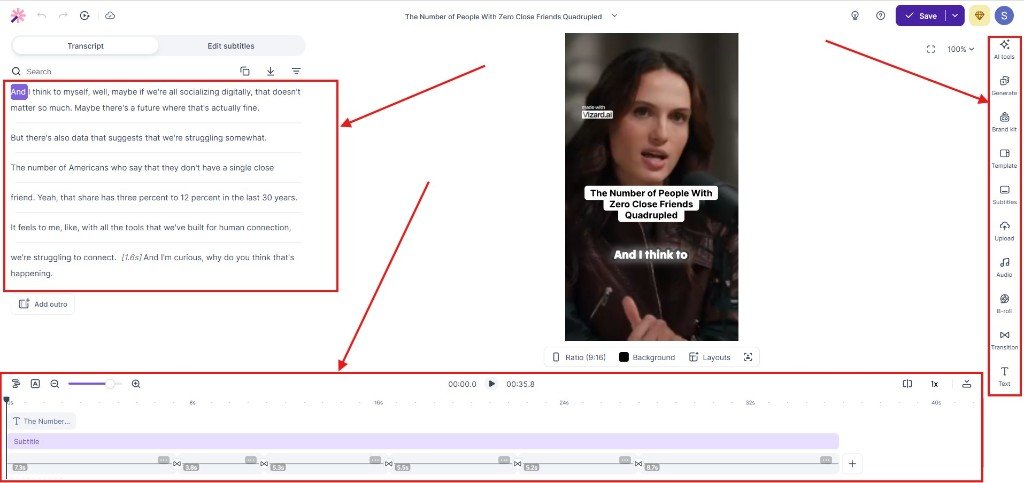
Vizard is really a repurposing video editing and clipping tool, and it is only useful if you have long-form content.
The workflow looks very easy because you just need to paste your video link without signing up, and it’ll create many short-form content.
I mean, if you want to distribute your content faster across multiple social media platforms, then Vizard is one of the best ones.
For example, if you have a single podcast episode, webinar, interview, or YouTube video, it can be turned into multiple TikTok clips or Instagram Reels using AI-generated highlights and automatic subtitles.
I feel that many B2B creators and SaaS marketers use Vizard or editing software like that because it reduces the time required to repurpose educational or interview-based content into short-form social media assets.
However, creators looking for advanced storytelling, motion graphics, or highly customised editing may still prefer tools like Adobe Premiere Pro or DaVinci Resolve for deeper creative control.
Best Features
- AI clip generation
- Auto reframing
- Viral clip detection
- Subtitle generation
- Long-to-short repurposing
Best For
In my opinion, podcast creators and marketers use Vizard to repurpose their webinars, interviews, and YouTube videos into multiple short-form pieces quickly.
Vizard Pricing
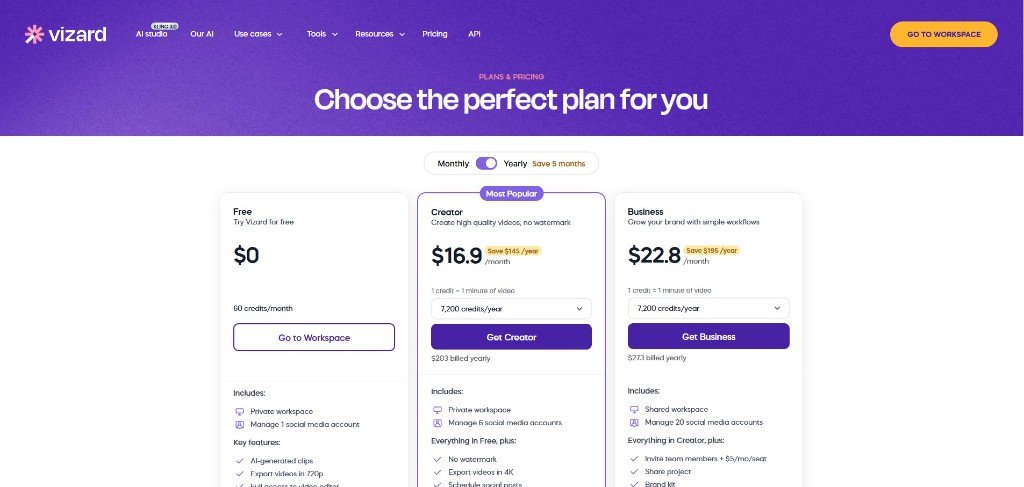
Vizard pricing plan starts at $17/month on an annual plan.
Vizard Review
- G2 – 4.7/5 stars out of +300 reviews.
9. DaVinci Resolve
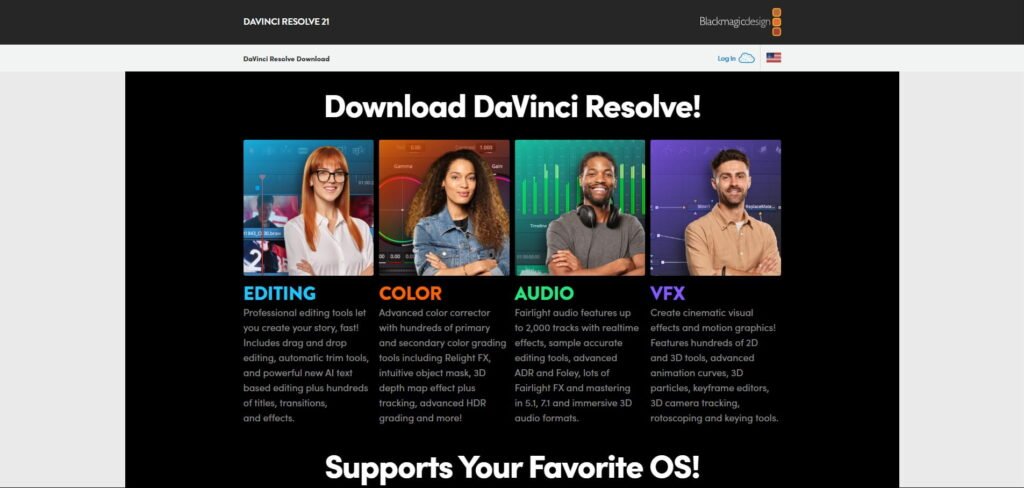
DaVinci Resolve is one of the most powerful professional video editing software options available for creators, filmmakers, agencies, and advanced UGC editors.
The platform combines advanced video editing, Hollywood-level colour grading, motion graphics, visual effects, and professional audio post-production in a single workflow.
What makes DaVinci Resolve especially interesting is that its free version is already far more powerful than many paid video editing tools on the market.
Real Testing Experience: How Does Davinci Resolve Work?
I personally think DaVinci Resolve is one of the best choices for creators who want long-term editing flexibility and professional-level creative control.
If your goal is to move beyond basic TikTok edits and create more cinematic content, advanced YouTube videos, or premium UGC campaigns, this is an excellent option.
However, if you focus mainly on fast TikTok videos, Instagram Reels, or daily short-form content, a tool like InShot may feel much faster and easier for day-to-day publishing workflows.
Best Features
- Professional color grading
- Advanced editing timeline
- Audio post-production
- Motion graphics tools
- High-quality exports
Best For
I think DaVinci Resolve works best for you when you want more creative control over your content, especially for high-quality YouTube videos, cinematic campaigns, advanced UGC ads, and professional content production.
Davinci Resolve Pricing
Davinci Resolve is free, but the Davinci Studio pricing plan starts at $295 one time payment.
Davinci Resolve Review
- G2 – 4.7/5 stars out of +200 reviews.
What makes the Best Video Editing Tool for UGC Marketing?

Video editing tools for UGC content are different from traditional editing tools.
However, you can use any editing software to perform your UGC video editing, but this is not the case.
The main point is how fast you can operate that particular video editing app to increase your production, mobile editing capacity, AI-powered tools, vertical video support, and content that feels authentic.
After analysing creator workflows and short-form content trends, I’ve noticed that the best UGC video editing tools are usually the ones that reduce editing friction.
The easier it is to trim clips, add captions, sync audio, and export content for TikTok or Instagram Reels, the more consistently you can publish.
Here are the most important things that make a good UGC video editing tool in 2026.
Easy-to-Use Interface
Most UGC creators are not professional video editors. A complicated timeline or advanced editing dashboard can slow down content production dramatically.
That’s one reason tools like InShot, VEED, and Descript Video Editor became popular so quickly. Their interfaces are simple enough for beginners while still offering enough features for daily short-form editing.
From what I’ve experienced, creators who can edit faster usually post more consistently, and consistency matters more than perfect editing on platforms like TikTok and Reels.
AI Video Editing Features
AI video editing is becoming a major part of the creator economy in 2026.
Features like auto captions, AI avatars, background cleanup, and many single-click solutions can save you hours every week.
I’ve personally noticed that AI subtitle tools alone can dramatically speed up the workflow for UGC creators producing daily content.
Tools like Descript, VEED, Creatify, and Vizard focus heavily on AI-assisted video editing workflows.
Mobile Editing Support
A huge percentage of UGC creators edit directly from their smartphones. That’s especially true for TikTok creators, Instagram Reel creators, and affiliate marketers.
In my observation, mobile-first editing tools usually help you react faster to trends because you can record, edit, and upload content from the same device.
InShot is a strong example of mobile-friendly video editing apps designed for fast social media workflows.
Auto Captions and Subtitle Quality
Captions are no longer optional for short-form content.
Many users watch TikTok videos, Instagram Reels, and YouTube Shorts without sound, so subtitle quality directly affects watch time and engagement.
I’ve seen creators improve retention simply by using cleaner captions with better pacing and readability.
Some video editing tools now offer animated subtitles, keyword highlighting, and AI-generated captions to improve viewer retention.
Fast Editing Workflow
UGC content is heavily volume-driven.
Brands, creators, and agencies often need to publish multiple videos every week — sometimes every day.
That’s why editing speed matters more than cinematic perfection.
I think you should stick with editing software that helps you move quickly, rather than tools with overly advanced features that you rarely use.
Vertical Video Optimisation
Most UGC content today is created for vertical-first platforms like TikTok, Instagram Reels, Facebook Reels, and YouTube Shorts.
A good UGC video editor should support:
- 9:16 aspect ratios
- Vertical-safe text placement
- Mobile preview modes
- Platform-specific exports
Affordable Pricing
Pricing matters a lot for beginner UGC creators. Many creators start with free video editing apps before upgrading to premium tools later.
In my opinion, the best UGC video editing software is not always the most expensive one. Some of the highest-performing TikTok videos are still edited using free tools like InShot or DaVinci Resolve.
So, the best UGC video editing tool is the one that helps you create content faster without making the videos feel unnatural.
How to Choose the Right Video Editing Tool for UGC Marketing
I’ve noticed that many creators waste time switching between video editing apps because they choose tools based on hype instead of their actual needs.
A TikTok creator posting daily vertical videos needs something very different from an agency editing high-volume UGC ads for brands.
The right editing software should help you create faster, stay consistent, and improve content quality without slowing down your workflow.
Here’s how I recommend choosing the right UGC video editing tool in 2026.
Choose Based on Your Content Type
Different creators need different editing workflows.
For example, talking-head videos, product demos, faceless AI videos, cinematic edits, and short-form TikTok content all require different features.
You don’t need advanced editing software when a simpler mobile-first app would have been faster and more effective for your style of content.
Think About Your Editing Speed
UGC content is heavily volume-based. Most creators today need to publish consistently across TikTok, Instagram Reels, YouTube Shorts, and sometimes LinkedIn video content.
If your editing process takes too long, then consistency becomes difficult for you.
So, choose tools that have preset modes so that you can easily accelerate your speed.
Check AI Editing Features Carefully
AI video editing tools are improving rapidly, but not every AI feature is actually useful for you.
Even the tools that I just shared have some AI features that are usually the simplest ones.
I have noticed that some platforms market themselves heavily as “AI video editors,” but many creators I know still prefer manual editing for storytelling and pacing.
Consider Your Budget
A beginner creator does not always need expensive video editing software.
In fact, many successful UGC creators still use free video editing apps because speed and authenticity matter more than high-end effects.
Look at Collaboration Features
If you work with brands, clients, or agencies, collaboration tools become extremely important.
Browser-based editors are becoming more popular because teams can review content faster without constantly sending files back and forth.
Don’t Ignore the Learning Curve
One mistake many creators make is choosing editing software that is too advanced for their current needs.
Professional video editing software can be powerful, but if it takes months to learn, it may slow down your content production in the beginning.
My recommendation for most beginner UGC creators is to start simple, master short-form storytelling, and then upgrade tools later if needed.
So, if you’re a beginner creator, a fast mobile editor is all you need.
But, if you’re scaling content production for clients or brands, tools like Descript, VEED, Premiere Pro, or DaVinci Resolve may offer better long-term flexibility.
What is the best video editing app for UGC?
According to my test, the best video editing apps for UGC are VEED and Descript if you want speed and decent output.
What is the best video editing tool for YouTube?
In my opinion, the best video editing tools for YouTube are Adobe Premiere Pro, DaVinci Resolve and Camtasia.
What is the best free video editing tool for UGC?
Descript, Creatify, Camtasia, InShot, Adobe Premiere Pro, Canva Video Editor, VEED, Vizard and DaVinci Resolve offer a free trial to test their services.
What is the best video editing tool for UGC on PC?
Adobe Premiere Pro and DaVinci Resolve are the best choices for advanced creators, agencies, and professional YouTube or UGC production workflows.