
I was an introvert, but somehow I wanted to make money from YouTube as a side hustle. In the past, whenever I went over some YouTube AI video generator, it frustrated me with its credit-based system, but now I am thankful to some of the best AI tools for video creation, and these are all budget-friendly.
I think YouTube video creation is one of the easiest ways to make money in 2026, but only if you plan and execute this strategy using proper AI video tools.
As a YouTube creator (side hustle) for the last 3 years, I have written multiple video scripts (mostly documentary) and also given creative direction to create some video scenes for my clients.
So, I know the importance of an AI video generator in 2026.
But there are tons of AI video creation tools, and you literally become confused about what to choose and what not to.
After testing multiple AI video generators for my own YouTube channel, now I know exactly which ones waste your money and which ones actually deliver.
In this blog, I’ll help you pick the best AI video generation tools that actually work for my own YouTube channel and also for those I worked with.
Trust me, this is the guide I desired earlier, when I first started my YouTube content creation journey as a side hustle income stream.
So, here’s my experience with the 6 AI video tools I tried.
Table of Contents
Quick Comparison Table of the Best AI Tools for Video Creation
| Top 3 AI Video Tools | Best For | Best Features | Max Video Length | Pricing |
| Vheer (My favourite and I use it) | YouTubers + Film Maker + Digital artists. | No watermark on free tier + All-in-one dashboard + multi-model support + Flux. 1 Kontext editor + High quality text to video and image to video creation + Frame by Frame Video +Free AI image generation + All AI creative features for FREE. | 5–10 sec per clip. | Free – $49.99/mo Pay-as-you-go credits available. |
| Polo AI | Social media creators (TikTok/Reels/Shorts). | 50+ integrated models (Kling, Runway, Luma, Veo), native audio in Pollo 3.0, grounded physics via Seedance 2.0, Text to video and image to video creation + Pro effects + Mimic Motion. | Varies by model. | Free – Pro (custom). |
| Videoinu | YouTube | Storyboard-centric workflow, character consistency via “@” tagging, 30-min script support, YouTube Copilot, 14+ visual styles. | Up to 30 min full episodes. | Free – $59.99/mo Non-expiring credit packs available. |
| Fliki | Businesses & Individual creators. | 2,000+ AI voices, 80+ languages, ElevenLabs integration, blog/PPT/idea-to-video, 70+ avatars, AI Playground (Veo 3.1, Kling). | No hard cap. You can keep adding scenes and make a video as long as you want. | Free – $66/mo. 50% off on annual billing |
| Invideo AI | YouTubers + TikTok, and Instagram creators + Marketing Agencies, and Educators. | Invideo v4 AI Agent, Conversational Editing (“Edit like you think”), Access to 200+ models (Sora 2, Kling 3.0, ElevenLabs), and Automatic Captions/Translation. | Can create up to 30 minutes of video from a single prompt. | $25 – $200/mo No free tier. |
| Synthesia | Businesses. | 240+ avatars, 160+ languages, interactive Video Agents, DiT architecture, SOC2/ISO compliant, 1-click AI dubbing. | No hard cap (minute-based credits per plan). | Free – $64/mo. |
The above AI video generator list is just a short overview of each tool. In the section below, you can see the details of them.
But before taking you through each of these AI video makers, I just want to remind you that these are not randomly chosen, but I have spent enough time to understand their potential for YouTube video creation.
In my experience, you can only get the type of results you desire if you have a strong command of prompt putting technique.
I mean, this is the most important thing I came across because I have seen creators just destroy their credits and become frustrated.
I know how it feels when you buy a plan and lose all your credits without a desired video output.
This is why Vheer v2’s inbuilt PROMPT ENHANCEMENT FEATURE works for me. This feature helps me to not to lose credits just because of a prompt.
So, first, I’ll share which AI video generator is best suited for which purpose.
Best AI Video Generator for Social Media (Reels Types)
Here are the best AI video creators for social media I tested
- Vheer AI
- Polo AI
Best AI Video Tools for YouTube (Long Video Types)
Here are the best AI video creators for YouTube I tested
- Vheer AI
- Fliki
- InVideo AI
- Synthesia
- Videoinu
What Makes an AI Video Tool Actually Good for YouTubers?
This is a very broad topic, and here I should address this along with my own experience because I believe that point will help you in a real way.
When I was selecting AI video generators, I simply looked at their features and jumped straight to the pricing plan, and that single decision cost me a lot.
I believe that you should choose your AI video tool based on your fit, and not for the fancy features.
This is why I am giving a laser focused attention to this blog article so that you can understand your need and make a decision on that.
So, here are the 5 elements that make an AI video tool actually good for YouTubers like you.
1. Character Consistency
One of the biggest frustrations I ran into when testing AI video tools was characters that looked completely different from one scene to the next.
I observed that this happens only when you don’t give your AI video generator the hero characters or scene to follow consistency. So, always give your AI tools some reference to follow consistency.
2. Realistic Output Quality
This is very subjective, and to me, this part is a necessary and non-negotiable factor.
I have noticed that AI video models have improved a lot in recent years, and models like Veo 3, Kling, Seedance 2.0 and many more are dominating the film industry and creative world.
I mean, the market is flooded with highly creative AI video generation models, which is great, but the problem is that a lot of creators don’t have the skill to write a proper prompt.
I think this is the main issue the creator world is facing right now.
3. Storyboard Facility
This is the feature I wish I had known to prioritise earlier. A storyboard lets you plan, arrange, and adjust your scenes before the AI renders everything. This feature alone will save you a lot to waste on your credit.
If your AI video tool doesn’t have the storyboard feature, just use Adobe XD, Canva or any other creative tool to make a sequence of your entire AI film and then move to the AI video generation process.
Trust me, this move will make you smart, and you can easily save your video credits with this.
4. Credit & Cost Efficiency
This is your real pain point, and I know that. Every retry, every re-render, every small tweak burns through your monthly allowance. I’ve personally blown through a week’s worth of credits just trying to get one scene right.
But now things have become easy with the Vheer v2 model. This AI video generator saves a lot for me as I sometimes check my prompt beforehand with the FREE Vheer video generation model before generating the actual one with top models like Veo 3. Basically, this approach gives me an idea about which prompt portion to tweak.
5. Ease of Use for Non-Editors
I know video editing well because I have a knack for videos, audio, and filmmaking. This is my hobby, and I still do it along with my copywriting & content marketing career.
So, complex AI video editing has not hurt me, but most YouTubers are not video editors. To them, advanced but easy to use features work best, and the 6 best AI video tools discussed here have an easy to use interface without complexity.
The Best AI Video Generation Models for YouTubers in 2026
As I said earlier, the market is packed with lots of top AI video generation models, and you just need to know which one to use and for which purpose.
I think this is one of the most important things you should know before making an AI video. The section below will give you the exact idea on this matter.
The Best Video Generation Models You Should Know
A quick overview of some of the best video generation models in 2026
| AI Video Generation Models | Best For | Key Strength |
|---|---|---|
| Veo 3.1 | YouTubers making high-quality cinematic content, brand films, or YouTube Shorts. | 4K upscaling, 48kHz audio, 9:16 vertical support, physics-accurate scenes. |
| Kling 3.0 | Action-heavy scenes, realistic human movement, hair, fabric, and liquid dynamics. | Native 4K, 60fps slow-motion, Motion Brush. |
| Seedance 2.0 | Multi-shot YouTube episodes where character and aesthetic must stay consistent. | Aesthetic consistency across cuts, multi-shot logic. |
| Runway Gen-4.5 | YouTubers who want professional-grade control over motion, timing, and visual effects. | Act-Two motion transfer, Multi-Motion Brush, timeline editing, keyframe control. |
| Viggle 2.5 | Dance videos, meme remixes, and character animation for Shorts and TikTok. | 3-4x faster than cinema tools, perfect character persistence. |
Why Sora 2 is not included in the Best Video Generation Model in 2026
The reason why I have not included Sora 2 is that it is no longer available as a consumer tool because OpenAI shut it down in early 2026.
Although some of the AI video generators claim that they have the Sora 2 model, but I think this is not possible.
I believe this is just a marketing tactic, and the result you are getting in the name of Sora 2 is just another tool in the backend.
So, now it’s time to take you through each of the best AI Tools for YouTube video creation in detail.
6 Best AI Tools for Video Creation in 2026
Here are the 6 best AI tools for video creation in 2026
- Vheer
- Polo AI
- Videoinu
- Invideo AI
- Fliki
- Synthesia
So, here’s what I found after trying these…
1. Vheer
What does Vheer AI do?
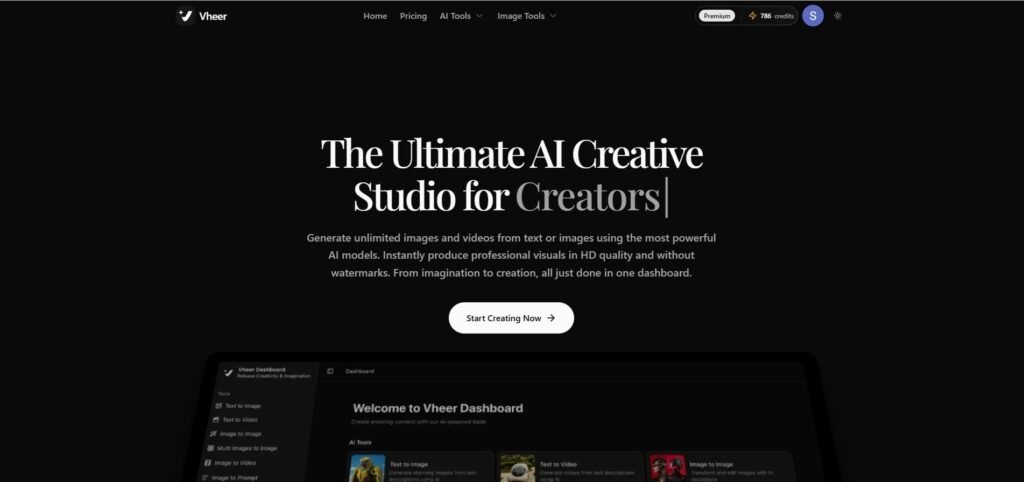
The Vheer V2 model is an AI tool for video and image creation with the help of a simple prompt or images. It is not only an AI video or image generator, but it also gives you the freedom to access all creative features in one place, so that you don’t need to jump from one tool to another.
In my observation, Vheer AI handles three things really well: text-to-video, image-to-video, and semantic image editing through its Flux. 1 Kontext editor. It means that you can write a prompt, generate a scene, place your character into a completely different environment, and export it all inside one workspace.
Best For
YouTubers:- Especially faceless channel creators who need consistent characters across multiple scenes.
Film-makers:- Creators who want cinematic-style clips with multi-model support.
Digital artists:- Anyone working across Pixar-style 3D, anime, hyper-realistic portraits, or miniature world aesthetics who wants a single tool that handles it all.
Some Notable Features of Vheer AI
| Feature | How The Feature Helps You |
|---|---|
| Flux. 1 Kontext Editor | Place your character into any setting using natural language. |
| Text-to-Video | You can turn a written prompt into a professional-looking video clip. |
| Image-to-Video | You can animate any still image with cinematic camera movements, environmental effects, and facial animations. |
| Multi-Model Support | Switch between Veo 3.1 Fast, LTX Video 2.3 Fast, SeeDance V1.5 pro and MiniMax Hailuo 2.3 Fast for cinematic, anime, realistic, or stylised format. |
| No Watermark on Free Tier | You can export clean, watermark-free videos even on the free plan. |
| 2D to 3D Converter | You can turn static photos into dynamic, video-ready assets with in motion images. |
| Batch Background Remover | You can remove backgrounds from multiple images at once. |
| AI Logo & Branding Tools | You can generate logos, professional headshots, and brand assets without hiring a designer. |
Pros & Cons
Pros
- AI video and AI image to video generation is FREE with the Vheer Quality model.
- All-in-one suite image, video, and branding, in one workspace.
- No watermark on the free tier, genuinely rare among AI video tools.
- Flux. 1 Kontext editor keeps your character identity consistent across scenes.
- Multi-model support.
- Fast generation speed. (I really experienced it).
- Beginner-friendly interface.
Cons
- No advanced timeline editing for the final, ready to publish video.
Vheer AI Pricing
Vheer AI has 4 pricing plans along with pay as you go credit packs for support.
- Free ($0/month)
- Premium ($8.33/month on annual subscription).
- Business ($16.66 /month on annual subscription).
- Ultra ($41.66/month on annual subscription).
Vheer AI Review
On Trustpilot, this AI video tool has 4.3/5 stars from 1005 + reviews. I think this is an excellent sign for you to try Vheer AI at least one time.
2. Polo AI
What does Polo AI do?
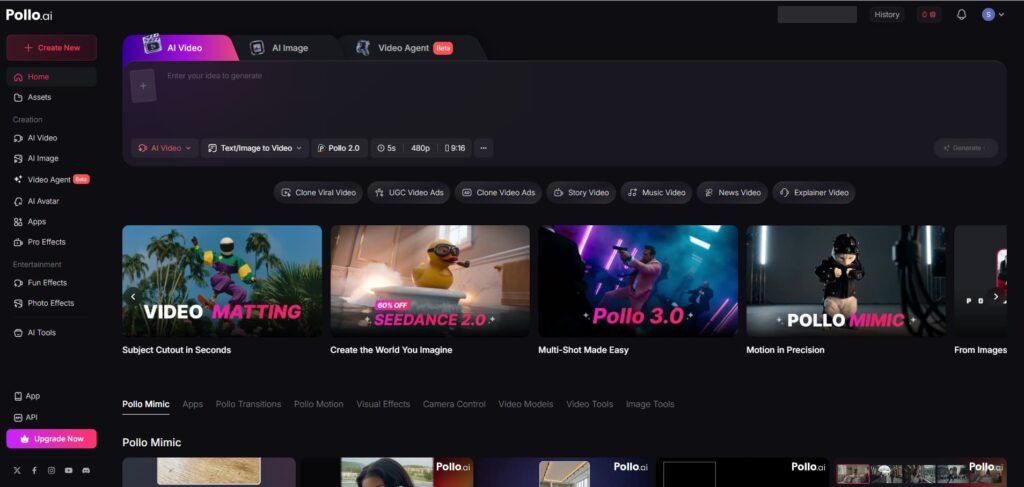
Polo AI is an AI video generator for social media creators who prefer TikTok, Instagram and YouTube shorts or reels for their pillar content. It allows you to use the pro effects and video agent to increase the virality of your video with simple steps and automation.
Best For
Social media creators:- You can leverage the pro effects to create next-level content.
Some Notable Features of Polo AI
| Feature | How The Feature Helps You |
|---|---|
| 50+ Model Library | Access Kling AI, Runway Gen-3, Luma AI, Veo 3.1, Seedance 2.0, and more, all inside one dashboard. |
| Video Agent | It helps you to guide workflow that are trained on millions of trending videos. |
| Pollo 3.0 Native Audio | Generates background music and sound effects automatically synced to your video. |
| Seedance 2.0 Physics | It makes your characters to move with actual weight, momentum, and surface resistance. |
| Omni-Reference | It isolates movement data from a reference video and applies it to a static character image. |
| Multi-Shot Storytelling | Pollo 3.0 maintains character and environment stability across multiple scenes. |
| UGC & Ad Formats | Video Agent supports structured formats like UGC ads, explainer videos, and news-style content. |
Pros & Cons
Pros
- 50+ AI video models in one place.
- Native audio generation in Pollo 3.0.
- Seedance 2.0 physics makes motion look genuinely realistic.
- Video Agent removes creative guesswork for beginners.
- Pollo Canvas is an intuitive, infinite workspace for complex projects.
Cons
- Customer support quality has been inconsistent. (from reviews).
Pollo AI Pricing
Polo AI has 4 pricing plans.
- Free ($0/month).
- Lite ($5.79/month on annual subscription).
- Pro ($8.40 /month on annual subscription).
Polo AI Review
Polo AI has 4.4/5 stars from 3190+ reviews on Trustpilot, which is a great indication, I believe.
3. Videoinu
What does Videoinu do?
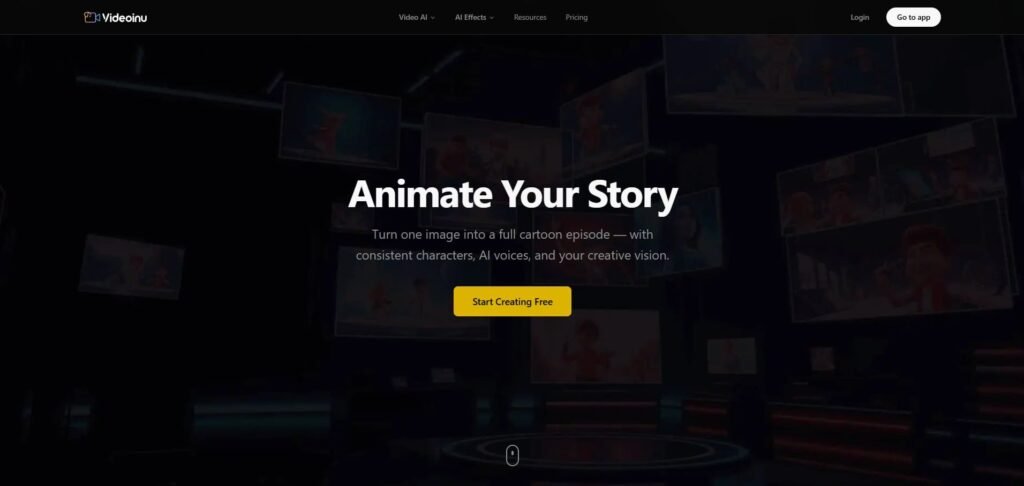
Videoinu is another strong AI video tool for YouTube video creation. It helps you to turn any image into a full animated video by using its storyboard-first workflow feature.
One of the things that I want to mention here about the Videoinu is the character consistency system. Here, you can tag a character with an “@” reference.
It helps Videoinu to lock their face, outfit, and identity across every single scene, even when the camera angle or background changes completely.
I believe, for a faceless channel creator, it’s a truly helpful and meaningful feature.
Best For
YouTubers:- Specifically, faceless channel owners who need long-form, episodic content with consistent characters and a full storyboard workflow.
Some Notable Features of Videoinu
| Features | How The Feature Helps You |
|---|---|
| Storyboard Workflow | This is one of the best features because here you can plan, arrange, and adjust individual scenes before rendering. It saves your credits and gives you directorial control over your full episode. |
| Character Consistency | You can lock a character’s face, outfit, and identity using “@” tags to maintain character consistency. |
| 30-Minute Script Support | It helps you to generate and manage scripts up to 30 minutes long for your YouTube channel. |
| YouTube Copilot | This is an AI agent that analyses trending patterns to help optimise your titles, descriptions, and publishing schedule for better algorithmic reach. |
| Multi-Model Access | Switch between Seedance 2.0, Kling AI, Videoinu Lite, and Happy Horse depending on the visual style. |
| Seedance 2.0 Integration | Native audio sync, complex camera movements like dolly zooms and rack focuses, and multi-shot continuity across scenes. |
| 14+ Visual Styles | Choose from realistic, anime, watercolour, cyberpunk, cartoon, minimalist, and more that maintained consistently across long-form content. |
| 2K HD Export | Watermark-free 2K resolution output on paid plans . |
| 30+ AI Voices | Expressive voice options, including warm, friendly, and playful tones, are available in 10+ languages for multilingual channel creators. |
| Non-Expiring Credit Packs | Buy credits that don’t expire, ideal for project-based creators with fluctuating production schedules. |
Pros & Cons
Pros
- Best-in-class storyboard workflow for full YouTube episode production.
- Character consistency via “@” tagging.
- 30-minute script support.
- YouTube Copilot.
- Non-expiring credit packs. It’s great for project-based creators.
- 14+ visual styles.
Cons
- Only 2 AI effects.
- Less creative control.
- Some AI video models are not performing properly.
Videoinu Pricing
Videoinu has 4 pricing plans, along with pay as you go credit packs in case you need additional credits.
- Free ($0/month).
- Plus ($7/month on annual subscription).
- Pro ($21/month on annual subscription).
- Ultra ($42/month on annual subscription).
Videoinu Review
On Trustpilot, the Videoinu has 3.1/5 stars out of 30+ reviews, which is very low.
4. Fliki
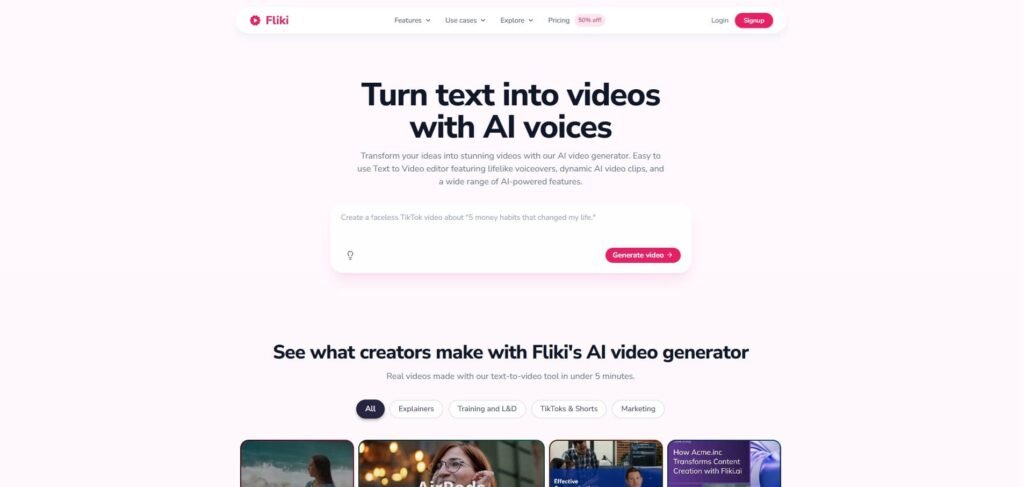
What does Fliki do?
Fliki is a professional AI video generator with easy to use features like text to video, AI avatars, voice cloning, digital twins, blog to video, image to video, and video editor, etc., for content creators, businesses, training videos, internal communication, marketing, e-commerce, and educational purposes.
Best For
Businesses: – Fliki allows you to make all types of corporate videos with its modern AI video models effortlessly.
Some Notable Features of Fliki
| Features | How The Feature Helps You |
|---|---|
| 2,000+ AI Voices | Largest voice library of any tool in this list. |
| ElevenLabs Integration | Access to some of the most human-sounding AI voices available. |
| Voice Cloning | Record two minutes of your own voice and clone your voice easily. |
| Blog to Video | Paste a URL, and Fliki scrapes, summarises, and builds a narrated video from your blog post. It’s great for repurposing your existing content. |
| PPT to Video | Transform PowerPoint presentations into narrated video. It’s perfect for educators and corporate YouTubers repurposing existing materials. |
| AI Avatars | 70+ stock avatars with character consistency across scenes. |
| Multi AI video model | Sandbox access to Veo 3.1, Kling 2.5 Turbo, and FLUX Pro for generating custom AI video and image assets. |
| 10M+ Stock Asset Library | Massive library of video clips, images, and stickers auto-matched to your script. |
| YouTube Licensed Music | Access to copyright-safe background music to eliminate your headache. |
Pros & Cons
Pros
- 2,000+ voices across 80 languages.
- ElevenLabs integration.
- Blog, PPT, tweet, and idea-to-video workflows.
- Voice cloning.
- YouTube licensed music.
Cons
- Sometimes, irrelevant auto matching stock footage made things complicated.
Fliki Pricing
Fliki has 4 pricing models. As of now, Fliki is offering a flat 50 % off on annual billing across all plans.
- Free ($0/month).
- Standard ($21/month on annual subscription).
- Premium ($66/month on annual subscription).
- Custom (Based on your requirements).
Fliki Review
On Trustpilot, Fliki has 4.4/5 stars out of 3000+ reviews, which is insane and truly satisfactory for a person looking for an AI video tool for their daily use.
5. Invideo AI
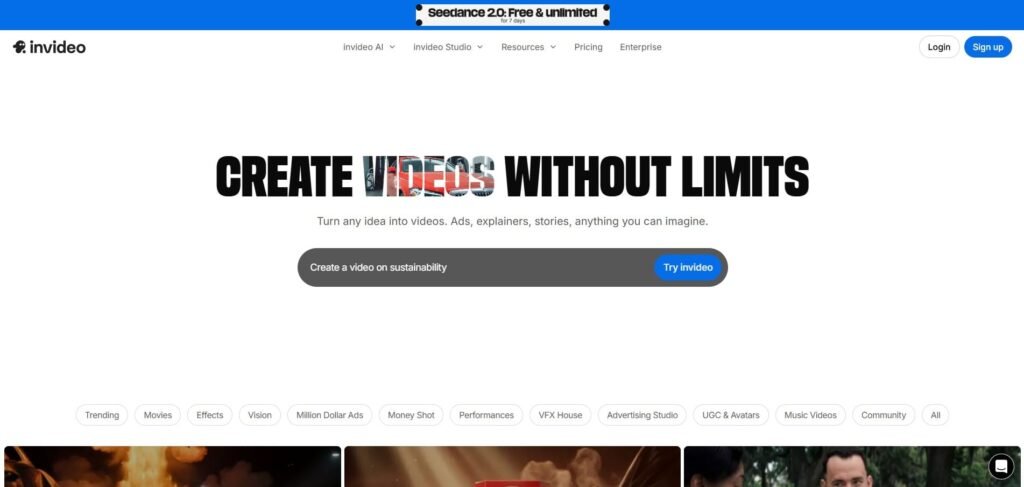
What does Invideo AI do?
Invideo AI is a multi model AI video generator that helps YouTubers to do their AI video generation under a single workflow using top AI video models available in the market.
Best For
YouTubers: – high-volume creators who need consistent, scripted, and narrated videos published regularly without a production team.
Marketing agencies:- Agency owners can use this AI tool to generate high-converting video ads for their clients.
Some Notable Features of Invideo AI
| Features | How The Feature Helps You |
|---|---|
| Multi-Model Hub | Veo 3.1, Kling 3.0, Seedance 2.0, and WAN 2.6 bundled. |
| 4K Google Cloud Pipeline | Generate 4K cinematic dailies from natural language. |
| Boards Agent | Transforms a single sentence into a multi-shot visual storyboard automatically. |
| Looks Agent | Defines a visual aesthetic, such as lighting, colour, style and applies it consistently across every shot. |
| Advertising Studio | Feed 4-8 product photos and get a multi-shot commercial. |
| SynthID Watermarking | Google’s invisible AI content marker embedded in every export you make to keeps content traceable and regulation-compliant. |
| 50+ Language Support | Auto-translated voiceovers, build multilingual YouTube channels without recording in multiple languages. |
| Shorts & TikTok Maker | Automated B-roll, subtitles, and vertical formatting to repurpose your long-form content into social clips automatically. |
| iStock Media Library | You can access up to 1,000 premium iStock assets/month. |
Pros & Cons
Pros
- Genuinely cinematic output for YouTube video and film creation.
- Boards, Looks, and Angles agents give real directorial control.
- SynthID watermarking future-proofs your content legally.
Pros
- No free tier available.
- A little bit expensive for small channels.
Invideo AI Pricing
The Invideo AI has 5 pricing plans.
- Plus ($17/month on annual subscription).
- Max ($40/month on annual subscription).
- Generative ($160/month on annual subscription).
- Team ($40–$50/mo).
- Enterprise (Based on your requirements).
Invideo AI Review
On Trustpilot, the Invideo AI has 4.0/5 stars from 700+ reviews, which is not so bad.
6. Synthesia
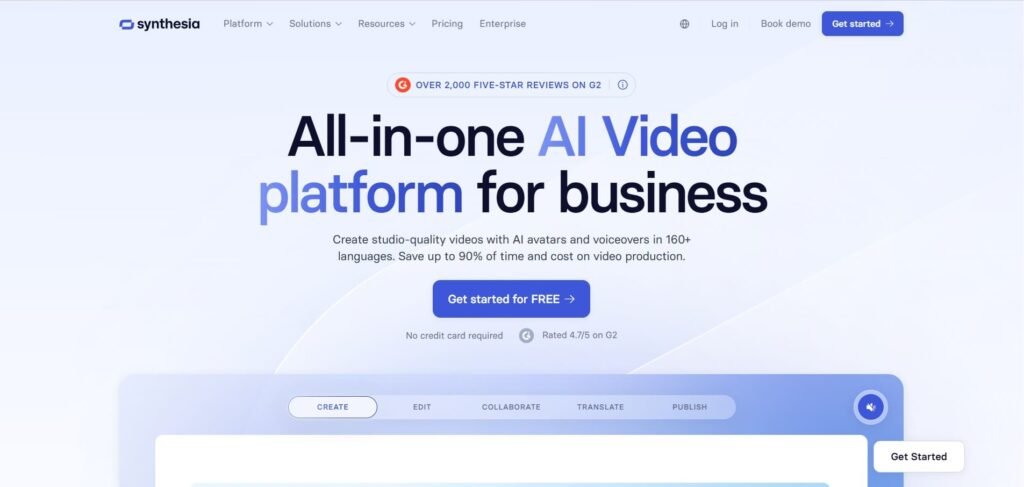
What does Synthesia do?
Synthesia is an AI video tool built to replace traditional video production with photorealistic digital avatars that speak, gesture, and present in over 160 languages. It helps educational content creators, corporations, or explainer content makers to create polished, presenter-led videos by simply typing a script.
Best For
Corporations: – This AI video tool helps educational, explainer, and corporate channel creators to produce polished on-screen presenters without appearing on camera themselves.
Some Notable Features of Synthesia
| Features | How The Feature Helps You |
|---|---|
| 240+ AI Avatars | Largest stock avatar library in this list helps to diverse presenters with natural gestures and facial expressions. |
| 160+ Languages | It helps to build a multilingual YouTube channel without re-recording anything. |
| Expressive Avatars (3.0) | Express-2 DiT model gives avatars purposeful hand gestures, body movement, and emotional micro-expressions matching the script’s tone. |
| Video Agents | This feature is great for tutorial and training-style YouTube channels. |
| AI Copilot | It transforms a raw idea or document into a structured video draft. |
| 1-Click AI Dubbing | You can dub existing videos into 30+ languages with perfect lip-sync. |
| Voice Cloning | You can capture your vocal tone and rhythm in seconds. |
Pros & Cons
Pros
- Best avatar realism in this list.
- 160+ languages with lip-sync.
Cons
- Expensive tool compared to Fliki for advanced features.
- Less creative flexibility than other video generators like InVideo or Pollo AI.
Synthesia Pricing
Synthesia has 4 pricing plans
- Free ($0/month on annual subscription).
- Starter ($18/month on annual subscription).
- Creator ($64/month on annual subscription).
- Enterprise (Based on your requirements).
Synthesia Review
On Trustpilot, Synthesia has 4.0/5 stars out of 1,700 + reviews.
My Honest Point of View on these 6 AI Video Generators
So, I believe, now you have a solid understanding of how to approach AI video tools—what features to look for, how different models work, and which tools actually stand out.
But let me be very real with you for a moment. None of this will matter if you don’t have a proper AI video creation workflow that includes scripting, image prompts, scene prompts and finally proper video prompts.
And this is where most creators fail.
AI video generation is not just about picking the “best” tool—it’s about how you use it. If you jump from one tool to another without a clear system, you’ll burn through credits fast and end up frustrated.
I’ve seen this happen again and again to me and also my clients.
That’s why my biggest recommendation is this:
Build a structured AI prompt workflow. Create a system where you can consistently generate:
- Image prompts.
- Scene breakdowns.
- Video prompts.
Once you have that, you can plug it into any tool—whether it’s ChatGPT or Claude and get reliable, repeatable results.
So, overall, when your workflow is solid, the tool becomes secondary, and that’s the shift that actually saves you time, money, and a lot of frustration.
What is the best AI tool to create videos?
Vheer AI is always my preferred recommendation, because its prompt enhancer feature makes it more unique and helpful than other AI video generators.
What is the best realistic AI video generator?
To be honest, the realistic quality depends on your prompt, and I think Vheer has really done an excellent job on this by implementing the prompt enhancer feature during AI video and image generation.
Which AI video generator is best for long videos?
I think this is a very subjective question. If you take my example, I will never prefer video generation for above 30 seconds with a single prompt. But from the above 6 best AI video generators, Vheer, Ploo AI, and Invideo AI are highly recommended for long cinematic video production.