I’ve tested 10+ AI UGC ad platforms and have gained something deeper regarding the UGC ad creation process. However, initially, it seems all AI video tools are trying to solve the same problem.
But no, this is not… There is something that decides whether your AI UGC ads perform better or not!
So, in this Jogg AI review blog, you’ll know.
- How to use Jogg AI.
- How to create custom avatars in JoggAI.
- JoggAI common issues and fixes.
- Best alternatives to JoggAI for video ads.
- JoggAI pricing and plans.
- And most importantly, the AI UGC ad generation prompt. (FREE + TESTED)
So, let’s start….
Table of Contents
Review Summary
JoggAI presents a not-so-bad reputation depending on where you look. On platforms like G2, it enjoys high user satisfaction (4.7/5), while Trustpilot reviews (2.6/5) highlight serious concerns, especially around pricing transparency and support.
When I went through the Trustpilot review section, I felt that
- The 80% of those complaints were regarding their customer service and not that serious at all.
- Many of them are dissatisfied with their lifetime free plan.
But here is what I’ve found during testing…
- In my experience, this AI UGC ad tool is very fast and makes automated AI UGC videos with minimal effort.
After testing 10+ AI UGC ad platforms, I felt that if you give any UGC platform enough high-quality creatives along with 1 or 2 B-roll videos (with your product), then you’ll get a really amazing final output.
What is Jogg AI?
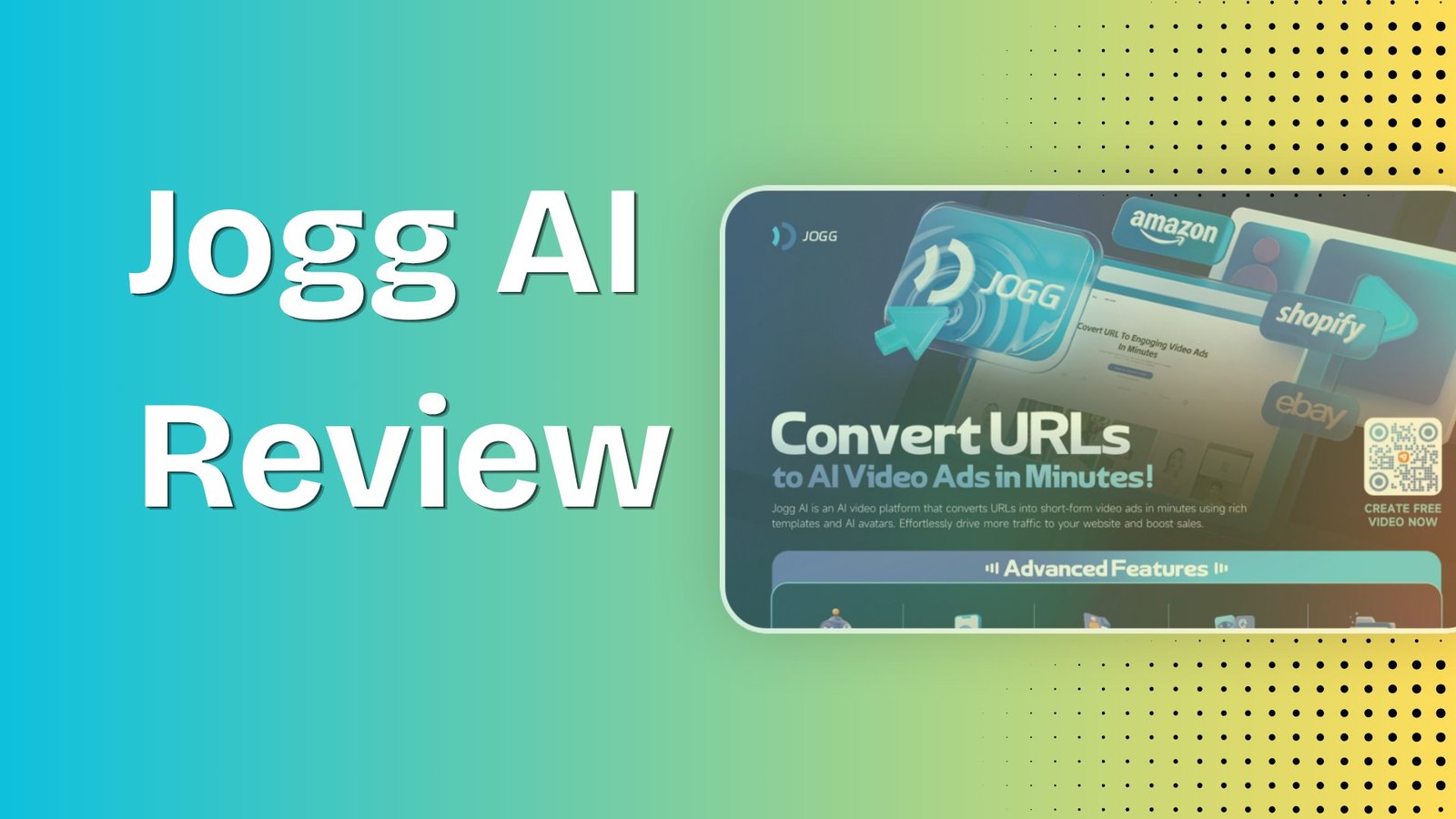
JoggAI is an AI-powered video ad generator that can turn product URLs, PDFs, and YouTube links into video ads for small business owners, DTC brands, and solopreneurs.
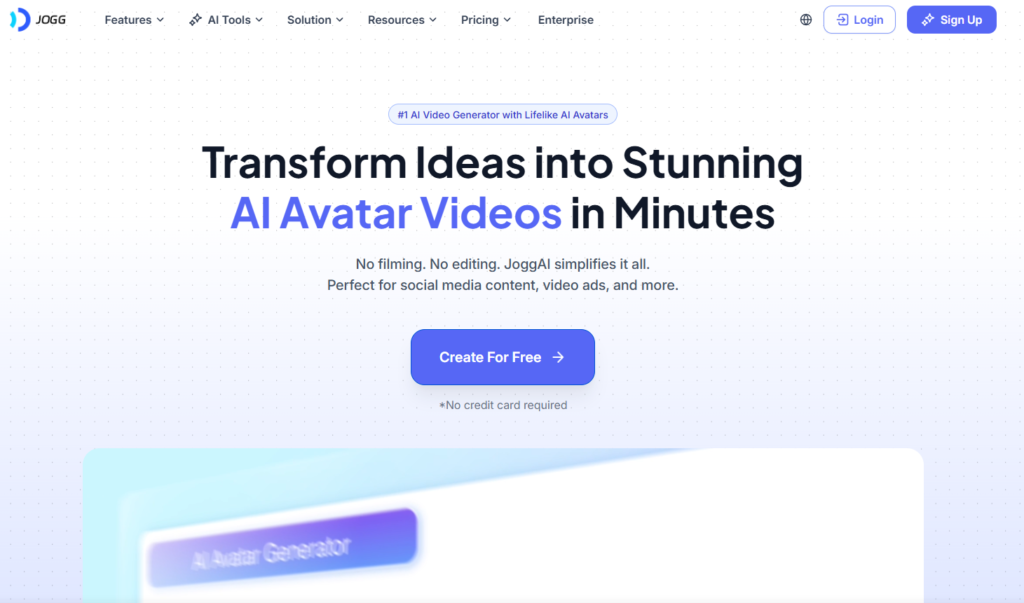
Key Strengths (Pros)
Some of the key strengths or pros of JoggAI I found are
- NO CREDIT CARD needed for the FREE TRIAL.
- This AI UGC tool is really fast, and the outputs are pretty good.
- It’s very easy to operate. Just drop your product link, and it does all the tasks.
- You can test JoggAI for free. You can even generate your AU UGC ad to see the output, but you can’t download it.
- JoggAI’s avatar creation process is pretty cool, as it can generate different scene styles based on an image.
- It has all the necessary features that you need for Ad creation, like Product photo shoot (Nano Banana Pro), Product video shoot, Product Avatar, etc.
- Brand kit feature for brand consistency.
Key Weaknesses (Cons)
Some of the key weaknesses or cons of JoggAI I found are
- You can’t directly live your AI UGC ad to the specific social platforms like TikTok and Meta, etc. (No direct integration)
- The AI avatar’s quality can be improved. It looks a little bit polished.
- You can’t control or fine-tune the voice. (I’m talking about pacing, pause, etc).
Why You Should Trust This Review
I know that you have many options to check the reviews about JoggAI, but here is the reason why you should trust this review..
- With years of content marketing experience, I know about the key factors that make an AI UGC ad powerful and with that thought in mind, I’ve tested this AI tool.
- I’ve also shared a FREE MASTER PROMPT so that you don’t have to do heavy lifting during ad creation process.
- Not only have I tested this AI UGC tool, but I have also peeped through each customer review of Trustpilot, G2, and Product Hunt.
So, I think this is the review you shouldn’t miss to get a genuine and authentic idea about JoggAI.
How to Create Custom Avatars in JoggAI
Jogg AI avatar section is pretty cool and clean. One of the most exciting parts of this, JoggAI gives you 1 FREE TRIAL for custom avatar creation.
Here are some steps that you can follow..
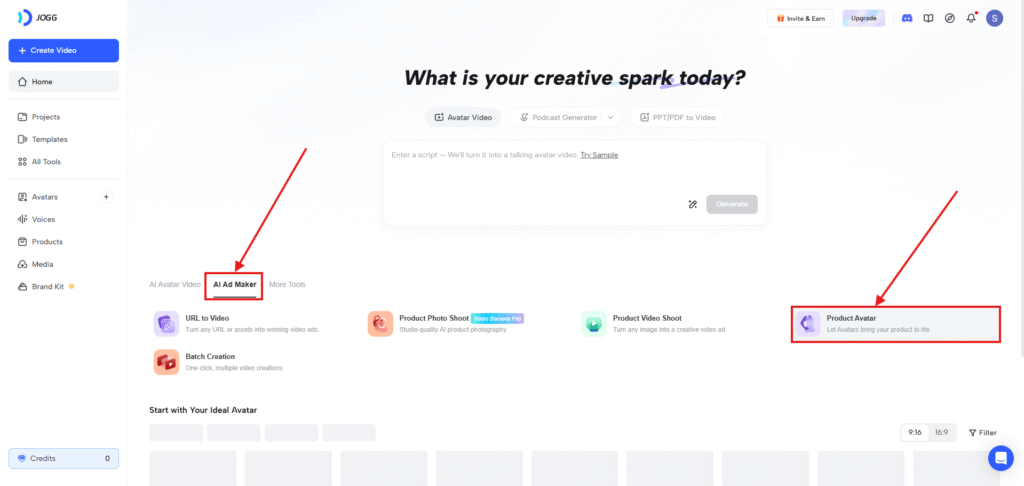
- Click “AI AD MAKER” and then press “PRODUCT AVATAR”.
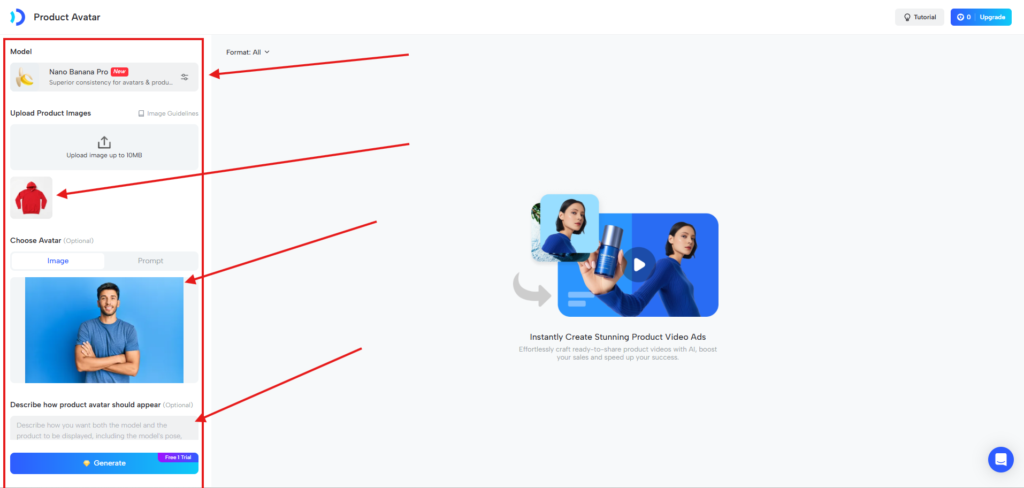
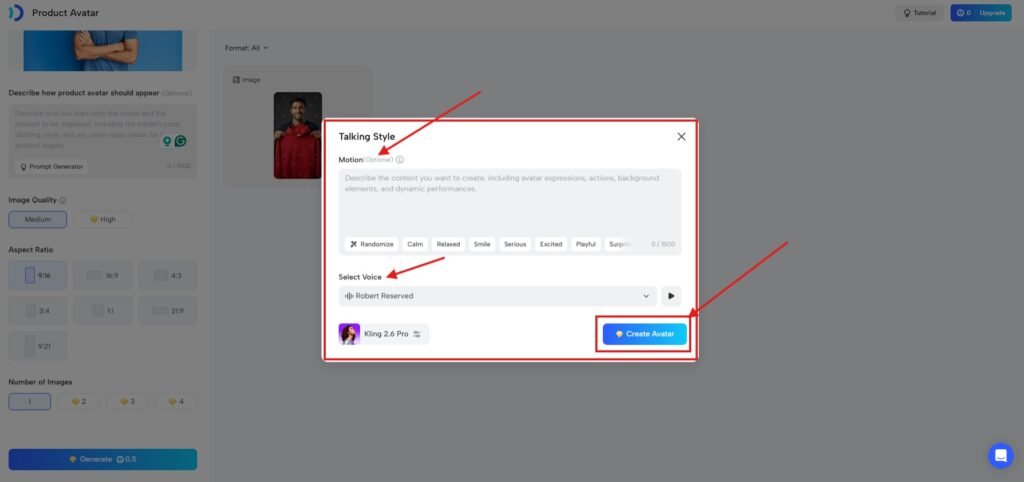
2. Next, select “NANO BANANA PRO” model —→ “UPLOAD PRODUCT IMAGE” —→ “IMPORT AVATAR IMAGE”—→ “DESCRIBE HOW PRODUCT AVATAR SHOULD APPEAR” (Optional) —→ “IMAGE QUALITY”—→ “ASPECT RATIO”—→ “NUMBER OF IMAGES” —→ GENERATE.
3. This is the output. It’s really, really awesome, guys.. The detailing is pinpoint, and it looks original.
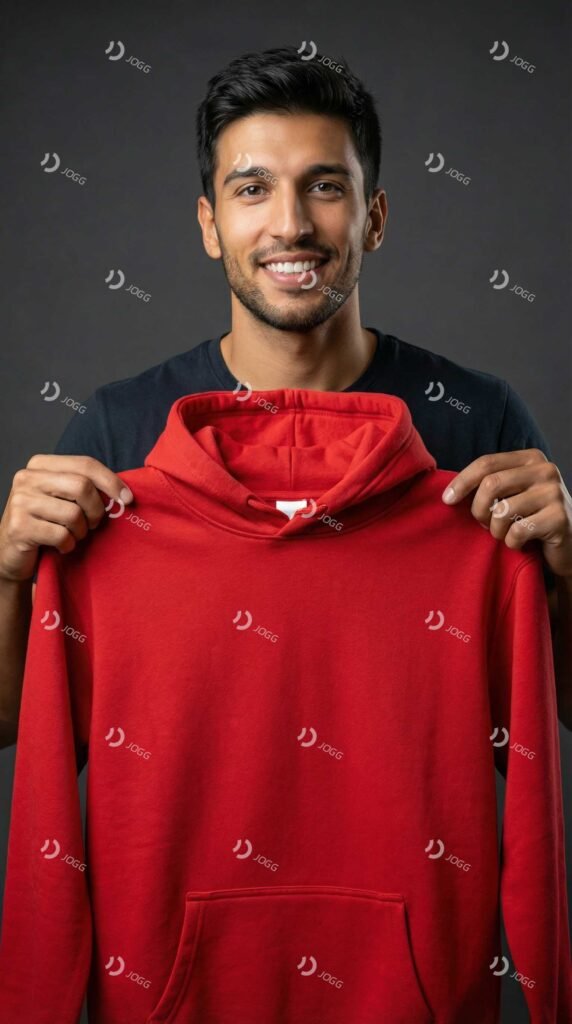
4. From that avatar, you can add “TALKING STYLE” and “VOICE” to create your own avatar that you can use for your brand.
Jogg AI Review Video
If you want the Jogg AI review video, then you can watch this, where I have also explained the process.
How to Make AI UGC Video Ads with JoggAI
Making an AI UGC video ad is a straightforward process. Here, I am giving you some simple steps so that you don’t mess things up.
Step 1
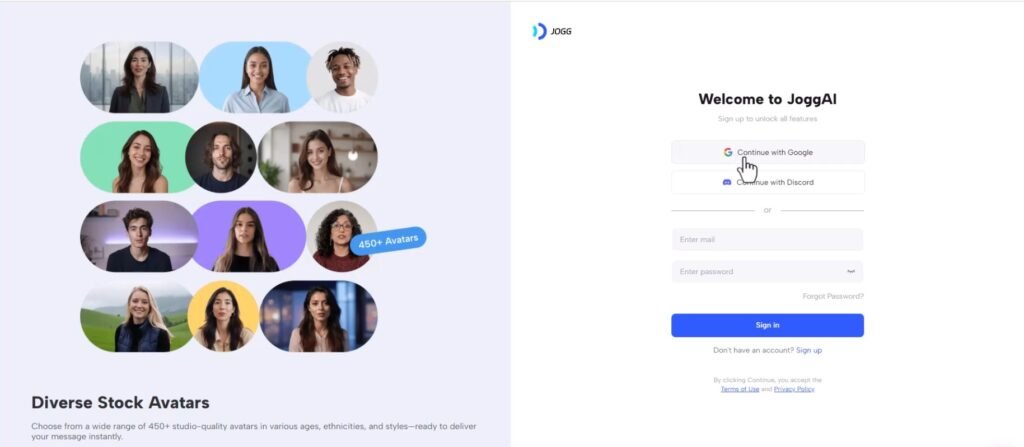
Click the official link and sign up with your Gmail..
Step 2
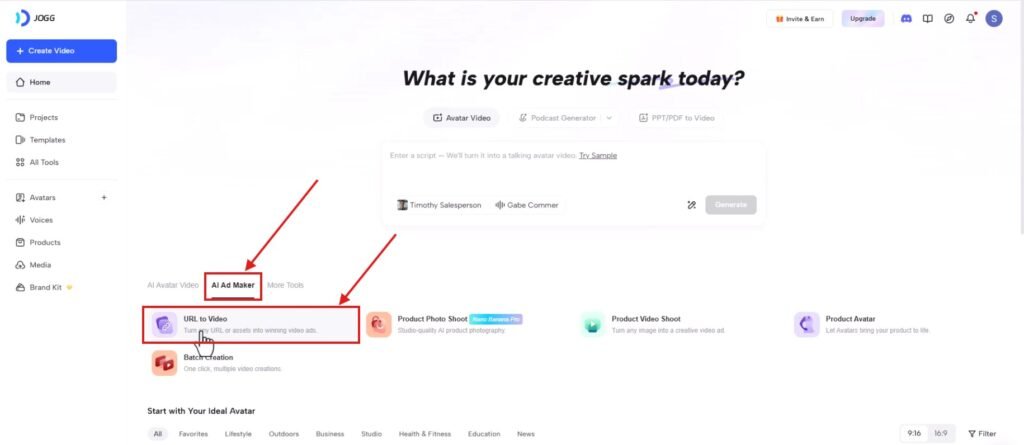
Click the “AI AD MAKER” option and then hit “URL TO VIDEO”.
Step 3
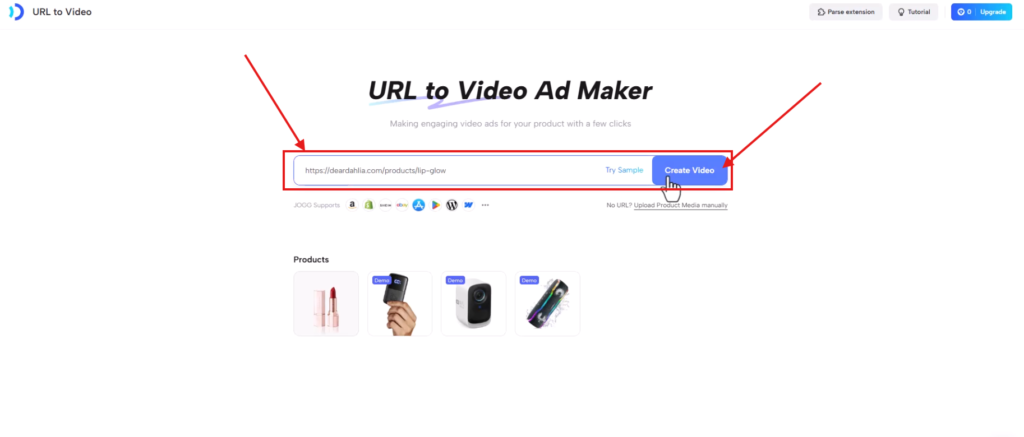
Now enter your “PRODUCT URL” and click “CREATE VIDEO.”
Step 4
Now, it’ll analyse your product URL and collect all the data from your site and appear with all the information regarding your product.
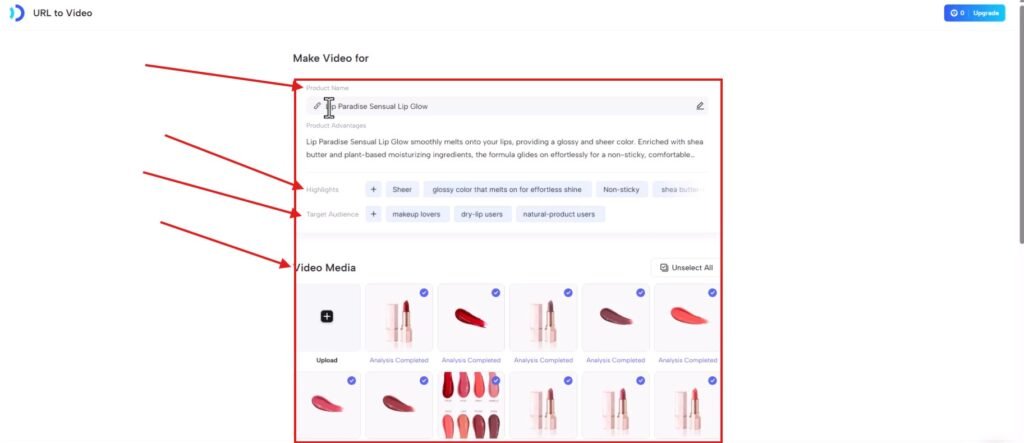
Step 5
Below this page, you’ll see the “SETTING” option. Simply choose your “AVATAR” here, along with “VOICE”, “RATIO”, “DURATION” and “LANGUAGE.”
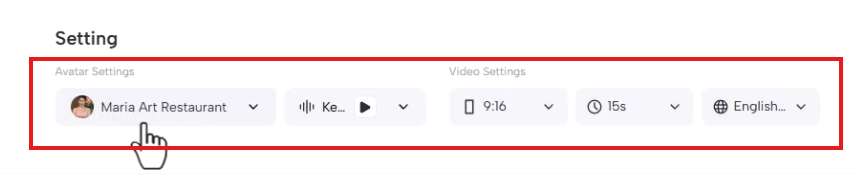
After adjusting all the settings, simply click the “NEXT” button.
Step 6
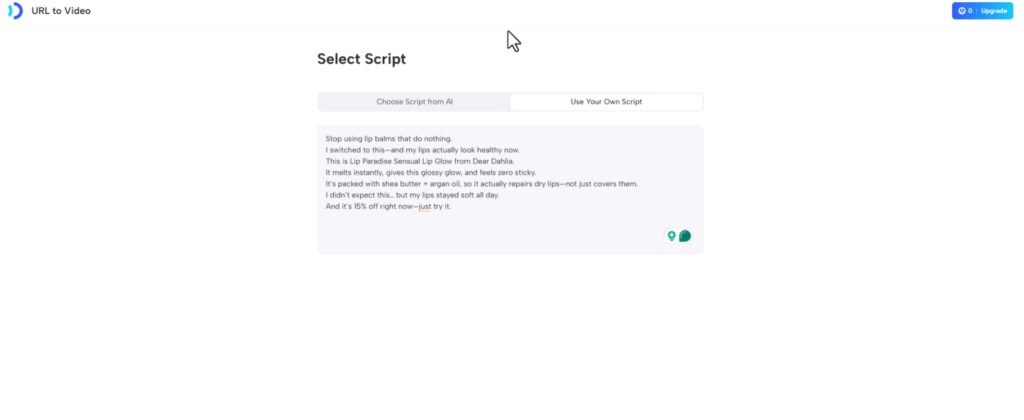
Now JoggAI is redirecting you to the “SCRIPT SECTION.”
I recommend that you to create your AI UGC ad script with the “MASTER PROMPT.”
Simply paste your script and hit “NEXT.”
Step 7
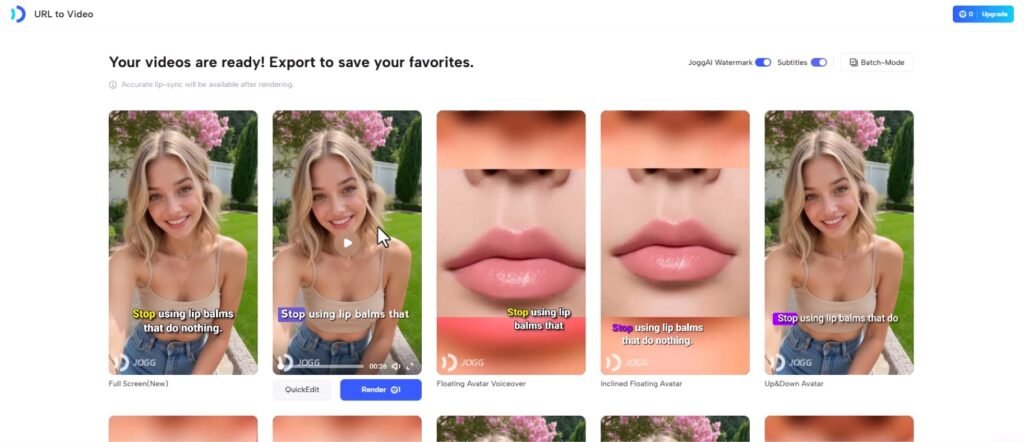
Now your AI UGC video ad is ready for download. You can simply download it, or you can edit it if you like.
JoggAI Common Issues and Fixes
One thing I experienced during the UGC ad creation is that the output is really, really good, but all the outputs look the same.
It means it uses the same image from the product image gallery. However, there are lots. I think this is the issue I faced.
How to Fix This Issue
Use B-roll of your product and add it to the edit section. It’s super easy and looks professional.
Best Alternatives to JoggAI for Video Ads
So, now comes another interesting part, which is the best alternative to JoggAI.
I have tested 10+ AI UGC ad tools, and honestly, Creatify AI and Holo AI look promising to me.
However, one thing I want to clarify here is that your UGC ad performance will not depend on the avatar or the cool editing but on the “SCRIPT.”
Trust me, this is the single most powerful thing that you can generate with my FREE AI UGC AD PROMPT in minutes.
Use it properly and see the result…
JoggAI Pricing and Plans
The JoggAI offers multiple pricing plans, along with an entry-level starter plan for just $24/month with 16 credits monthly. (Annual plan with 50% off).
FAQs
Is Jogg free or paid?
JoggAI offers a free plan, but it doesn’t include download access. You can only create your AI UGC ad, but not able to download it.
Is JoggAI legit?
Yes, this is a legit site. I have personally used it, and it offers a really good output in terms of UGC ad video creation.
How to use JoggAI for free?
You can use it for free, but this FREE is different from others, as you can generate your UGC ads, but you can’t download them. For download, you have to purchase the paid plan, which starts from $24/month, which comes with a 16-avater video (Annual plan with 50% off).
Affiliate Disclosure:-
Some of the links above may be affiliate links, which means that if you click on them, I may receive a small commission at NO COST to YOU. Thank you! All information in this review blog is taken from online sources and my own experience as a content marketer, and I encourage you to test a FREE TRIAL before investing your hard-earned money. I appreciate your support!