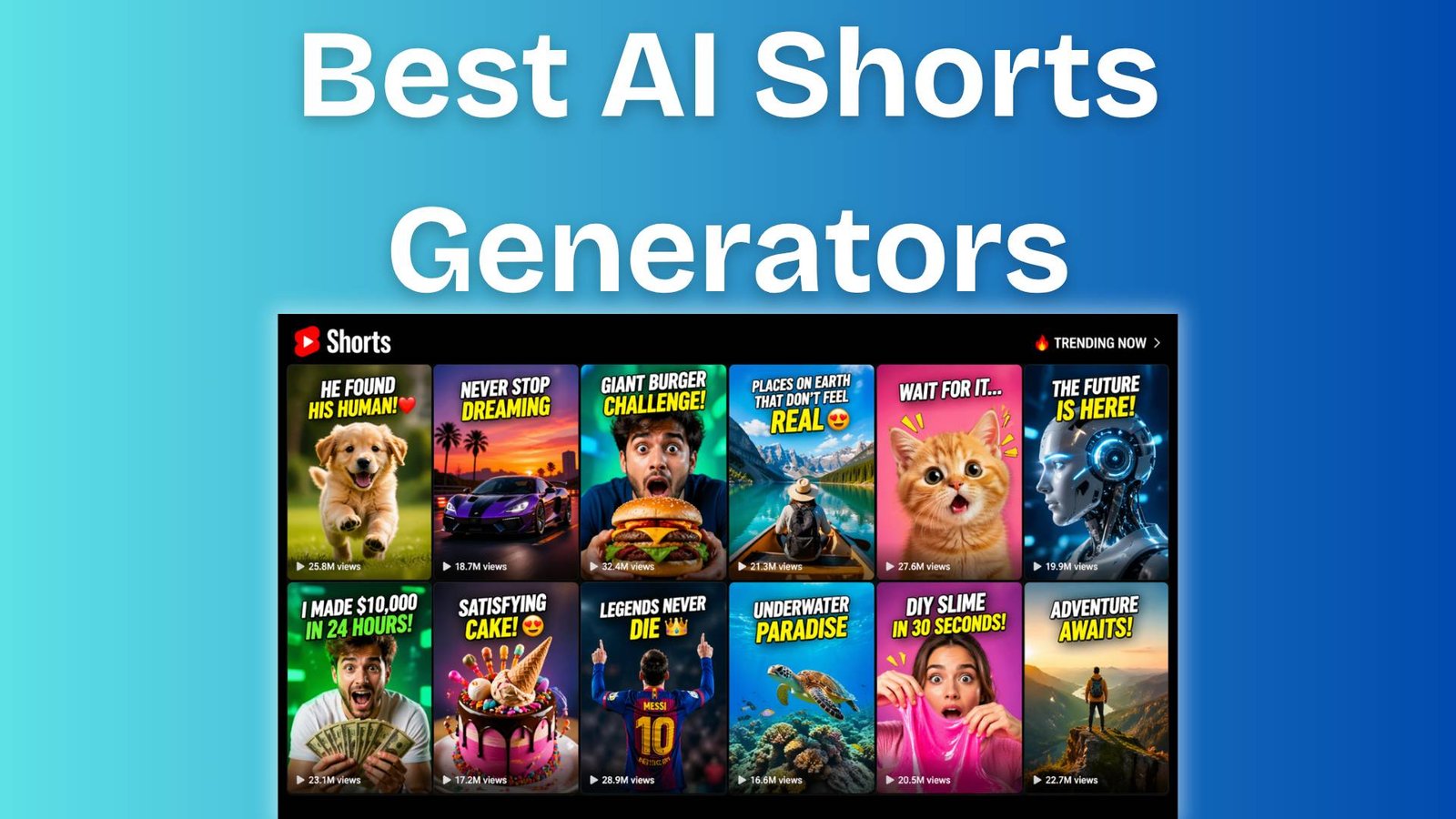
AI shorts are crushing now on YouTube, especially with some of the best AI video tools for YouTube shorts, and you already know that. But here are two problems.
One that is related to YouTube’s AI content policy, and the other is professional shorts creation from your long-form videos.
As a copywriter and content marketer, I have a knack to flying multiple review forums for research purposes, and what I have seen about AI video tools for YouTube shorts is really interesting.
I have noticed that every creator has the same questions in mind, like whether the AI short videos would get monetised or not, or how someone can turn their long videos into multiple shorts that look professional and build engagement.
This is why I have decided to test multiple AI video tools and find out the best one for you.
So, in this blog, I’ll show you the 7 best AI video tools for YouTube Shorts, which allow you to create professional and viral AI short videos that look unique and human-generated.
So, let’s get into this.
Table of Contents
How to Select the Best AI Video Tools for YouTube Shorts
Finding the best AI tools for YouTube Shorts purely depends on your specific needs, and this is why I have included the best AI shorts makers for different use cases.
The video tools mentioned below are handpicked and not randomly chosen. They all have a strong review base, and creators and business owners actually benefited from these.
So, I strongly recommend that you to closely look at the comparison table at first to get an instant idea about which AI shorts generator is going to be highly beneficial for you and then go through its features in detail, as mentioned in this blog.
And I hope you’ll get your answer.
So, here is a quick comparison list of the best AI shorts makers in 2026.
Quick Comparison Table of the Best AI Video Tools for YouTube Shorts
Here is the comparison table for you:
| Best AI Shorts Maker | Trustpilot Reviews | Best For | Niche | Key Feature | Free Trial |
| Polo AI | 4.4/5 stars out of 3k+ reviews. | YouTube & Instagram creators. | Entertainment. | Trending pro effects. | Yes (No Credit Card required). |
| Vizard AI | 4.8/5 stars out of 3k+ reviews. | YouTube long-form content creators. | Podcats, Education. | Global reach feature. | Yes (No Credit Card required). |
| OpusClip | 4.1/5 stars from 300+ reviews. | YouTube long-form content creators. | Vlogs, gaming, sports, and explainers. | “ClipAnything” works across all niches. | Yes (No Credit Card required). |
| Invideo AI | 4.0/5 stars out of 700+ reviews | YouTube & Instagram creators. | Entertainment & Business. | Viral effects library. | No free trial available. |
| Fliki | 4.4/5 stars out of 3k+ reviews. | Business owners, Marketers. | Business. | Videos from text, blog URLs, or PPT. | Yes (No Credit Card required). |
| VOZO AI | 4.8/5 stars out of 200+ reviews. | YouTube long-form content creators. | Podcasts, Education. | LipREAL™ lip-sync + VoiceREAL™ clones. | Yes (No Credit Card required). |
| VEED (An AI shorts editor) | 4.1/5 stars out of 3.5k+ reviews. | Business owners, Marketers. | Business. | Eye Contact AI. | Yes (No Credit Card required). |
7 Best AI Video Tools for YouTube Shorts You Need Right Now
Here are the 7 best AI video tools for YouTube Shorts for fast content production:
- Polo AI.
- Vizard AI.
- OpusClip.
- Invideo AI.
- Fliki.
- VOZO AI.
- VEED.
Now let’s get each of these.
1. Polo AI
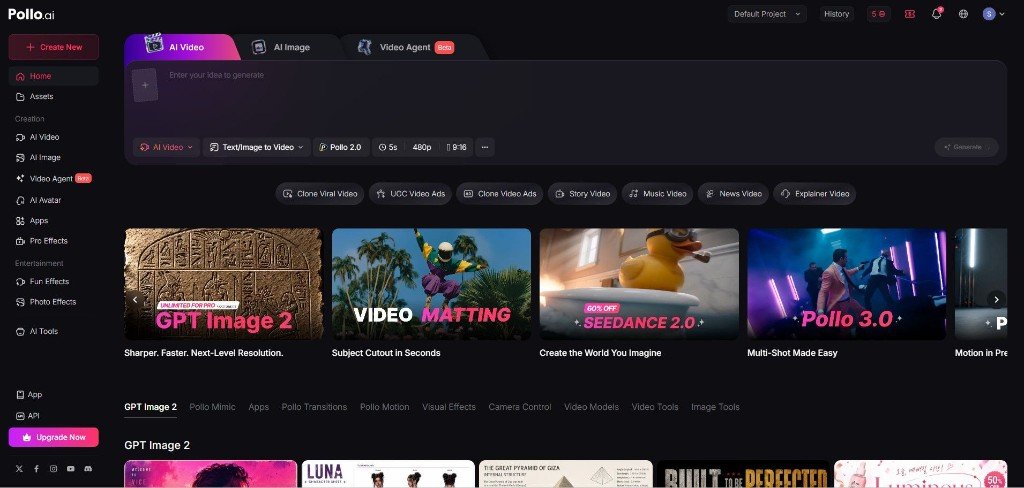
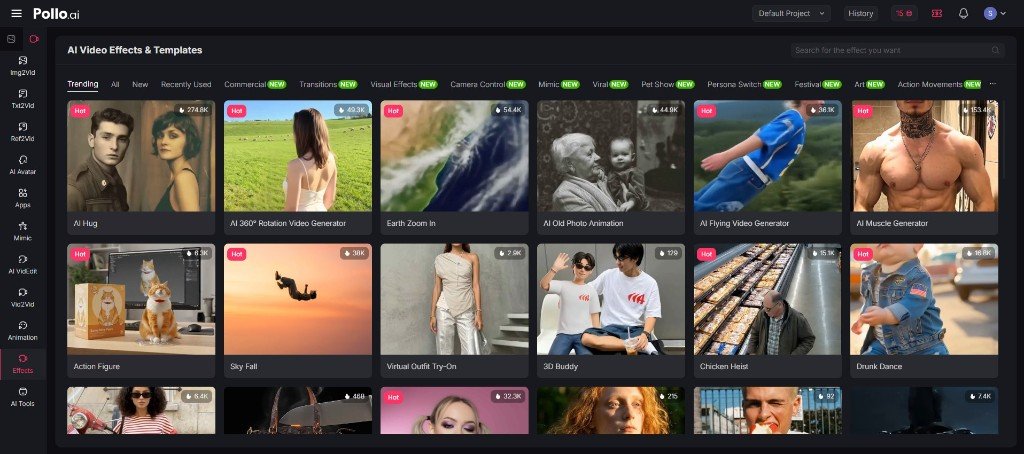
Pollo AI is a highly advanced AI video generator with its all-in-one viral content engine built for short-form creators. What makes it genuinely different is that it doesn’t run on a single AI model.
Instead, it has the best ones like SeeDance 2.0, Sora 2, Kling AI, Runway, and Luma AI, all inside one dashboard, specifically for YouTube and Instagram content creators.
Best For
YouTube and Instagram content creators (for highly creative videos) will benefit from Polo AI.
Pollo AI Pros & Cons
Pros
- All trending pro effects for viral content.
- Access to multiple elite AI models (Sora 2, Kling, Runway) in one place.
- Viral Video Agent auto-optimises hooks and pacing.
- Daily FREE credits available.
I personally tried polo for this blog, and one thing I realised is that the pro effects it contains are way more powerful to get the eyeballs in the YouTube shorts space.
Literally, Polo has a lot of pro effects, and we have seen those viral effects frequently on YouTube and Instagram. If you wish, just check it out once.
I have generated the Gabu Dance shorts video below for just testing purposes, and it cost me 10 credits, along with 30 seconds. I mean, this is too affordable for your YouTube shorts production.
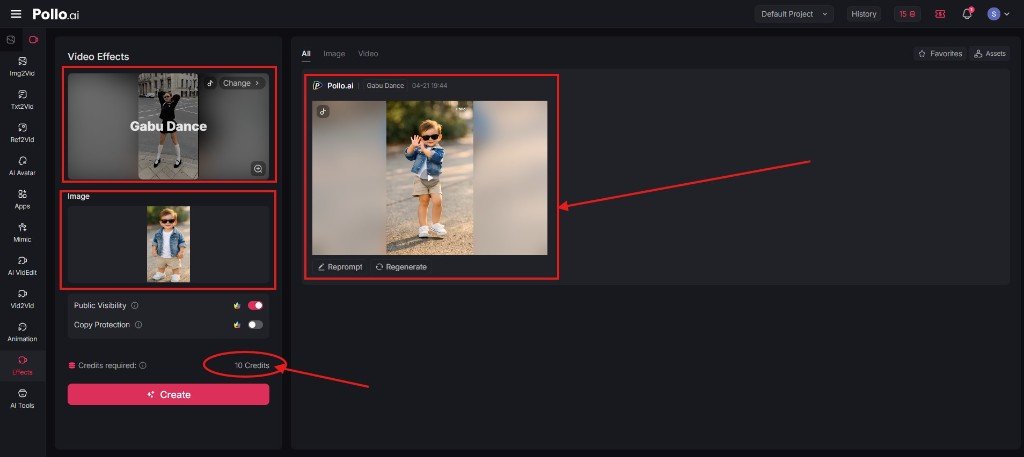
Just one thing I want to mention here is that you can again reprompt and regenerate the AI video with some tweaks, and the YouTube algorithm likes it.
Cons
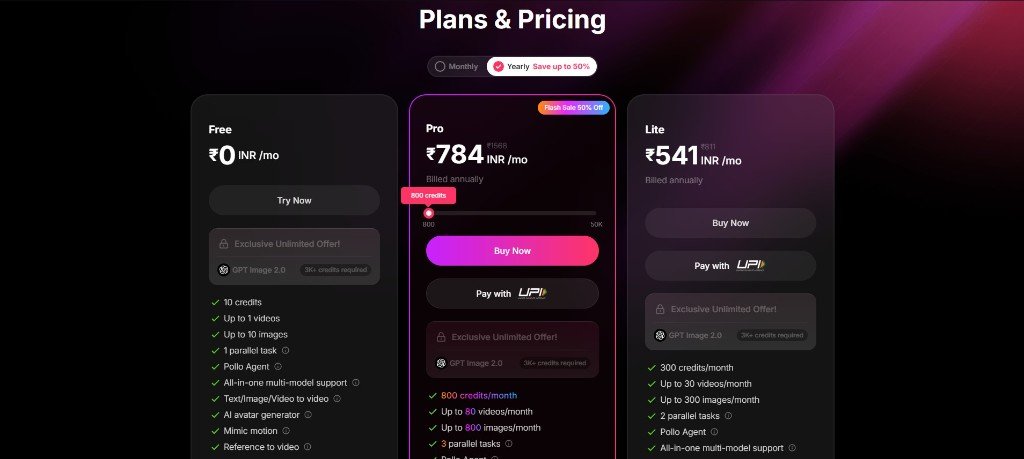
- Public visibility restriction is only available in the Pro plan (starts from $8.00 – $9.00).
Polo Pricing
Polo AI has a very transparent pricing plan, which starts from FREE and plan upgrades start from just $8.00 – $9.00 in a yearly subscription.
Polo AI Reviews
On Trustpilot, Polo has 4.4/5 stars out of 3k+ reviews, which is again a positive sign to go with this AI YouTube shorts generator.
2. Vizard AI
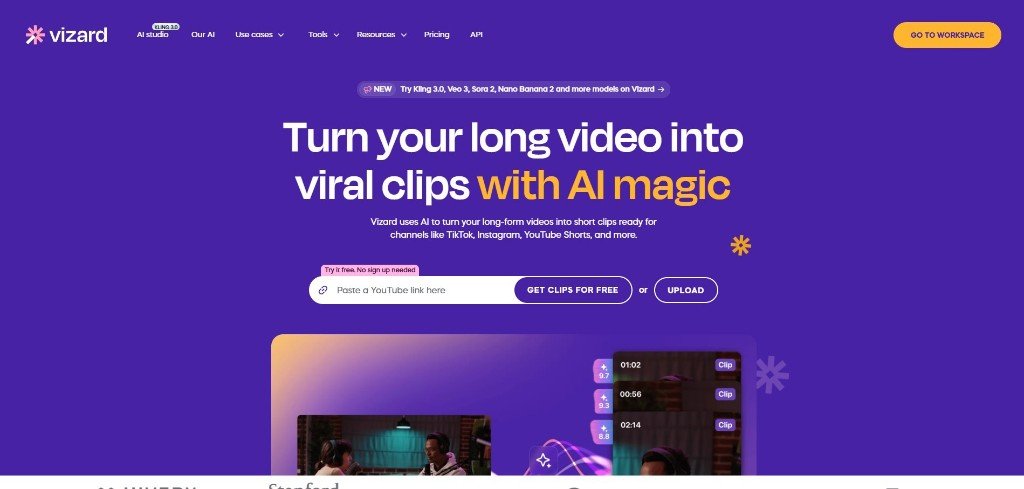
Vizard AI is one of my favourites because it takes your long-form videos (podcasts, interviews, webinars) and automatically slices them into dozens of high-performing YouTube Shorts with the magic of AI. It means one upload and dozens of clips in hand with zero manual editing.
If you are already recording long-form content but struggling to repurpose it for the Shorts feed, Vizard is undoubtedly the smartest tool in this list.
Best For
YouTube long-form content creators who already have content but are unable to repurpose it properly.
Vizard AI Pros & Cons
Pros
- You can try it FREE without signing up.
- 1-click AI clipping from your long-form footage.
- Text-based editor, where you can cut the video by deleting the transcript words.
- “Virality Score” predicts which clips are most likely to perform.
- Creator-style dynamic captions with auto emojis.
- Supports 100+ languages for global reach.
- AI B-roll insertion keeps retention high.
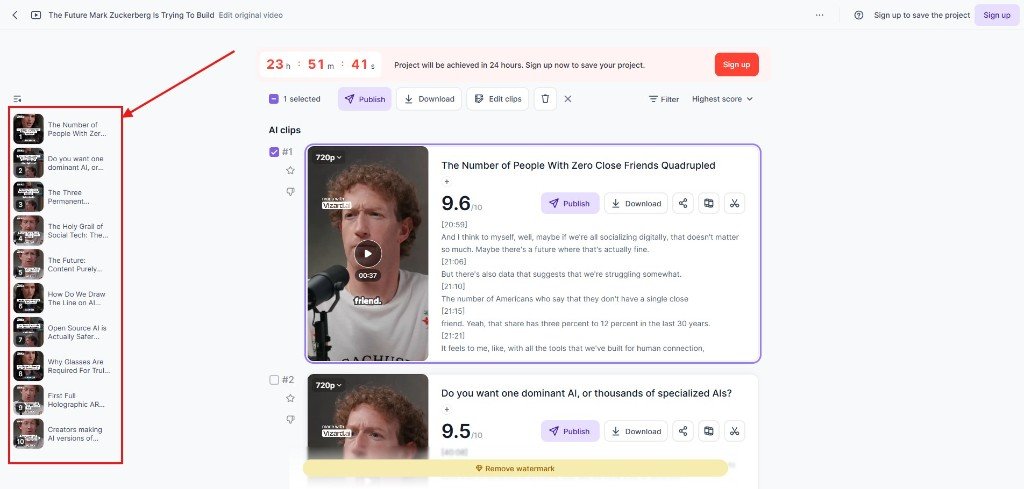
To test this AI shorts generator, I have uploaded a YouTube video from Cleo Abram’s channel.
I just pasted this video from her channel, and it took nearly 3 minutes to finalise all 10 clips (47:10 minutes video).
Look at the screenshot below. The outputs are professional and look genuine. I really love this.
Plus, one of the best things I have noticed on Vizard is the editing dashboard.
I mean, you can literally play with your clip to make it more catchy to your audience. The Text-based editor feature is really amazing.
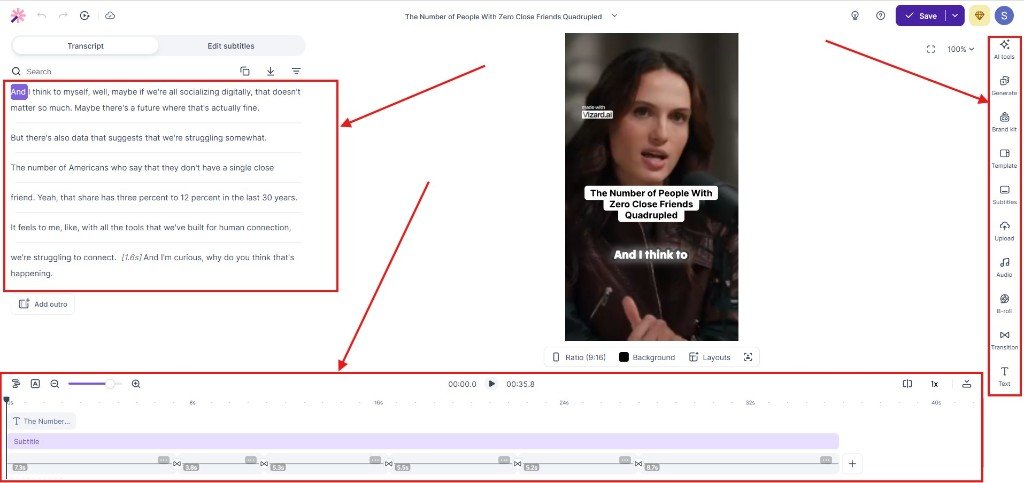
Btw, you need to sign up for Vizard to download the short video.
Cons
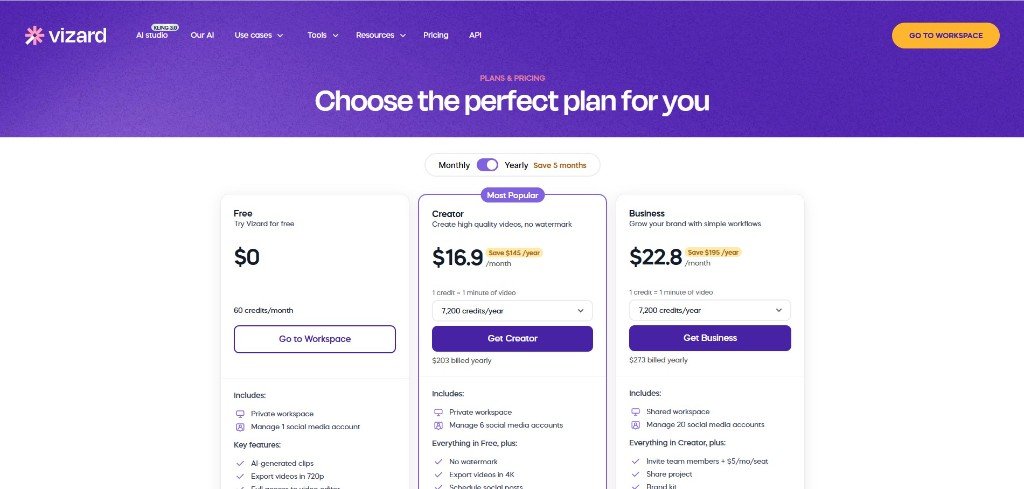
- 1080p render and watermark removal are only available in the Creator Plan, which starts with $16.09/month on a yearly subscription.
Vizard.ai Pricing
Vizard.ai has two pricing plans, which start from 16.09/month on a yearly subscription.
Vizard AI Reviews
On Trustpilot, Vizard AI has 4.8/5 stars out of 3k+ reviews, and I think this is a strong indication of customer trust in this AI shorts generator.
3. OpusClip
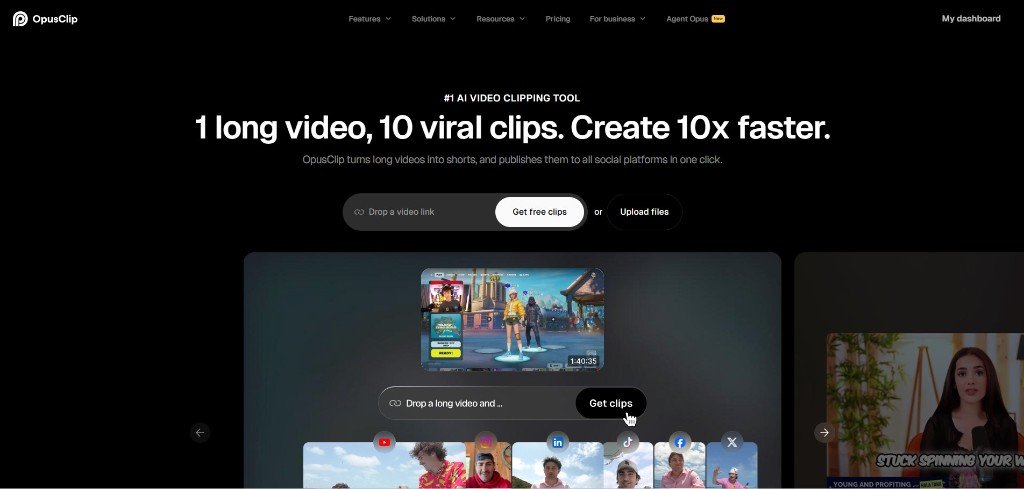
OpusClip is one of the smartest AI video tools you can use when you already have great content but zero time to edit it. It doesn’t generate video from scratch, but it finds the best moments inside your existing long-form videos and turns them into algorithm-ready YouTube Shorts automatically.
What sets it apart from other AI shorts maker tools is its “ClipAnything” engine because most competitors only work with talking-head podcasts, but OpusClip handles vlogs, gaming, sports, and explainers too.
Best For
If you have an existing library of long-form content that you want to repurpose into the Shorts, then this is the best fit for you.
OpusClip Pros & Cons
Pros
- Free Trial for 7 days without credit card details.
- It’s “ClipAnything” works across all niches, not just podcasts.
- Brand templates for consistent fonts, colours, and logos.
- Auto-reframes to 9:16 with AI subject tracking technology.
- Auto-rearranges clips to start with a hook and end with a CTA.
- One-click publishing to all social platforms.
- Analytics dashboard to track your performance on social media.
To test this AI shorts maker, I have uploaded a video from Alex Harmozi’s latest video and what this shorts maker has done is truly amazing.
I provided the video link to OpusClip, and it instantly took me to their dashboard after signing up.
Here, I got really excited to see the FREE TRIAL pop up without a credit card.
I mean, this is the most exciting moment to me because almost every AI tool demands credit card details before running a free trial. I was really happy with this move.
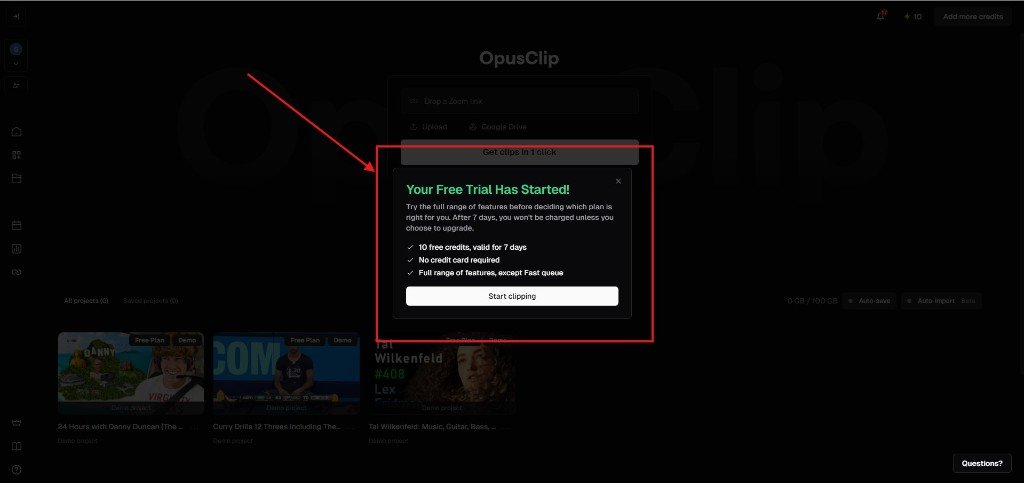
In the dashboard, there are multiple options that you can use to make professional short videos.
Also, you can edit and make your templates and save those for future use, and one of the best features I observed here is the “Credit Saver.”
I have tested multiple AI tools, and this feature is rare. I mean, I have not seen this before, and I think you will also love this.
Let’s give you the overview of this smart feature so that you can understand and use it very easily.
Let’s suppose you have a long video of 15 minutes, and you don’t want to make AI short videos from the full video. You just want to make shorts from a specific portion of your long-form content.
In that case, OpusClip’s “Credit Saver” feature allows you to choose which portion to the video you want to make short videos from. (like from 4:00 minutes to 8:00 minutes).
And this is how you can save credits. It’s really cool and consumer-centric. I love this feature, and I hope you also love this because nobody wants to lose AI video credits. Isn’t it?
In my case, I have set the “Credit Saver” feature between 4:00 and 7:00 (roughly 3 minutes), and it costs me 3 credits to generate 6 AI short videos. I took nearly 3 minutes to generate short videos from that particular portion.
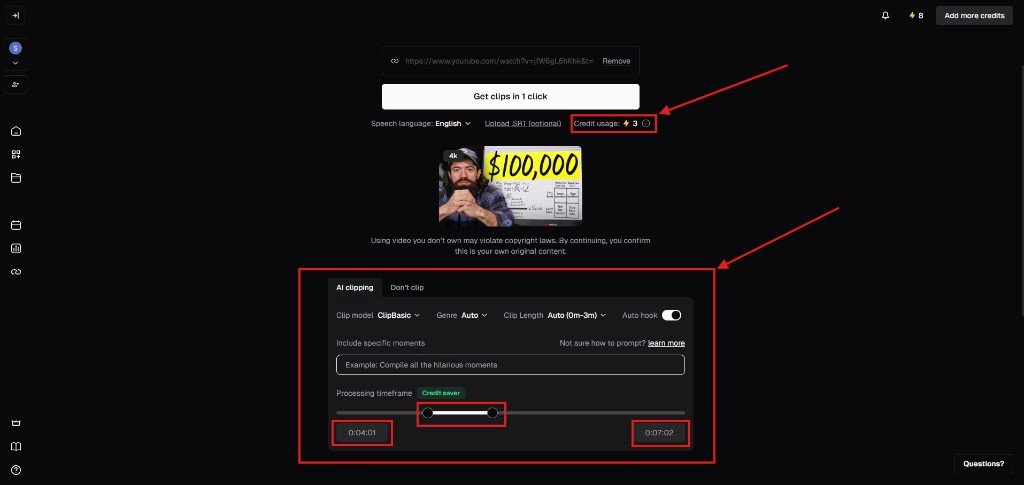
And I found that those are all highly professional and catchy.
Cons
- Sometimes, you need a manual edit to fix some text issues.
One of the things I sensed while testing this was that for podcast-type channels, Vizard AI is more powerful, but if you are playing on vlogs, gaming, sports, and explainers categories, then OpusClip will be an insane AI shorts generator for you.
OpusClip Pricing
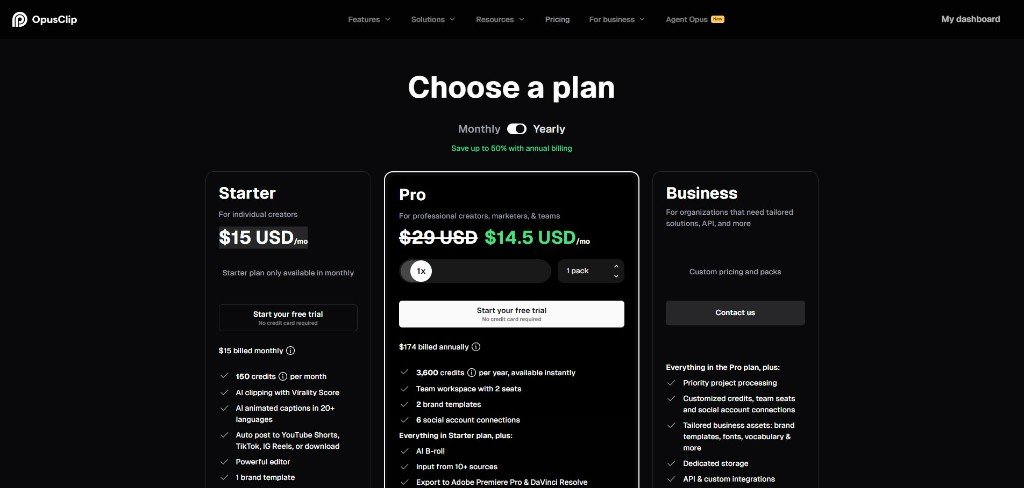
OpusClip has 3 different pricing plans, and its Starter Plan starts with just $15/month for a yearly subscription. But before any paid subscriptions, you will get a FREE TRIAL without your Credit Card details.
OpusClip Reviews
On Trustpilot, this AI shorts maker has acquired 4.1/5 stars from 300+ reviews.
4. Invideo AI
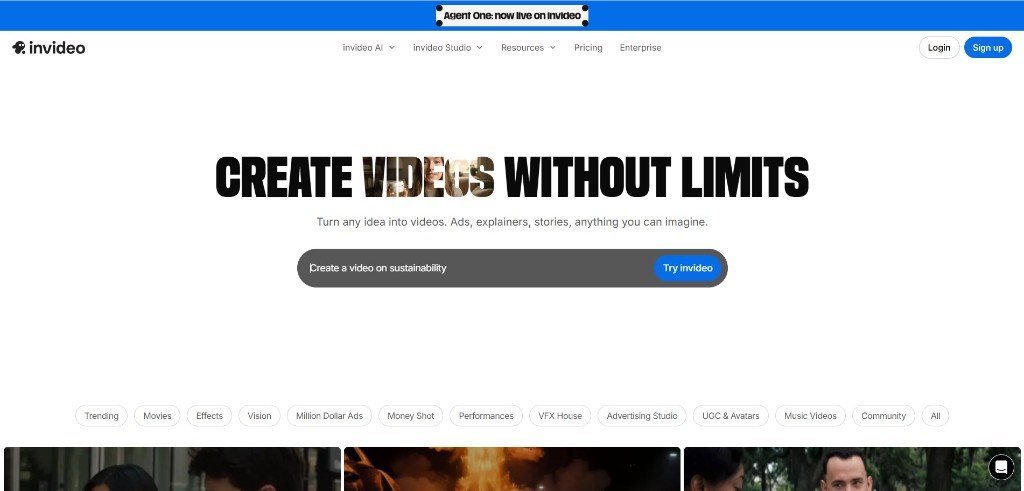
Invideo AI is like a full production studio inside a single browser tab. Unlike other repurposing AI video tools that need existing footage, Invideo AI handles your entire creative pipeline.
Invideo AI can produce a complete YouTube Short from one text prompt, with scenes, voiceover, captions, B-roll, and thumbnail included. Its conversational editing feature makes it truly unique in the field of AI YouTube shorts generators.
Best For
If you have raw ideas and you want to create something new, a publish-ready YouTube Short without a camera, editor, or team, then Invideo AI shorts video maker is just made for you.
Invideo AI Pros & Cons
Pros
- Viral effects library like Polo AI.
- A Full-cycle creation like script, visuals, captions, and thumbnail in one place.
- Access to top AI video models. (Sora 2, Kling AI, Google Veo 3.1).
- You can modify anything via a text prompt.
- Dedicated YouTube Shorts format editor.
- Premium stock access via iStock and Storyblocks.
- ElevenLabs voice cloning.
- AI Thumbnail Maker built in.
- Video translator for instant global reach.
Cons
- No free trial available.
- It’s a little bit more expensive than others in that space.
Invideo AI Pricing
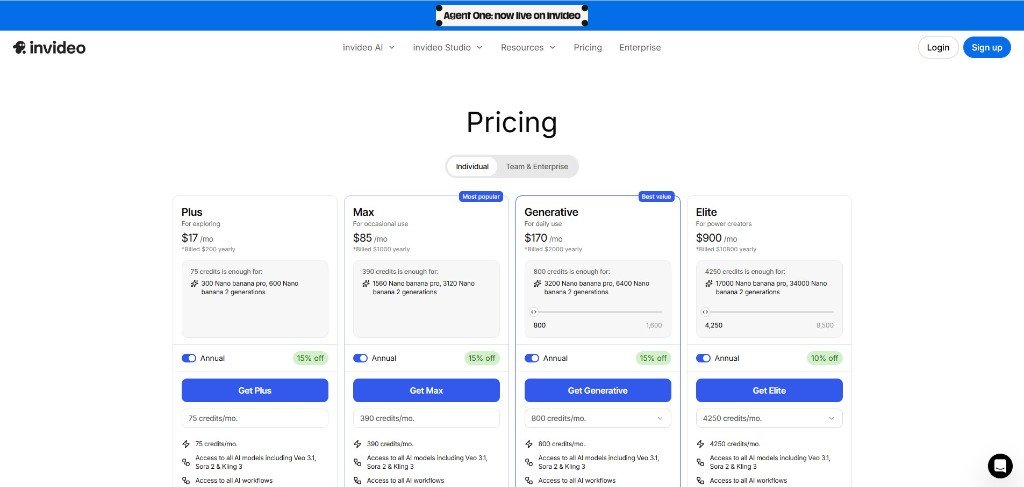
Invideo AI has 4 pricing models, and it starts with $17/month for a yearly subscription.
Invideo AI Reviews
On Trustpilot, there are 4.0/5 stars out of 700+ reviews, which is pretty solid but not that much like Polo AI and Vizard AI, as mentioned in this blog.
5. Fliki
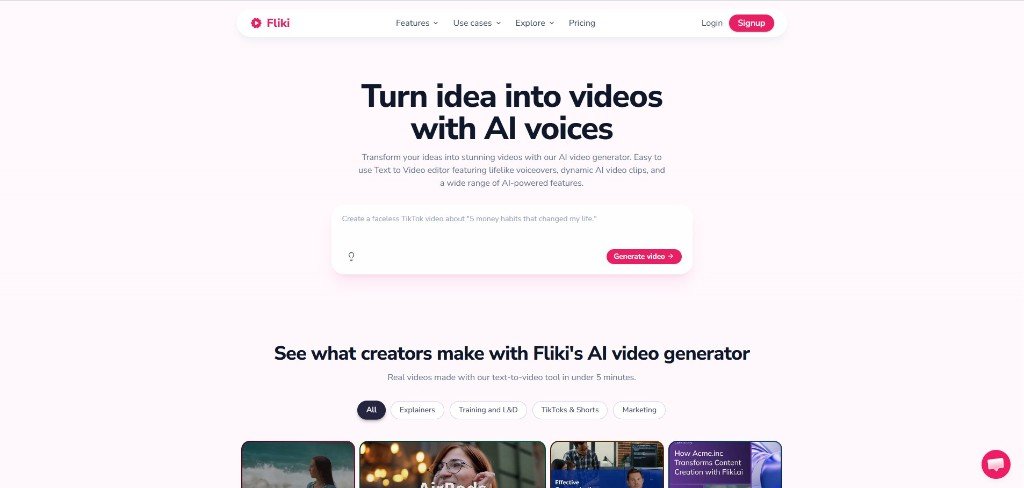
Fliki AI is an AI video generator built to generate a one-line idea, a blog post URL, or a PowerPoint deck and turn it into a publish-ready YouTube Short in under 5 minutes. Its standout feature is the “Digital Twin”, where you record yourself once, and Fliki creates an AI version of you that speaks in 80+ languages across every future video.
Best For
If you run a faceless channel or have business, that’s a genuine game-changer for you.
Fliki Pros & Cons
Pros
- Free Trial available without Credit Card details.
- Very easy to use interface.
- Idea to publish short videos in under 5 minutes.
- Works from text, blog URLs, or PPT.
- 2,000+ lifelike voices across 80+ languages.
- “Digital Twin” feature makes one recording into infinite multilingual videos.
- Auto-Edit removes filler words and silences automatically.
- YouTube-licensed music library.
- One-click publish to YouTube, TikTok, and Instagram.
- Trending templates built specifically for YouTube Shorts, Reels, and TikTok.
- Integrates Veo 3.1, Kling 3.0, and ElevenLabs in one platform.
I have tested Fliki, and I think you should avoid this if you are expecting a highly cinematic output.
I mean, Fliki is extremely powerful for AI video shorts, but for highly cinematic or narrative-driven shorts, you should go after Polo and Invideo.
Cons
- Limited frame-by-frame control for advanced VFX creators.
- To use Digital Twin and commercial rights, you need paid plans.
Fliki AI Pricing
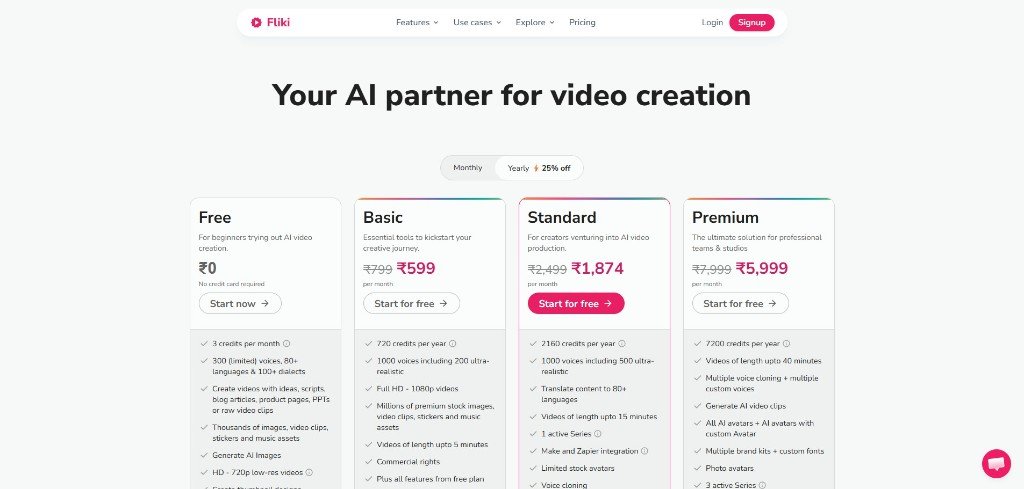
Fliki AI offers a FREE TRIAL, and if you like its features, then you can buy a paid plan, which starts from $6/month in a yearly subscription.
Fliki AI Reviews
On Trustpilot, Fliki AI has 4.4/5 stars out of 3k+ reviews, which is again a good signal to test with.
6. VOZO AI
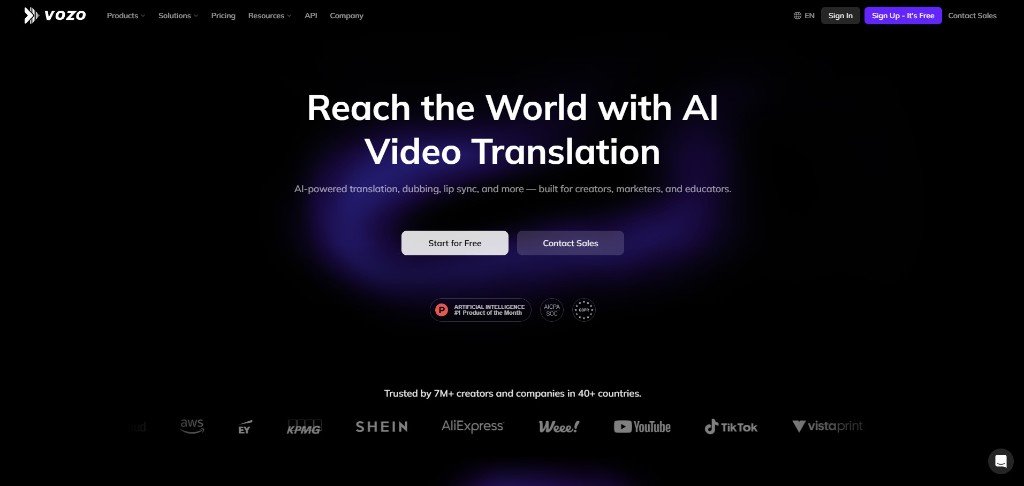
VOZO AI is one of the best AI short generators that helps you create more Shorts from 1 single long video you already have. It’s built for creators who’ve hit a ceiling in one language and are ready to go global.
Its proprietary LipREAL™ and VoiceREAL™ models clone your voice, match your lip movements, and rebuild your on-screen text in 110+ languages so precisely that viewers genuinely can’t tell it’s dubbed.
Best For
If you have a dedicated long video gallery or have already made shorts and want to unlock international audiences, without re-recording, re-editing, or hiring dubbing studios, then VOZO AI is just designed for you.
VOZO AI Pros & Cons
Pros
- Free Trial is available.
- “Long to Shorts” engine extracts 10+ clips with virality scoring.
- Translates and dubs into 110+ languages.
- LipREAL™ lip-sync is indistinguishable from native footage.
- VoiceREAL™ clones your original voice emotion and rhythm.
- Rebuilds on-screen text in the target language.
- 90% lower cost compared to hiring professional dubbing studios.
In my opinion, VOZO AI is not specially designed for a dedicated AI shorts generator from scratch, but what it does is really promising.
Basically, its main USP lies in its fast and accurate video and audio translation feature.
And the reason I included this in the list of the best AI Video tools for YouTube Shorts is just that if you want to go global, then this is the tool you must include in your workflow.
In simple terms, it helps you to enter a new market with the help of the same content, and this is great for localisation agencies to deliver multilingual videos to their clients.
Cons
- This is not a direct shorts generator tool, but it needs existing source content.
- Less useful if you’re still in early-stage content creation.
VOZO AI Pricing
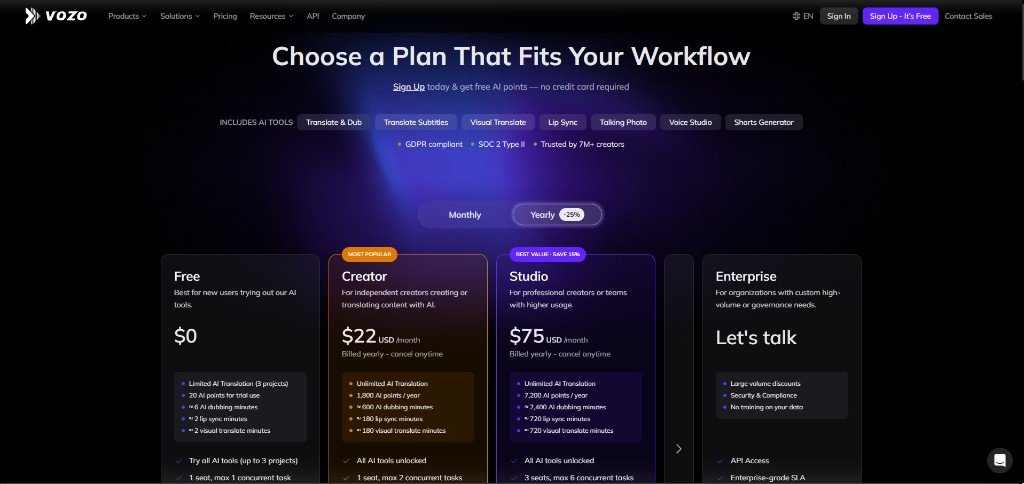
VOZO AI offers 6 pricing plans, and you can use its Creator Plan for just for $22/month in a yearly subscription.
VOZO AI Reviews
On Trustpilot, VOZO AI has 4.8/5 stars out of 200+ reviews.
7. VEED
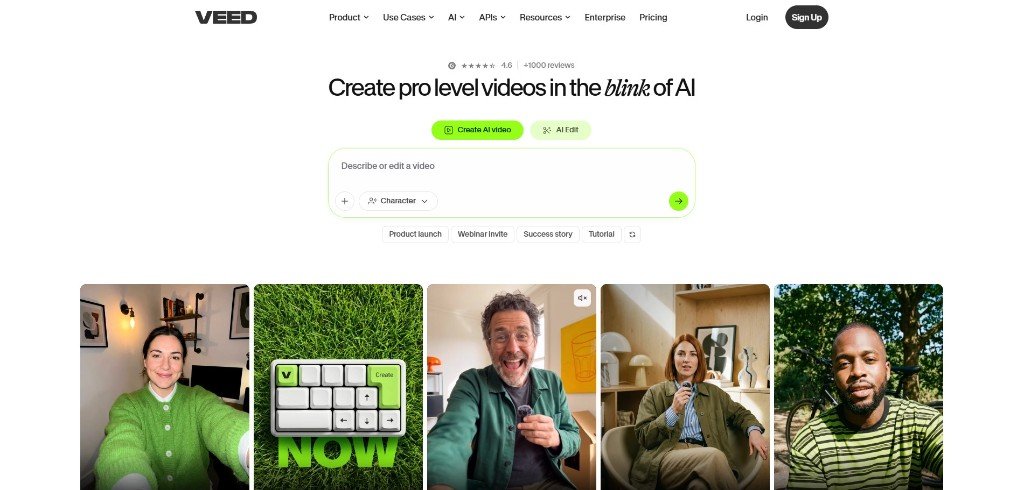
VEED is an AI short video editor that gives you a full cloud-based studio to refine, brand, and polish your short until it looks like it came out of a real production team.
Two features alone make it worth serious attention. One is Eye Contact AI, which corrects your gaze to look directly into the camera even if you were reading off-screen, and a Subtitle Engine that VEED boldly calls “the best on the internet.”
Best For
If you are a creator or marketer who wants AI-generated Shorts that look and feel like human-made and brand-consistent, then this is the complete AI Shorts-making package VEED is offering to you.
VEED Pros & Cons
Pros
- Free Trial available.
- No software download, but it works entirely in the browser.
- Eye Contact AI corrects gaze.
- “Best subtitles on the internet”, built for sound-off retention.
- Brand Kit applies colours, fonts, and logos instantly across every video.
- Integrates Fabric 1.0, Sora 2, Veo 3.1, Kling AI, and LTX Video.
- Full cloud-based editor, no software download needed.
- AI Video Translator and Dubbing for international audiences.
- Background removal and dynamic text overlays.
I think VEED is more powerful for marketing short videos than for entertainment. So, I highly recommend you to try VEED if you have a business and you want to crush marketing through AI short videos.
Cons
- No monthly billing options.
- Less specialised than pure repurposing tools like OpusClip.
VEED Pricing
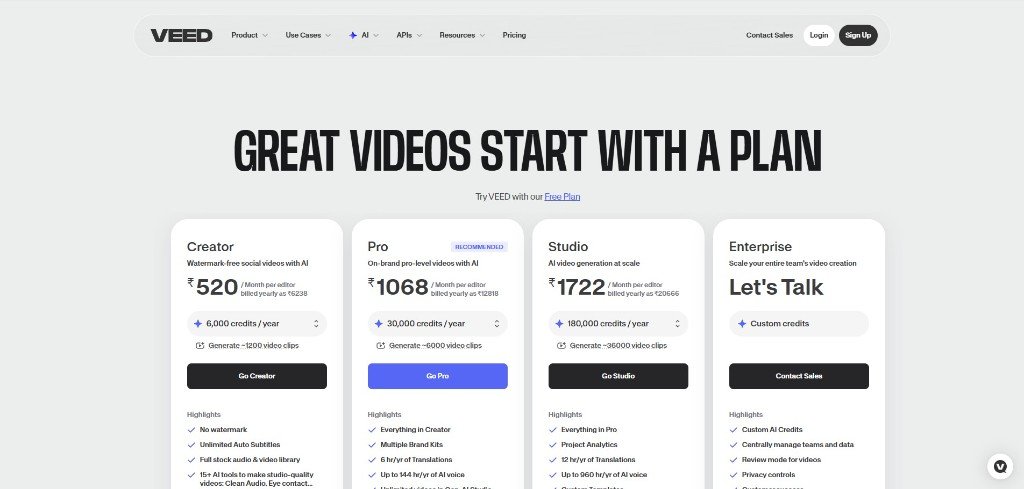
VEED has 4 pricing plans, and the subscription plan starts around $6/month (billed annually). A free plan is available for you to test core features.
VEED Reviews
On Trustpilot, VEED has 4.1/5 stars out of 3.5k+ reviews, which is too good.
Why You Should Have an AI Video Tool for YouTube Shorts
AI video tools have become part of our daily lives, and I think every YouTuber, content creator, and video editor is using AI videos to their content.
Basically, they use this technology not just to generate some AI videos, but to scale their content production.
And I believe if you are serious about social media, like YouTube, Instagram or any other social platforms, you should, or you must use AI videos to stay in the competition.
This is why you must have the knowledge about the right AI video tools for YouTube Shorts production.
Because the right AI YouTube shorts generator will provide you with the opportunity to make YouTube shorts in your own unique and creative way.
My Experience: Proven Tips to Create Viral YouTube Shorts with AI
I have been in the content marketing field for around 4 years, and I have seen a lot of videos and expert advice and read different types of articles related to viral shorts creation.
But to be honest, they all look the same, with generic short video creation advice repeatedly spitting out again and again, and I am not going to tell you those.
But I’ll tell you something real and applicable to a real-world scenario.
In my experience, I have noticed a viral short video pattern, and I think this will be a game-changer if you use it properly.
Basically, short video creation is not just finding an AI short maker and creating many shorts, but to understanding your audience’s needs and pain points.
I mean, this is your key to being a viral shorts creator.
Just learn first about your target audience, like their needs, desires, notions and objections. Then create scripts according to that angle and make shorts with a strong intention.
Each audience has different choices, and you should and must know that choice and act according to it.
That’s it. That’s where your success lies, and I believe one day you’ll definitely achieve that summit.
What is the best AI video tool for YouTube Shorts in 2026
There is no single best tool for everyone — it depends on your workflow. If you are creating from scratch, Pollo AI or Invideo AI are your strongest options. If you are repurposing existing content, OpusClip or Vizard AI will serve you better. If you want professional branding on top of AI generation, VEED is the most complete package.
Are AI video tools for YouTube Shorts free?
Most tools I discussed here offer a Free Trial to get started. However, higher export volumes, top AI models, brand kits, and commercial rights are typically locked behind paid plans.
Which AI tool is best for repurposing long videos into YouTube Shorts?
OpusClip and Vizard AI are the two strongest options for repurposing. OpusClip’s “ClipAnything” engine works across all content genres, including gaming, sports, and vlogs. Vizard AI adds a “Virality Score” that predicts which clips are most likely to go viral before you even post them.
What is the best AI tool for faceless YouTube Shorts channels?
Fliki AI is purpose-built for this. Its “Digital Twin” feature lets you record yourself once and generates an AI version of you that speaks in 80+ languages across every future video. Invideo AI is also a strong option with its AI Avatar and ElevenLabs-powered voice cloning.
Do I need editing skills to use AI video tools for YouTube Shorts?
No. Every tool on this list is designed to reduce or completely eliminate the need for traditional editing skills. Fliki AI specifically markets itself as a “Zero Editing Skills” platform. Invideo AI lets you edit using plain text commands like “make this scene faster” or “change the background music.”
Which AI video tool is best for reaching international audiences on YouTube Shorts?
Vozo AI is the clear answer here. It translates and dubs your Shorts into 110+ languages using its proprietary LipREAL™ lip-syncing and VoiceREAL™ voice cloning technology, so your dubbed content sounds and looks native to each market.