
After discussing with corporate professionals, I found that creating training videos takes a lot of time; however, it’d be great if they could turn process knowledge into training videos without editing software, production skills, or days of work.
But the condition is that the AI avatar should not look fake or robotic.
I think the best AI UGC video generator for corporate training videos does not always contain the most realistic avatar, but it should fit your exact training workflow.
If you are an HR professional, you do not need overcomplicated corporate training video software with AI avatars.
You need something simple, clear, updatable, and professional enough that your employees do not feel like they are watching fake or robotic training content.
So, in this blog, I will give you the 5 best reviews of UGC video tools for corporate training and also showcase which AI UGC tools are actually useful for HR teams, where each tool fits best, and how to choose the right AI avatar video generator for corporate training without wasting money on features you may never use.
So, let’s start.
Table of Contents
Why Do You Need a UGC video tools for Corporate Training?
If you are in the HR department, you already know that when a new employee joins your team, you have to explain the same onboarding process again.
However, it becomes more frustrating when your organisation changes a policy, the team lead updates one SOP, and the old training material suddenly becomes useless.
This is why AI UGC video tools for corporate training are becoming more useful for HR teams in recent years.
For example, instead of hiring a corporate training video production company every time you need an onboarding video, you can simply use an AI UGC video generator for training videos to create a simple avatar-led explanation or update the script whenever the process changes.
Because your employees need practical, clear, workplace-appropriate training that helps them do the job better.
Best UGC Video Tools for Corporate Training: Quick Comparison
I have tested 7 video tools for corporate training and listed only 5. Here is a quick comparison of each UGC video tool specially designed for corporate videos.
| Tool Name | Best For | G2/Trustpilot Review |
| Fliki | Turning scripts, SOP notes, or training text into simple videos with AI voiceovers and stock visuals | On G2, 4.7/5 from 176 reviews. On Trustpilot, 4.4/5 from 3,012 reviews. |
| Synthesia | Polished AI avatar training videos for L&D, HR onboarding, compliance training, SOP explainers | G2 shows 4.6/5 from 2,736 reviews. Trustpilot shows 4.0/5 from 1,806 reviews. |
| Colossyan | Interactive corporate training, compliance videos, quizzes, branching scenarios, SCORM export, LMS-ready content, and training that needs completion tracking | G2 shows 4.6/5 from 492 reviews. Trustpilot data looks limited. |
| HeyGen | Global corporate training, localised employee communication, and avatar-led training | G2 shows 4.8/5 from 1,589 reviews. Trustpilot shows 2.6/5 from 1,703 reviews. |
| Animoto | Simple slideshow-style training videos, internal announcements, HR recap videos, and lightweight visual training content where you do not need AI avatars | G2 shows 4.3/5 from 94 reviews. Trustpilot shows 3.6/5 from 1,099 reviews. |
What Is the Best Tool for Creating Training Videos?
I have tried multiple AI tools for training videos, and I would suggest going with Fliki, Synthesia, or Colossyan because these look promising and work much better than others.
But why do I say this?
Well… there are multiple reasons, but the thing that most surprised me is the fast production without being a video editor.
Plus, with these 3, you can do quick update training when workflows change, without starting from scratch.
Overall, these 3 are simple and feel clear, mature, easy, and have a streamlined feature of creating, sharing, and tracking training, so you know who completed what.
Best AI Video Generator For Corporate Videos: Use Case Review
Here are the 5 best reviews of UGC video tools for corporate training by use cases
Now, let’s get each of these in detail
1. Fliki
Best for: Training Scripts Into Voiceover-Led Videos.
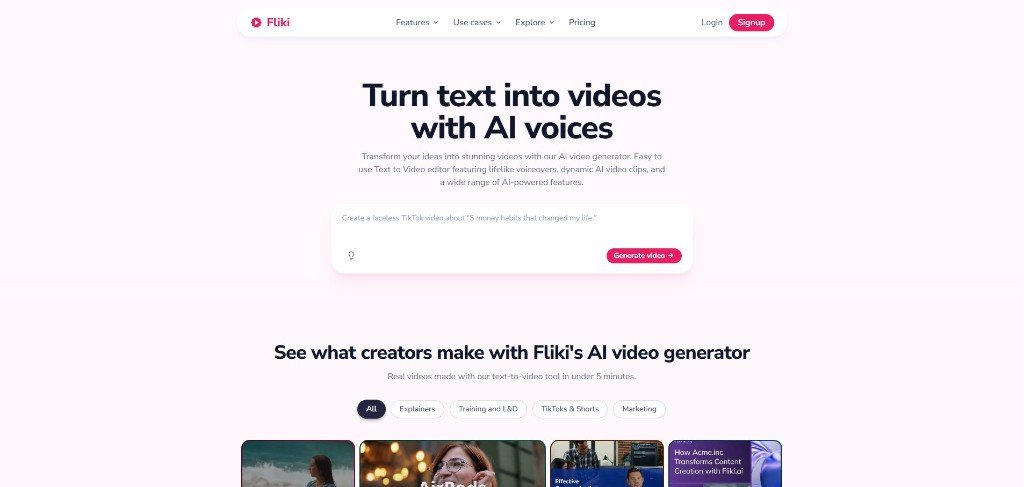
Fliki is a UGC-style training video tool for HR teams that already have training scripts, SOP notes, policy documents, or onboarding instructions. What it does is turn all of them into simple training videos quickly.
I have seen a lot of useful features Fliki offers, such as text-to-video, AI voiceovers, stock media, AI avatars, translation, and training video creation.
And this is why I gave it the first spot in this post; it gives you fast internal training content without recording from scratch.
In addition to this, if you look at Fliki reviews, it shows strong user satisfaction, with a 4.4 rating from +3000 reviews on Trustpilot.
I think Fliki can be a game-changer for you if you consider speed as your main objective to creating corporate training videos from written material.
Useful Fliki Features: Text-to-Video and AI Voiceovers
Fliki’s text-to-video and voice generation features are among the most important and useful for training video production.
It’s very simple and straightforward because what you have to do is paste your script, choose a voice, add visuals, and it can instantly create an explainer video within minutes.
I mean, this is especially helpful for your employee onboarding and internal communications process when your training content is mostly informational and voice-led.
Isn’t it?
What Are the Pros of Fliki?
- Useful for inexperienced video teams
- Written to final video content
- AI voiceover options
- Good for multilingual training videos
- Faster output than traditional corporate training video production
What Are the Cons of Fliki?
- Not ideal for complex compliance tracking
- Credit usage can increase when you revise often
Fliki Pricing
Fliki offers a free plan for testing, and if you’re satisfied with the output, then you can go with a paid plan, which starts around $8/month.
2. Synthesia
Best for: AI Avatar Training Videos
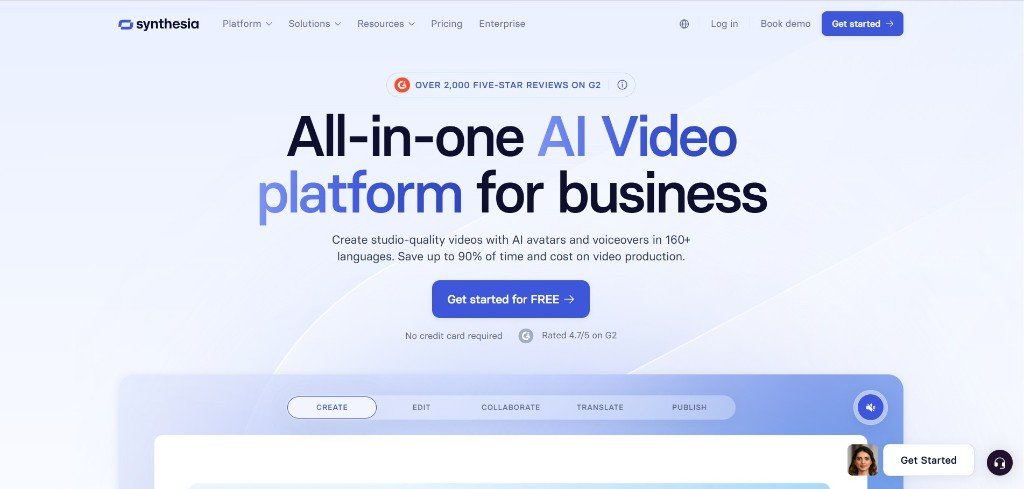
Synthesia is one of the strongest AI avatar video generators for corporate training because it is built for L&D, HR, compliance training, SOPs, employee development, and internal communication.
For HR teams, Synthesia helps you create professional avatar-driven videos without the expense of a corporate training video production company.
I mean, this corporate training video production company has a lot of corporate training video templates that can help you easily generate videos for your employees.
The rating on G2 shows 4.7 stars from +2,000 reviews from real people, which is a good sign to look at Synthesia for corporate training video production.
Synthesia Features: AI Avatars, Languages, and Brand Control
Synthesia gives you AI avatars, 160+ languages and voices, AI dubbing, brand kits, collaboration, analytics, version control, and enterprise options like SCORM export.
I think this is enough and can give you enough freedom to create an effective training video for different use cases like onboarding, software training, customer service training, and product updates, etc.
One of the best things I noticed with Synthesia is the easy process, like you can create a training video, localise it, update it when a policy changes, and keep the look aligned with your company brand.
Plus, they have a free AI script generator along with professional templates to help you with the training video-making process.
What Are the Pros of Synthesia?
- Professional avatar-led training videos
- Strong fit for HR, L&D, compliance, and SOP content
- Good multilingual support
- Brand kit and collaboration features
- Enterprise-friendly features available
What Are the Cons of Synthesia?
- Can become expensive for high-volume teams
Synthesia Pricing
Synthesia has a free Basic plan, where you can get 10 minutes of video per month. However, the paid plans start at around $16/month, followed by around $49 per month.
3. Colossyan
Best for: Compliance Training and Interactive Learning
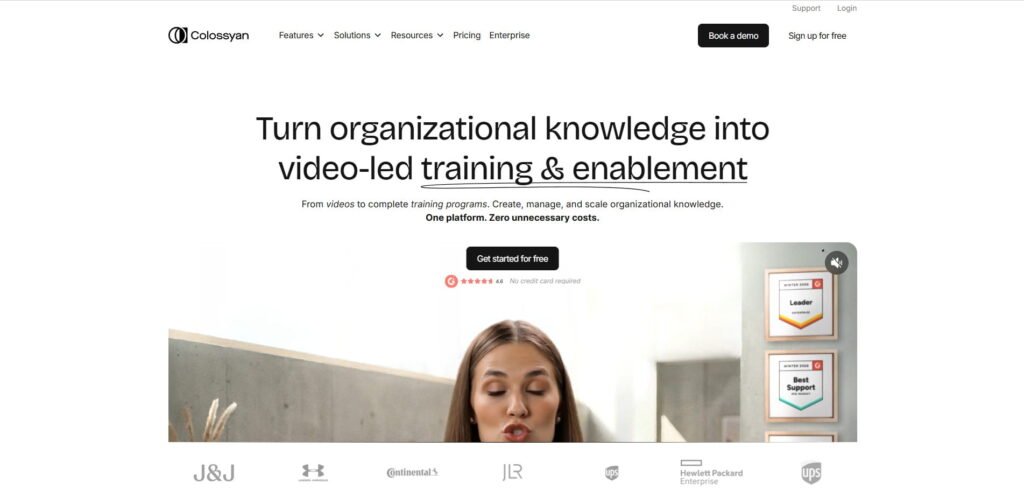
Colossyan is one of the best UGC video tools for HR and L&D teams. It is especially useful for compliance videos, employee onboarding, quizzes, branching scenarios, SCORM export, LMS-ready training, and completion-focused learning.
What I noticed is that Colossyan is just like Synthesia, with very few differences in features.
However, the avatars looked really natural and promising to me. Plus, you can control the view and the appearance of your avatar by clicking your avatar, which is great.
One of the key things that I want to highlight here is the easy-to-use interface and the template. I have reviewed this, and it looks like Colossyan knows my pain.
Literally, anyone can save a lot of time with this training video generator.
Review sites like G2 show 4.6/5 from 492 reviews, which makes it strong enough for corporate training buyers.
Colossyan Features: Interactive Videos & Expressive Avatars
Colossyan lets you to turn training into something measurable by creating interactive training videos with quizzes, branching, and LMS export.
It has a new NEO 2 avatar feature that can help you to deliver more natural expressions and hand gestures.
Each scene has a dedicated portion so that you can easily edit, add script, change whatever portion you like after some policy or content changes.
What Are the Pros of Colossyan?
- Strong fit for compliance and L&D
- Supports quizzes and branching scenarios
- SCORM export and LMS-ready features
- Good for updating and localising training videos
- Built more specifically for learning than generic video tools
What Are the Cons of Colossyan?
- May be more than you need for simple HR announcements
- Higher plans are better for serious training workflows
- Not the cheapest option for small teams
- Requires some planning to use interactivity well
Colossyan Pricing
Colossyan has a 14-day Free Trial, and you can literally test this tool in advance without a Credit Card. Paid plans start from $27/month on the monthly Starter plan.
4. HeyGen
Best for: Corporate Training video with Realistic Avatars
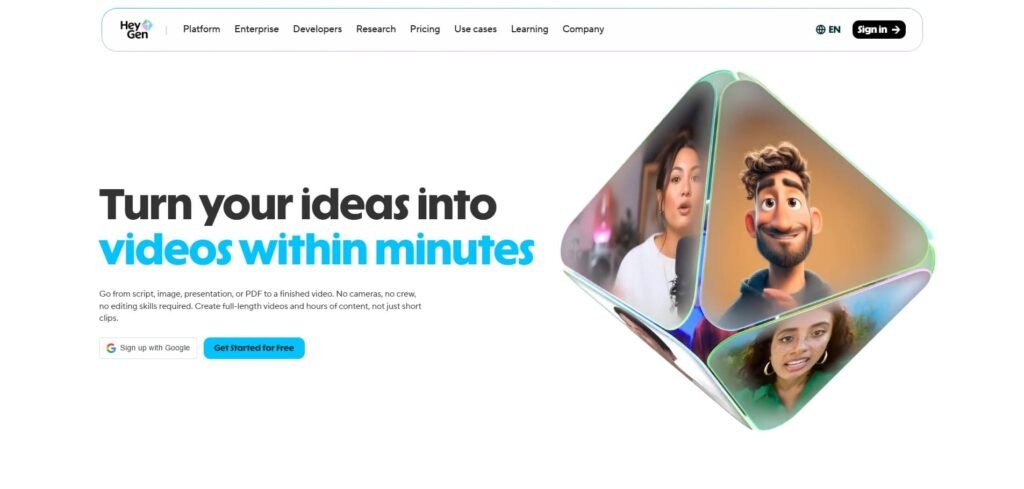
HeyGen is another AI training video generator for your HR teams with realistic avatars, lip sync, voice cloning, and multilingual corporate training video features.
It has pre-built training video templates just like Synthesia, and with the help of these customisable training video templates, you can easily make professional videos in any language.
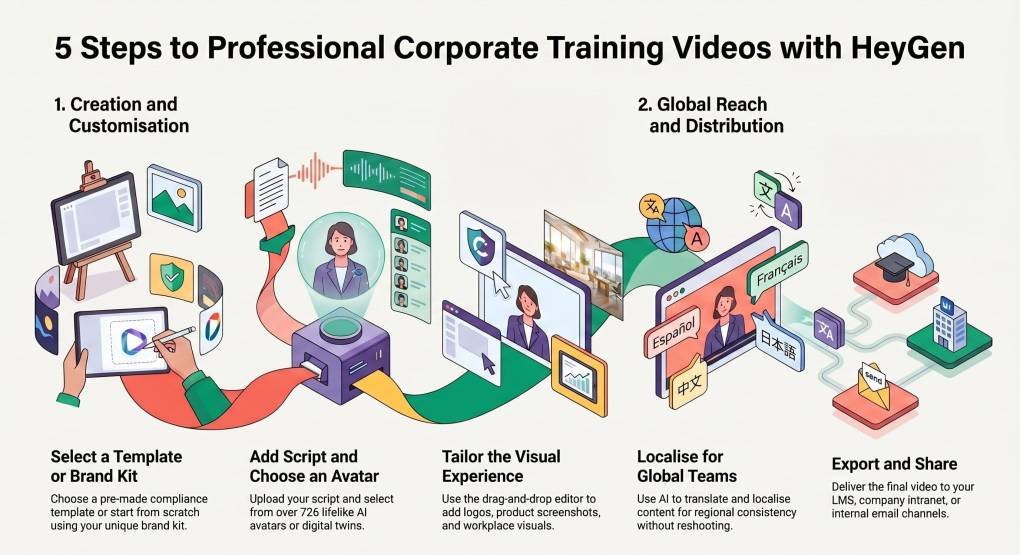
HeyGen’s training video creation process looks quite straightforward, and it looks very easy as described in the infographic below.
HeyGen Features: AI Avatars, Translation, and Lip Sync
HeyGen has a lot of features to create professional training videos.
If you have a training script or want to generate your training script, then HeyGen has a pre-built AI script generator like Synthesia.
Plus, 726+ lifelike AI avatars and localisation can help you to streamline your process.
One thing that I want to highlight here is the digital twin feature. This is really a great way to present yourself in front of your employees so that they feel you as their guide when giving training.
In addition to this, the drag-and-drop editing feature helps you to easily edit training videos without video editing experience.
So, as an HR, HeyGen would be a great choice for you if you’re looking for an easy and effective AI training video generator.
What Are the Pros of HeyGen?
- Strong avatar and lip-sync
- Multilingual employee training
- Supports voice cloning & AI twin
What Are the Cons of HeyGen?
- Advanced features may increase cost
HeyGen Pricing
HeyGen has a free plan; however, it has paid plans that start at $29/month for Creator, with Pro at $49/month.
5. Animoto
Best for: Simple Branded HR Training and Internal Announcement Videos
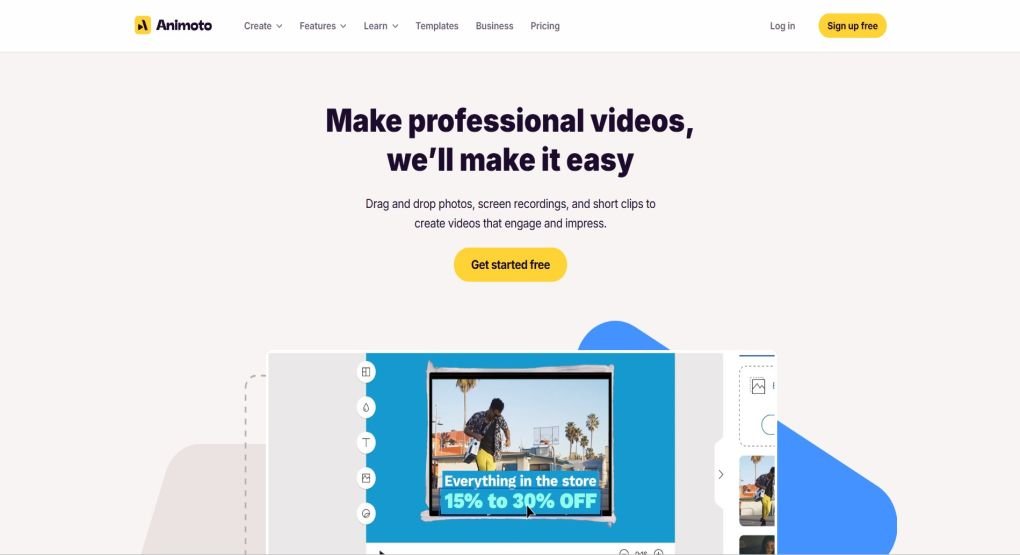
Animoto is another AI training video maker for your employees so that they can understand concepts in an easy and simple way.
This AI video generator helps to create simple visual training videos, HR announcements, recap videos, internal culture updates, and lightweight explainer videos.
However, Animato is not like Synthesia or Colossyan. But what I like to say here is that this is like a manual setup rather than fully template-based.
Here, you have to record your screen to explain the training video topic, and Animato would help you by giving you features like drag-and-drop media and brand kits.
What I would say is that it is not the strongest AI avatar video generator for corporate training, but it can work when you need a clean, branded video made from text, images, clips, and templates.
For example, if HR wants to create a short onboarding welcome video, benefits reminder, event recap, or internal communication video, Animoto can be useful because it keeps video creation simple.
Animoto Features: Simple Drag-and-Drop Video Creation
Animoto helps HR teams because it removes the pressure of complex editing. You can use templates, add company visuals, include short text, and create a polished internal video without using high-end tools.
Its screen recording and drag-and-drop media features make it a lightweight corporate communication tool that you can try for your work.
What Are the Pros of Animoto?
- Pricing is very affordable
- Simple and beginner-friendly
- Useful for HR announcements and recap content
- Easier than advanced editing software
What Are the Cons of Animoto?
- Not a dedicated AI UGC video tool
- No strong avatar-led training workflow
- Limited compared with modern AI training video platforms
Animoto Pricing
Animoto has a free plan to try. However, you can try its basic plan by paying around $4/month on a yearly billing.
Corporate Training Tools vs UGC Ad Generators
This is one of the most important factors that should be addressed in a serious way because many people think that corporate training tools and UGC ad generators are the same.
This is absolutely wrong, although both can create AI avatars, text-to-video content, voiceovers, captions, scripts, and polished video output.
But their use case is totally different.
A UGC ad generator is built to sell something quickly, but on the other hand, a corporate training video tool is built to teach your employees.
The goal of a corporate training video is to make sure your employee understands the process, remembers the instructions, and can follow without asking HR the same question again.
So, when you compare AI UGC tools for corporate training, do not only look for the avatar but ask yourself if this tool helps your HR team create clear, accurate, updatable training content.
This is more important.
| Category | UGC Ad Generators | Corporate Training Video Tools |
| Main goal | Drive clicks, sales, leads, or product interest | Teach employees a process, policy, workflow |
| Best for | E-commerce ads, SaaS ads, paid social | Employee onboarding, compliance videos, internal communications, SOP training |
| Video style | Persuasive, fast, emotional | Clear, structured, calm, instructional |
How to Choose the Right AI Video Tool for Corporate Training
The above reviews of UGC video tools for corporate training are giving you a strong foundation about which tool to prefer.
But I would suggest that choosing the best AI video generator for corporate videos becomes much easier when you know your needs.
I have talked with some HRs, and what I found is that they need a fast-making training video generator with integration of a very easy editing process.
Plus, the video update process should be very easy to execute without making them from scratch.
Btw, I have created a set of questions so that you can easily judge who to choose and include in your team
So before you buy any AI UGC video generator for training videos, ask these questions.
What Type of Training Video Are You Creating?
This is important because not every company needs every type of training video, so start with the training format, because this tells you what kind of tool you actually need.
Will Employees Take the Video Seriously?
This is one of the major concerns I hear from many corporate professionals because a training video can be fast to create and still fail if employees feel it looks fake or robotic.
The three tools I actually recommend above have AI avatars that look natural and human.
However, what I have seen is that there are no AI avatars that look exactly like humans, but you have to choose from the top performers in this space.
Can You Update the Video Easily?
This is another section to look at because corporate training content changes all the time, and this is why “update easily” should be one of your biggest buying criteria.
Do You Need Tracking, Quizzes, or LMS Export?
Not every training video needs tracking.
For a quick internal announcement, a simple shareable video link may be enough. But for compliance training, onboarding completion, safety training, or policy education, HR may need proof that employees watched and understood the content.
Is the Tool Simple Enough for HR to Actually Use?
A lot of tools look good in demos because the demo is created by someone who already knows the product. But your HR team may not have time to learn advanced video editing, timeline controls, animation settings, or complex production workflows.
So, you need a tool that helps you create corporate training videos quickly within minutes.
FAQs of UGC Tools for Corporate Training Videos
How long does it take to make a corporate video?
A simple corporate training video can take a few hours if you already have the script, visuals, and workflow ready. But traditional corporate training video production can take days or weeks because you may need scripting, recording, editing, voiceover, captions, and approvals.
How much does it cost to create a training video?
If you hire a corporate training video production company, the cost can be much higher because you pay for scripting, filming, editing, voiceover, and revisions. With AI video tools, you can usually start with free plans or paid plans from around $18 to $29 per month, depending on the tool.
Which AI avatar tool is best for employee onboarding?
Synthesia and Fliki are two of the best AI avatar tools for employee onboarding because they are built for professional training videos, multilingual content, brand control, and repeatable HR workflows.
Is Synthesia good for UGC-style videos?
Yes, Synthesia can be good for UGC-style videos, but for corporate training, it should be used carefully.
Which tools support multilingual training videos?
Synthesia, HeyGen, Colossyan, and Fliki are strong options for multilingual training videos.
Are AI UGC tools better for ads or internal training?
AI UGC tools are better for ads, but they can be very useful for internal training when used the right way.